Transcription of ユーザーフォームの作り方 - econ.nagoya-cu.ac.jp
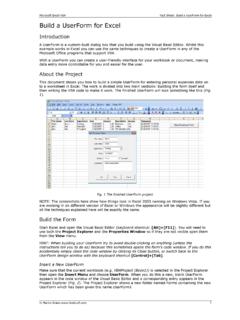
1 1 Excel 2003 Excel 2003 Visual Basic Editor Microsoft Visual Basic VBA Excel Excel VBA Excel Microsoft Visual Basic 2 UserForm1 UserForm1 RefEdit 3
2 4 10 11 12 13 14 15 RefEdit Excel Excel 5
3 BackColor Back Color 6(1) (2) Caption Caption Caption Caption Caption Caption Caption Caption Caption (3) Left Top Left Top (4) Height Width Height Width (5) BackColor BackColor (6)
4 Font Font Caption RefEdit (7) Value RefEdit Value 7 Value False True False True Value False True False True Value 0 1 2 0 (8) Index Index Value 0 1 2 0 (9) TextAlign TextAlign RefEdit 1 2 3 RefEdit 1 2 Excel Module1 Excel UserForm1 Excel
5 8 CommandButton1 Private Sub CommandButton1_Click() End Sub CommandButton1 (Gen eral) (Declarations)
6 9 VBA OK Tab Excel UserForm1 Sub Macro1() ' ' Keyboard Shortcut: Ctrl+e ' End Sub Us erForm1 abc Caption Private Sub CommandButton2_Click() Unload Me End Sub CommandButton 2 10 UserForm_Initialize UserForm_Initialize Excel UserForm Initialize UserForm_Initialize Private Sub UserForm_Initialize()
7 End Sub Page1 Page2 Caption Tab1 Tab2 UserForm_Initialize .Tabs(0).Caption = " " Tabs(0) Tabs(1) Tabs(2) TabStrip1 Private Sub UserForm_Initialize() (0).Caption = " " (1).Caption = " " (2).Caption = " " (3).Caption = " " End Sub UserForm_Initialize UserForm_Initialize .AddItem 11 ComboBox1 ListBox1 2000cc 2000cc 2000cc Private Sub UserForm_Initialize() 2000cc 2000cc 2000cc End Sub UserForm_Initialize ColumnCount 3 ColumnHeads True ColumnWidths 40;40;70 Widths 150 ColumnCount ColumnWidths ColumnWidths 40.
8 40 ColumnHeads False 12 Excel Excel Sheet2 Excel RowSource Sheet2!A2:C3 A1:C1 Sheet2!A1:C3 A B C Excel RefEdit True False True False.
9 Text .Value