Transcription of Eloquent JavaScript - Inspirit
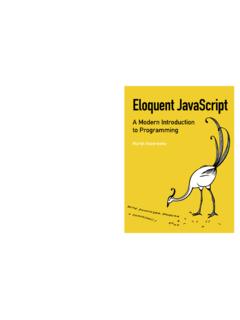
1 Eloquent JavaScript A Modern Introduction to Programming Marijn Haverbeke Copyright 2014 by Marijn Haverbeke This work is licensed under a Creative Commons attribution-noncommercial license ( ). All code in the book may also be considered licensed under an MIT license (http://. ). The illustrations are contributed by various artists: Cover by Wasif Hyder. Computer (introduction) and unicycle people (Chapter 21) by Max Xiantu. Sea of bits (Chapter 1) and weresquirrel (Chapter 4) by Margarita Mart nez and Jos Menor. Octopuses (Chapter 2 and 4) by Jim Tierney. Object with on/o switch (Chapter 6) by Dyle MacGregor.
2 Regular expression diagrams in Chapter 9 generated with by Je Avallone. Game concept for Chapter 15 by Thomas Palef. Pixel art in Chapter 16 by Antonio Perdomo Pastor. The second edition of Eloquent JavaScript was made possible by 454. nancial backers. You can buy a print version of this book, with an extra bonus chapter included, printed by No Starch Press at 1593275846/ref=as_li_qf_sp_asin_il_tl?ie =UTF8&camp=1789&creative=9325&creativeAS IN=. 1593275846&linkCode=as2&tag=marijhaver-2 0&linkId=VPXXXSRYC5 COG5R5. i Contents On programming .. 2. Why language matters .. 4. What is JavaScript ?
3 7. Code, and what to do with it .. 8. Overview of this book .. 9. Typographic conventions .. 10. 1 Values, Types, and Operators 11. Values .. 11. Numbers .. 12. Strings .. 15. Unary operators .. 16. Boolean values .. 17. Unde ned values .. 19. Automatic type conversion .. 19. Summary .. 22. 2 Program Structure 23. Expressions and statements .. 23. Variables .. 24. Keywords and reserved words .. 26. The environment .. 27. Functions .. 27. The function .. 28. Return values .. 28. prompt and con rm .. 29. Control ow .. 30. Conditional execution .. 30. while and do loops .. 32.
4 Indenting Code .. 34. ii for loops .. 35. Breaking Out of a Loop .. 36. Updating variables succinctly .. 36. Dispatching on a value with switch .. 37. Capitalization .. 38. Comments .. 38. Summary .. 39. Exercises .. 40. 3 Functions 42. De ning a function .. 42. Parameters and scopes .. 43. Nested scope .. 45. Functions as values .. 46. Declaration notation .. 47. The call stack .. 48. Optional Arguments .. 49. Closure .. 50. Recursion .. 52. Growing functions .. 55. Functions and side e ects .. 58. Summary .. 58. Exercises .. 59. 4 Data Structures: Objects and Arrays 61. The weresquirrel.
5 61. Data sets .. 62. Properties .. 63. Methods .. 64. Objects .. 65. Mutability .. 68. The lycanthrope's log .. 69. Computing correlation .. 71. Objects as maps .. 73. The nal analysis .. 74. Further arrayology .. 76. Strings and their properties .. 78. iii The arguments object .. 79. The Math object .. 80. The global object .. 82. Summary .. 82. Exercises .. 83. 5 Higher-Order Functions 86. Abstraction .. 87. Abstracting array traversal .. 88. Higher-order functions .. 90. Passing along arguments .. 91. JSON .. 92. Filtering an array .. 94. Transforming with map .. 95. Summarizing with reduce.
6 95. Composability .. 96. The cost .. 98. Great-great-great-great- .. 99. Binding .. 102. Summary .. 102. Exercises .. 103. 6 The Secret Life of Objects 105. History .. 105. Methods .. 107. Prototypes .. 108. Constructors .. 109. Overriding derived properties .. 110. Prototype interference .. 112. Prototype-less objects .. 114. Polymorphism .. 115. Laying out a table .. 115. Getters and setters .. 121. Inheritance .. 122. The instanceof operator .. 124. Summary .. 125. Exercises .. 126. iv 7 Project: Electronic Life 128. De nition .. 128. Representing space .. 129. A critter's programming interface.
7 131. The world object .. 132. this and its scope .. 134. Animating life .. 136. It moves .. 139. More life forms .. 140. A more lifelike simulation .. 141. Action handlers .. 142. Populating the new world .. 144. Bringing it to life .. 145. Exercises .. 147. 8 Bugs and Error Handling 149. Programmer mistakes .. 149. Strict mode .. 150. Testing .. 151. Debugging .. 153. Error propagation .. 154. Exceptions .. 156. Cleaning up after exceptions .. 157. Selective catching .. 159. Assertions .. 161. Summary .. 162. Exercises .. 163. 9 Regular Expressions 164. Creating a regular expression.
8 164. Testing for matches .. 165. Matching a set of characters .. 165. Repeating parts of a pattern .. 167. Grouping subexpressions .. 168. Matches and groups .. 168. The date type .. 170. Word and string boundaries .. 171. v Choice patterns .. 172. The mechanics of matching .. 172. Backtracking .. 174. The replace method .. 176. Greed .. 177. Dynamically creating RegExp objects .. 179. The search method .. 180. The lastIndex property .. 180. Parsing an INI le .. 182. International characters .. 184. Summary .. 185. Exercises .. 186. 10 Modules 188. Why modules help .. 188. Using functions as namespaces.
9 191. Objects as interfaces .. 192. Detaching from the global scope .. 193. Evaluating data as code .. 194. Require .. 195. Slow-loading modules .. 197. Interface design .. 200. Summary .. 202. Exercises .. 203. 11 Project: A Programming Language 205. Parsing .. 205. The evaluator .. 210. Special forms .. 211. The environment .. 213. Functions .. 215. Compilation .. 216. Cheating .. 217. Exercises .. 218. 12 JavaScript and the Browser 220. Networks and the Internet .. 220. vi The Web .. 222. HTML .. 223. HTML and JavaScript .. 225. In the sandbox .. 226. Compatibility and the browser wars.
10 227. 13 The Document Object Model 229. Document structure .. 229. Trees .. 230. The standard .. 232. Moving through the tree .. 233. Finding elements .. 234. Changing the document .. 235. Creating nodes .. 236. Attributes .. 238. Layout .. 241. Styling .. 243. Cascading styles .. 244. Query selectors .. 246. Positioning and animating .. 247. Summary .. 249. Exercises .. 250. 14 Handling Events 252. Event handlers .. 252. Events and DOM nodes .. 253. Event objects .. 254. Propagation .. 254. Default actions .. 256. Key events .. 257. Mouse clicks .. 259. Mouse motion .. 260.






![INDEX [nostarch.com]](/cache/preview/8/b/5/c/7/d/e/3/thumb-8b5c7de3a70d4e5ffc118921a1975f97.jpg)