Transcription of FireShield Technical Reference Manual - Fire alarm …
1 FireShield Technical Reference Manual P/N 3100353 Rev 12 MAY03 DEVELOPED BY Phone: (941) 739-4200 Copyright 2002 2003 IMPORTANT INFORMATION Limitation of liability This product has been designed to meet the requirements of the standards listed in Compliance statement below. Installation in accordance with this Manual , applicable codes, and the instructions of the Authority Having Jurisdiction is mandatory. The manufacturer shall not under any circumstances be liable for any incidental or consequential damages arising from loss of property or other damages or losses owing to the failure of products beyond the cost of repair or replacement of any defective products.
2 The manufacturer reserves the right to make product improvements and change product specifications at any time. While every precaution has been taken during the preparation of this Manual to ensure the accuracy of its contents, the manufacturer assumes no responsibility for errors or omissions. FCC warning This equipment can generate and radiate radio frequency energy. If this equipment is not installed in accordance with this Manual , it may cause interference to radio communications. This equipment has been tested and found to comply within the limits for Class A digital devices pursuant to Subpart B of Part 15 of the FCC Rules.
3 These rules are designed to provide reasonable protection against such interference when this equipment is operated in a commercial environment. Operation of this equipment is likely to cause interference, in which case the user, at his own expense, will be required to take whatever measures may be required to correct the interference. Compliance statement FireShield , when properly installed, operates as a Local Protected Premises fire alarm System in accordance with the following standards: NFPA Standard 72, 1999 Edition NFPA 70 National Electrical Code Underwriters Laboratories Standard 864, 8th Edition Underwriters Laboratories of Canada Standard ULC S527-99 Canadian Electrical Code Part I Standard for Installation of fire alarm Systems ULC S524 Standard for the Inspection and Testing of fire alarm Systems ULC S536 FireShield also complies with Local Protective Signaling (type L) - Manual (M), automatic (A), waterflow (WF), and sprinkler supervisory (SS) for.
4 Coded (C) and non-coded signaling (NC) Remote Station (type RS) - with RPM or FSDACT Auxiliary (type A) - with (this may include Local with Shunt type connection to Master Box - type LS) Central Station (Type CS) - with FSDACT Content Chapter 1 System overview and operation System overview Operations overview Controls and indicators Component descriptions Operating the panel FSDACT LCD messages Chapter 2 Installation Installation checklist Installing the cabinet Installing the Remote System Indicator Installing the Remote Zone Indicator Installing the Remote Relay Module Installing the Power Expander Transformer Installing the FSDACT Connecting an RPM module Connecting a CTM module Connecting an auxiliary power supply
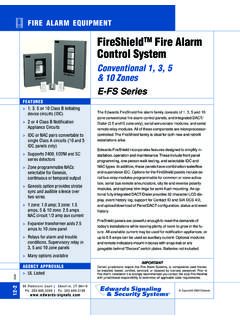
5 Installing the terminal shield Chapter 3 Programming Overview Using the factory default settings Using an FSDACT Custom programming the panel FSDACT programming Chapter 4 Maintenance Preventive maintenance Appendix A Calculations Battery calculation worksheet Notification appliance voltage drop calculation Notification appliance circuit maximum wire length calculation Appendix B Programming templates Panel programming worksheet FSDACT programming worksheet Appendix C Jumper settings and wiring diagrams Appendix D Panel specifications Appendix E Default event codes Default Contact ID event codes Default (4/2) event codes Z Index FireShield fire alarm Control Panel Operating Instructions 1 FireShield Technical Reference 1 System overview and operationSystem overviewFireShield is available in three models: three-zone, five-zone,and ten-zone.
6 Each model is similar except for the number ofinitiating device circuits (IDCs) and notification appliancecircuits (NACs), as shown in the following (three-zone)32FS502 (five-zone)52FS1004 (ten-zone)104 Model numbers may have the following suffixes: G or Rindicates gray or red enclosure, GD or RD indicates panel withFSDACT, GC indicates ULC panel with terminal shield, GFindicates a French ULC panel with terminal shield, and G-2indicates 230 Vac panel is configured for Class B operation. All modelsexcept for the three-zone can be easily converted to Class Aby using two Class B circuits to make one Class A has the following optional components: Remote System Indicator (FSRSI) Remote Zone Indicator (FSRZI-A) Remote Relay Module (FSRRM) Power Expander Transformer (XTR3A120, XTR3A230)(ten-zone only) DACT (Dialer)/Modem (FSDACT) City Tie Module ( ) Reverse Polarity Module (RPM) Battery Cabinet (BC-2)Refer to Chapter 2 Installation for optional module overviewThe panel operates in normal mode in the absence of anyalarm, supervisory, trouble, or monitor events.
7 In normalmode, the control panel monitors the panel operates in off-normal mode any time an event isintroduced into the system. When this happens, the panel: Changes contact positions on appropriate common relays Activates alarm outputs (for alarm events only) Turns on the appropriate LEDs and the panel buzzer Executes the appropriate programmed output response forthe input that signaled the event Communicates event information to appropriate optionalcomponents (FSRSI, FSRZI-A, , or RPM)If the optional FSDACT is installed, the panel: Sends a record of the event to the FSDACT LCD and tothe history log Uses the FSDACT to transmit event messages to amonitoring station as programmedControls and indicators1235432 REMOTEDISCON-NECTWALKTESTRESETSI GNALSILENCE& DRILLPA NELSILENCEDISABLEDISABLEDISABLEDISABLEDI SABLENAC 2 NAC 1 ALARMTROUBLESUP/MONALARMSUPTROUBLEPOWERD ISABLESIGNALSI LENCEDWALKTE STGNDFAULTBATTTROUBLEANNUNTR OUBLELAMP TEST16 Front panel display(1) Lamp testButtonsDescriptionREMOTEDISCON-NECTW ALKTESTP ress the Remote Disconnect and Walk Testbuttons simultaneously to initiate a panellamp test.
8 This lets you verify properoperation of the LEDs on the panel and theremote annunciators.(2) Control buttonsButtonDescriptionREMOTEDISCON-NEC TO perating mode with FSDACT: Disables orenables FSDACT. Has no effect on mode without FSDACT: Disablesor enables the common alarm mode: Selects the next mode: Places the panel in walktest mode. The Walk Test LED is on whenthe panel is in walk test mode: Selects the overview and Technical Reference ManualRESETO perating mode: Initiates a panel mode: Selects the nextsetting for the current DRILLA larm mode: Silences active notificationappliances.
9 Pressing Signal Silence asecond time turns NACs back on. The SignalSilenced LED indicates when the panel is inalarm and operating with notificationappliances turned off. Visual appliances mayor may not turn off when Signal Silence ispressed depending on panel mode: Activates the drill notification appliances on according tothe panel programming but does not placethe panel in alarm or activate the alarmrelay. Pressing Drill a second time turns offthe drill mode: Selects the previoussetting of the current program mode: Silences the panel andFSRSI sounders during an active trouble,supervisory, or alarm mode: Saves the programsetting.
10 (3) Indicating Device Circuits (IDCs) LEDs and controlsLED/buttonDescriptionAlarm LEDOn steady when an alarm input device LEDOn steady when there is a wiring fault on thecircuit. Double-flashes when the circuit isdisabled. Fast-flashes, during walk test,when the IDC is /Monitor LED(SUP/MON)On steady when a supervisory input deviceis activated. Stays on until panel is flashes when active if programmed as amonitor zone. Monitor zone programmingoption is not approved for use in mode: Renders an IDCinoperative. A disabled circuit can not initiatea change in panel state. A disabled IDC sTrouble LED double-flashes.