Transcription of Forgot Username Instructions - Quest Diagnostics
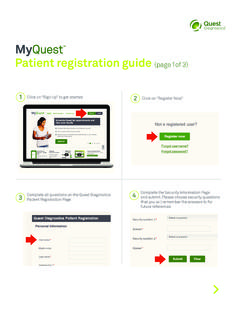
1 Forgot Username Instructions u See next page for Forgot Password Instructions Forgot Username Go to Click on Forgot Username ? . 1 and click on Login. 2. You will receive an email containing 3. Complete all required fields then press Submit.. 4 your Username . You can then click on login screen to be redirected back to the MyQuest patient portal. Forgot Password Instructions u See previous page for Forgot Username Instructions Forgot Password If you are locked out of your account, please leave the account inactive for 45 minutes and then reset your password with a new password. Go to Click on Forgot password? . 1 and click on Login. 2. Enter in your Username then You will receive a pop up advising you to 3 click on Submit. 4 check your email address for the password reset Instructions . Review the email details and follow the Instructions to resetting your password.
2 Do not use your existing password. Quest Quest Diagnostics Incorporated and its subsidiaries ( Quest ) complies with applicable federal civil rights laws and does not discriminate on the basis of race, color, national origin, age, disability, or sex. ATTENTION: If you speak English, language assistance services, free of charge, are available to you. Call ATENCI N: Si habla espa ol (Spanish), tiene a su disposici n servicios gratuitos de asistencia ling stica. Llame al (Chinese), . Quest , Quest Diagnostics , any associated logos, and all associated Quest Diagnostics registered or unregistered trademarks are the property of Quest Diagnostics . All third-party marks and TM are the property of their respective owners. 2017 Quest Diagnostics Incorporated. All rights reserved. PP7054 10/2017.