Transcription of Frequently Asked Questions - Georgia
1 Frequently Asked Questions : Georgia Medical Board Online The Georgia Composite Medical Board implemented its online application/renewal service in December 2008. This service is secure, and full-featured, offering applicants and licensees the ability to log in with a secure user ID (complete e-mail address) and password to apply for, renew, and maintain almost any aspect of their licenses and applications. The majority of our 40,000 licensees have found our system to be user-friendly and easy to navigate. However, if you need any assistance in using our system, the following Questions /answers may be helpful to you in answering some of the Questions you may have in order to use this secure online service.
2 If the following Questions and answers do not help you resolve your issue, please email us or call us. 1. WHAT IF I WANT TO APPLY FOR A LICENSE FOR THE VERY FIRST TIME? If this is the first time you have ever applied for one of the licenses we issue, you will need to register to use our online services first by clicking the registration link. After you have successfully registered your email address, you will receive your temporary password via e-mail, with instructions on how to proceed. 2. WHEN WOULD I NOT USE THE REGISTRATION LINK? If you have ever applied for or held any license (including temporary permits for residents) issued by the Georgia Medical Board and have never before logged in to use the Board s online services, call the Board office at 404-656-3913 to obtain your temporary user ID and password before proceeding.
3 Do not register as a new user. Doing so will create a new account that is not linked to your actual license or application record, and you will be unable to use the new account you created to renew, reinstate, maintain, or update your license. 3. DOES THE BOARD OFFER ANY SUGGESTIONS ON WHAT email ADDRESS I SHOULD USE FOR MY USER ID? The Board strongly encourages that licensees use their own personal email address for their online account. The Board receives numerous requests to reset entire online accounts because someone other than the licensee originally set up the account and is no longer employed with the licensee.
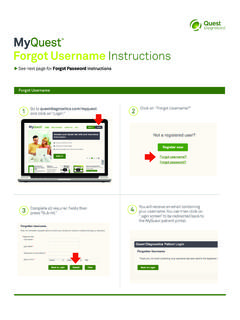
4 If you choose to allow someone else to set up your online account, make sure that individual provides you with the following information: A. User ID (which is an e-mail address) B. password C. Secret question D. Secret Answer The Board also suggests that you keep the information above stored in a secure place for easy access every time you wish to access your online account. 4. WHAT IF I DON T KNOW MY USER ID OR SECRET question & ANSWER? If you do not have access to your online account, please send us an email providing the following information: a. Your name b. Your license number c.
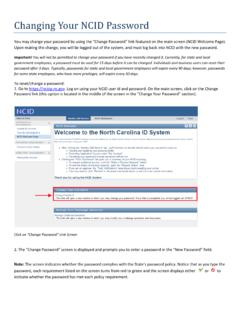
5 The last 4 digits of your SSN (for identity confirmation) Upon receipt of the information above, the Board staff can provide you with the following information: a. The current email address attached to your online account b. The secret question and answer. 5. WHAT IF I DON T KNOW MY password ? If you know your user ID and your secret answer, you can reset your password by following these steps: a. Click the forgot your password link below the login fields. b. Enter the email address you specified as your user ID and click the Next button. c. Answer the security question and click the Next button. d. Check your email inbox for the system-generated temporary password .
6 (If you do not see it in your inbox within a few minutes, please check your spam or junk email folder.) e. Log into the Board s online system with your user ID and the temporary password you received by email . Note: The temporary password is an eight-character, case-sensitive combination of seven letters followed by one number. In many fonts, some letters and numbers may look like others, so we recommend that you copy the temporary password from the email message to your clipboard, and then paste it into the password field. The Board does not receive a copy of the email message with your reset password . 6. WHAT IF MY USER ID IS NO LONGER A VALID email ADDRESS (OR I CAN NO LONGER ACCESS THE email INBOX)?
7 If the email address you are using is no longer accessible to you, please send us an email providing the following information; a. Your name b. Your license number c. Current email attached to your online account d. New email address you would like attached to your online account e. The secret answer to the security question Upon receipt of the information above, the Board staff will enter your new email address into our system. The system will then automatically send you an email message with a temporary password to access your online account. NOTE: In some cases you may have to check your spam or junk mail folder for the email message. 7. WHAT SHOULD I DO IF I WISH TO REINSTATE MY LICENSE ONLINE?
8 You can only reinstate a lapsed license online. If you wish to reinstate a lapsed license, use your existing user ID and password . If you wish to reinstate a license that is in any status other than lapsed, you will need to apply by mail using the printable forms you can download from the Board s website. 8. CAN I ACCESS MY PHYSICIAN PROFILE THROUGH THE ONLINE SERVICE? Yes. If you have your User ID and password , you have the ability to update your physician profile through the online service. After you log in, click the link that displays your license number. You will then see a link to maintain your physician profile.
9 Click that link to review and update your physician profile.