Example: biology

Getting Started - hslcnys.org

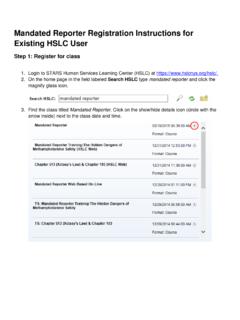
Last Updated October 9, 2014 Page 1 of 1 STA R S HSLC: How to Launch Online Training Getting Started 1. Open the Internet Explorer browser 2. Navigate to 3. Enter the Username and Password provided to you 4. Click Login 5. Select User and then select My Registration Launch Online Training 1. On the Current Registration Page, click the Open/Close Icon 2. Click the Launch Icon. The Training will open in a new browser window / tab. Navigate through the training. Upon completion close the new browser / tab to return to this page. Hit the F5 key on your keyboard to refresh the page. 3. The Participant Reaction Questionnaire will become available (it will be underlined) after you complete the training. Click Participant Reaction Questionnaire 4. Select the radio button to the left of the answer that best matches your experience with the class and type comments in the text boxes for questions that require comments.

Home User Learn ng Help Ope n/CIose o /2014 Start Date o /2014 2/31/2014 End Date 2/31/2014 Current Registration: Total Registered: 2 Cou rse

Tags:

  Getting, Started, Getting started

Information

Domain:

Source:

Link to this page:

Please notify us if you found a problem with this document:

Other abuse

Advertisement

Transcription of Getting Started - hslcnys.org

1 Last Updated October 9, 2014 Page 1 of 1 STA R S HSLC: How to Launch Online Training Getting Started 1. Open the Internet Explorer browser 2. Navigate to 3. Enter the Username and Password provided to you 4. Click Login 5. Select User and then select My Registration Launch Online Training 1. On the Current Registration Page, click the Open/Close Icon 2. Click the Launch Icon. The Training will open in a new browser window / tab. Navigate through the training. Upon completion close the new browser / tab to return to this page. Hit the F5 key on your keyboard to refresh the page. 3. The Participant Reaction Questionnaire will become available (it will be underlined) after you complete the training. Click Participant Reaction Questionnaire 4. Select the radio button to the left of the answer that best matches your experience with the class and type comments in the text boxes for questions that require comments.

2 5. When finished, Click Submit Questionnaire.


Related search queries