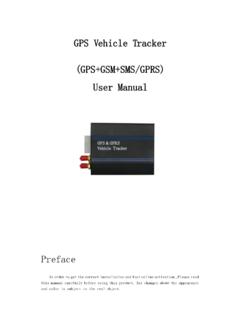
Transcription of GPS Vehicle Tracker - p.globalsources.com
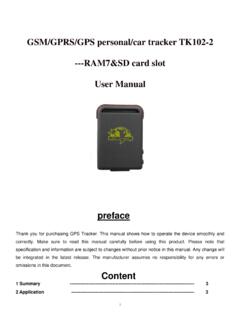
1 User Manual for gt02 gps Vehicle Tracker 1 / 6 GPS Vehicle Tracker (GPS+GSM+GPRS) User Manual For GT02 Version Please read t his ma nual ca ref ull y b ef o re at t emp t ing inst allat io n a nd o nli ne Act i vat io n. Pict u res a re f o r i nd icat io n and ill ust rat io n p u rp o ses o nl y. UVI Group Corporation 11C, HaiYue Building, HuiJing Garden, Nanshan Technology Park, Shenzhen, China Tel: +86-755-83315079 Mobile: +86-1860-7550 6905 Website: User Manual for gt02 gps Vehicle Tracker 2 / 6 1.
2 Accessories 2. Specification GSM: 850/900/1800/1900 MHz GPRS: Class 12, TCP/ IP Voltage: 9-50vDC Current: 22mA 12vDC 12mA 24vDC GPS positioning time: Cold start -38sec (open sky) Warm start -32sec Hot start -2sec (open sky) GPS positioning precision: 10m (2D RM) Temperature: -30 C ~ +70 C Humidity: 20% ~ 80% RH Dimension: (L) (W) (H)mm Weight: 45g 3. Function setting Remarks: If you take GT02 to your country, please change the APN parameter of the device (through sending SMS). You can ask your GSM operator for APN. The first SMS Command: APN,666666,APN name# For example, if your GSM provider s name is ORANGE and its APN as below: APN: ORANGE User: WAP Pass: WAP You should send SMS command: APN,666666,ORANGE,WAP,WAP# The 2nd SMS Command: SERVER,666666,1, ,8821,0# Note: is our server s domain name; 8821 is the port Battery cables (standard) Locking Bolts (standard) User Manual for gt02 gps Vehicle Tracker 3 / 6 After you send the above 2 SMS from your cell phone to your GT02, it will connect with our server.
3 Location search methods: GPRS background/ SMS We based service platform: Vehicle location information auto-uploading The GPRS time sending interval can be set to between 10s and 18000s. The factory default setting for location updates is set at 10s. Modification of GPRS time sending interval SMS TIMER, time (second) # to the corresponding SIM number of GT02. 10s is in minimum and 18000s (5 hours) is in maximum. Checking location via SMS SMS WHERE,666666# , to the SIM number of GT02. The device will send a location message automatically. This coordinate can be put into Google map directly and you can get the address.
4 SMS URL,666666# , to the SIM number of GT02. The device will send a location Google Map link. Modification of password SMS PASSWORD, old password (6 digits), new password (6 digits)# . The default password is 666666 For example, if you want to change its default password 666666 to 123456, You can send PASSWORD,666666,123456#. So its password will be changed to 123456. 4. Status indicator Red LED (power/working status) LED Status Meaning Flashing Power supply indicator, working normally Continuously in bright state Not working normally Continuously in dark state Power off / internal fault Blue LED GPS status LED Status Meaning Flashing (interval ) Searching GPS signal Continuously in bright state GPS located Continuously in dark state GPS not located User Manual for gt02 gps Vehicle Tracker 4 / 6 Green LED(GSM status indicator)
5 LED Status Meaning Quick flashing GSM initialization Continuously in bright state GSM conversation/Start GPRS Continuously in dark state No GSM signal 5. GT02 interface introduction 6. Method of installation Preparation before installation Open the packing box to check whether the type of device is correct and whether the accessories are included. This product is a high-tech electronic device; installation should be undertaken by a professional. Please follow the following procedures to install your GT02. During installation, there should be no power to the device. Installing SIM card: each GT02 needs to insert a GSM SIM card.
6 The SIM card used should be enabled for GPRS. 1) Testing SIM card: To test SIM card, please install it into a normal GSM mobile and ensure it can send and receive SMS, and enables for GPRS. User Manual for gt02 gps Vehicle Tracker 5 / 6 If there is an access password, or pin, please cancel it; Testing GPRS network connection 2) Installing SIM card: Remove the upper cover of device, insert SIM card as shown then replace cover, lock the shell with 3 bolts. Selecting installation place and fixing it. There are two kinds of installation: covert and non covert. If you need the covert installation, please refer installation to an auto electrical contractor.
7 NOTE: 1) To prevent theft of the GT02, the device should be installed as covertly as possible. 2) Avoid placing the GT02 close to higher power electrical devices, such as reversing radar, anti-theft device or other Vehicle communication equipment; 3) The GT02 should be fixed into position with cable ties or wide double-side tape. 4) Your GT02 has built-in GSM antenna and GPS antenna. During installation, please make sure the receiving side face is up, with no metal object above the device to interfere with GPS reception. The following places are suggested for installation: - Under the dash board below the front windshield; - In the parcel shelf in the rear; - In the front bumper (non-material face), please ensure the device cannot get wet; - Under the wiper version (non-metal), please ensure the device cannot get wet; Notice: if the windshield is pasted with metal thermal-protective coating, it may affect the performance of the device.
8 In this case, please change the installation place after consulting the professional. 5) Non Covert Installation, Firstly fix the GT02 on the dash board below windshield. 7. Cautions of device wiring The standard voltage is 9V-50V, the red wire is the positive, the black wire is the negative. Please connect the black wire to ground. After connecting the power cord, run the power cord plug to the device. After installation, supply power to device. Covert installation: car battery cord is standard; with 1A FUSE for short-circuit over current protection.
9 Non covert installation: cigar lighter cord is optional; with 2A FUSE for short-circuit over current protection. Please contact your dealer if this mode is needed. 8. Power on/off The GT02 will power on automatically when connected to power. During normal operation, red power LED flashes, while blue GPS LED and green GSM LED keep lighting. During signal searching process, GPS or GSM LED will flash. If there is no light presenting on LEDs, the device User Manual for gt02 gps Vehicle Tracker 6 / 6 is not working normally. The device will power off after power is disconnected.
10 9. Side key function At normal-work indication status, press the side key, all the three LEDs will extinguish and then the GT02 will enter covert working mode. Press the key again, the three LEDs will go back to normal-work indication status. 10. GPS troubleshooting If GPS can not receive the signals normally, please drive to the open areas for positioning. Generally, it needs 1-2 minutes to receive the first coordinates. If the data can not be received after 2-3 minutes, please check the installation position of the device, making sure it is not being shielded by any metal.