Transcription of GPU Computing Guide
1 CST Studio Suite 2021 R. GPU Computing Guide c Dassault Syst mes GPU Computing Guide 2021. Copyright 1998-2019 Dassault Systemes Deutschland GmbH. CST Studio Suite is a Dassault Syst mes product. All rights reserved. 2. Contents 1 Nomenclature 3. 2 Supported Hardware 4. Supported Solvers and Features for NVIDIA GPUs .. 4. Supported Solvers and Features for AMD GPUs .. 5. 3 Operating System Support 5. 4 Licensing 5. c Dassault Syst mes GPU Computing Guide 2021. 5 Switch On GPU Computing 5. Interactive Simulations .. 5. Simulations in Batch Mode .. 6. 6 List of supported NVIDIA GPU hardware for CST Studio Suite 2021 6. 7 Unsupported NVIDIA Hardware 15. 8 NVIDIA Drivers Download and Installation 15. GPU Driver Installation .. 15. Verifying Correct Installation of GPU Hardware and Drivers .. 19. Uninstalling NVIDIA Drivers.
2 20. 9 NVIDIA Usage Guidelines 21. The Error Correction Code (ECC) Feature .. 21. Tesla Compute Cluster (TCC) Mode .. 23. Exclusive Compute Mode .. 24. Display Link .. 24. Combined MPI Computing and GPU Computing .. 24. Service User .. 24. GPU Computing using Windows Remote Desktop (RDP) .. 24. Running Multiple Simulations at the Same Time .. 25. Video Card Drivers .. 25. Operating Conditions .. 25. Latest CST Service Pack .. 25. GPU Monitoring/Utilization .. 26. Select Subset of Available GPU Cards .. 27. 10 NVIDIA GPU Boost 28. 11 NVIDIA Troubleshooting Tips 31. 12 History of Changes 33. 3. 1 Nomenclature The following section explains the nomenclature used in this document. command Commands you have to enter either on a command prompt (cmd on MS Windows or your favorite shell on Linux) are typeset using type- writer fonts.
3 <..> Within commands the sections you should replace according to your environment are enclosed in "<..>". For example "<CST_DIR>". should be replaced by the directory where you have installed CST. Studio Suite ( "c:\Program Files\CST Studio Suite"). c Dassault Syst mes GPU Computing Guide 2021. 4. 2 Supported Hardware CST Studio Suite supports Hardware Acceleration for various Solvers and GPUs. In combi- nation with NVIDIA GPUs many different kind of Solvers and GPUs are supported. Please check the tables below for more details. Starting with CST Studio Suite 2021 also selected AMD GPUs are supported to accelerate the Time Domain Solver only. For more information please contact our local 3DS/SIMULIA. support team ( ). CST Studio Suite currently supports up to 16 GPU devices in a single host system, meaning each number of GPU devices between 1 and 16 is c Dassault Syst mes GPU Computing Guide 2021.
4 Supported Solvers and Features for NVIDIA GPUs Time Domain Solver (T-HEX-solver and TLM-solver). Integral Equation Solver (direct solver and MLFMM only). GPUs with good double precision performance required Multilayer solver (M-solver). GPUs with good double precision performance required Particle-In-Cell (PIC-solver). Modulation of External Fields not supported Open Boundaries not supported Electrostatic Particle-In-Cell (Es-PIC-solver). Multi-GPU not supported Field-dependent Particle Sources and Particle Interfaces not supported Secondary Emission from Solids not supported Monte-Carlo Collision Models: Excitation and Scattering not supported Particle 2D and Current Density Monitors not supported Sheet transparency for Particles not supported Particle Losses on Solids not supported Periodic Boundary Conditions not supported Conjugate Heat Transfer Solver (CHT-solver).
5 1. It is strongly recommended to contact CST before purchasing a system with more than four GPU cards to ensure that the hardware is working properly and is configured correctly for CST Studio Suite. 5. Asymptotic Solver (A-solver). GPUs with good double precision performance required On Windows TCC mode is required Supported Solvers and Features for AMD GPUs Transient HEX Solver (T-HEX-solver). 3 Operating System Support c Dassault Syst mes GPU Computing Guide 2021. CST Studio Suite is continuously tested on different operating systems. For a list of sup- ported operating systems please refer to In general, GPU Computing can be used on any of the supported operating systems. 4 Licensing The GPU Computing feature is licensed by so called "Acceleration Tokens", your CST. license must contain at least one "Acceleration Token" if you want to accelerate your simula- tions by using a GPU.
6 Please contact your 3DS Sales Representative for further information. 5 Switch On GPU Computing Interactive Simulations GPU Computing needs to be enabled via the acceleration dialog box before running a simu- lation. To turn on GPU Computing : 1. Open the dialog of the solver. 2. Click on the "Acceleration" button. 3. Switch on "Hardware acceleration" and specify how many GPU devices should be used for this simulation. The specification of the number of devices is per solver ( if DC is used). Please note that the maximum number of GPU devices available for a simulation depends upon the number of tokens in your license. 6. Simulations in Batch Mode c Dassault Syst mes GPU Computing Guide 2021. If you start your simulations in batch mode ( via an external job queuing system) there is a command line switch (-withgpu) which can be used to switch on the GPU Computing feature.
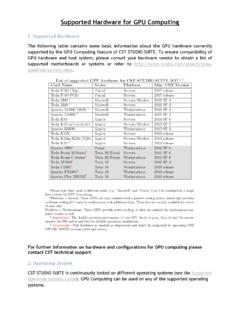
7 The command line switch can be used as follows:2. In Windows: "<CST_INSTALL_DIR>/CST Design " -m -r -withgpu=<NUMBER_OF_GPUs> "<FULL_PATH_TO_CST_FILE>". In Linux: "<CST_INSTALL_DIR>/cst_design_environment" -m -r -withgpu=<NUMBER_OF_GPUs> "<FULL_PATH_TO_CST_FILE>". 6 List of supported NVIDIA GPU hardware for CST Studio Suite 2021. The following tables contain some basic information about the GPU hardware currently sup- ported by the GPU Computing feature of CST Studio Suite, as well as the requirements for the host system equipped with the hardware. To ensure compatibility of GPU hardware and host system please check Please note that a 64 bit computer architecture is required for GPU Computing . CST Studio Suite officially supports the NVIDIA Tesla and Quadro cards listed in the table below. That means that these GPUs are well tested and validated with CST software and you can contact CST support in case you run into any problems.
8 2. This example shows the batch mode simulation for the transient solver (-m -r). To learn more about the command line switches used by CST Studio Suite please refer to the online help documentation in the section General Features', subsection Command Line Options'. 7. 3 4. Card Name Series Platform Min. CST Version A100-SXM4-40GB Ampere Servers 2021 release A100-PG509-200 Ampere Servers 2021 release A100-PCIE-40GB Ampere Servers 2021 release Quadro RTX 8000 5 Turing Workstations 2019 SP6. Quadro RTX 6000 5 Turing Workstations 2019 SP6. Quadro RTX 5000 5 Turing Workstations 2019 SP6. Quadro RTX 4000 5 Turing Workstations 2019 SP6. Quadro GV100 Volta Workstations 2018 SP6. c Dassault Syst mes GPU Computing Guide 2021. Tesla V100-SXM2-32GB (Chip) Volta Servers 2018 SP6. Tesla V100-PCIE-32GB Volta Servers 2018 SP6.
9 Tesla V100-SXM2-16GB (Chip) Volta Servers 2018 SP1. Tesla V100-PCIE-16GB Volta Servers 2018 SP1. Tesla P100-SXM2 (Chip) Pascal Servers 2017 release Tesla P100-PCIE-16GB Pascal Servers 2017 release Tesla P100 16GB Pascal Servers 2017 release Tesla P100-PCIE-12GB Pascal Servers 2017 SP2. Quadro P6000 5 Pascal Workstations 2017 SP 2. Quadro GP100 Pascal Workstations 2017 SP2. Tesla P40 5 Pascal Servers 2018 release Tesla P4 5 Pascal Servers 2018 release Tesla M60 5 Maxwell Servers/Workst. 2016 SP4. Tesla M40 5 Maxwell Servers 2016 SP4. Quadro M6000 24GB 5 Maxwell Workstations 2016 SP4. Quadro M6000 5 Maxwell Workstations 2015 SP4. Tesla K80 Kepler Servers 2014 SP6. Tesla K40 m/c/s/st/d/t Kepler Servers/Workst. 2013 SP5. Quadro K6000 Kepler Workstations 2013 SP4. Tesla K20X Kepler Servers 2013 release Tesla K20m/K20c/K20s Kepler Servers/Workst.
10 2013 release Tesla K10 5 Kepler Servers 2013 release 3. Please note that cards of different series ( "Maxwell" and "Pascal") can't be combined in a single host system for GPU Computing . 4. Platform = Servers: These GPUs are only available with a passive cooling system which only provides sufficient cooling if it's used in combination with additional fans. These fans are usually available for server chassis only! Platform = Workstations: These GPUs provide active cooling, so they are suitable for workstation computer chassis as well. 5. Important: GPU device with reduced double precision performance; please check chapter 2. Supported Hardware for affected solvers. 8. NVIDIA Tesla P100 Chip NVIDIA Tesla P100 PCIe1. Hardware Type (for Servers) (for Servers). Min. CST version required 2017 release 2017 release c Dassault Syst mes GPU Computing Guide 2021.