Transcription of GreenStar™ Software Update 2017-1 - John Deere
1 GreenStar Software Update 2017 -1 Release Notes 1 Important Notes: It is recommended to back up GreenStar 2 1800 Display and GreenStar 3 2630 Display data, prior to updating any Software , as a precaution to protect your information. It is suggested to erase all data from your GreenStar 3 2630 Display before loading new Setup Data, in an effort to remove unnecessary and potentially corrupt files that may hinder display performance. Software activations are non-transferrable in the event of lost, stolen, or destroyed equipment. It is recommended to insure a GreenStar Display at full value, including Software activations. To ensure complete and proper functionality, the most current version of GreenStar Display Software and Apex , or preferred partner, desktop Software should be used. Global Support Center Information: Web: E-mail: Contact information for all supported countries can be found at StellarSupportTM under the Contact Us section.
2 Release Notice These are the Software Update release notes for the GreenStar Displays and related products. Apex Farm Management Software release notes can be found on Note: Your use of the Software is governed by the End User License Agreement, included in the Software bundle. Copyright 1996- 2017 Deere & Company. ALL Worldwide Rights Reserved. THIS MATERIAL IS THE PROPERTY OF Deere & COMPANY. ALL USE, ALTERATIONS AND/OR REPRODUCTION NOT SPECIFICALLY AUTHORIZED BY Deere & COMPANY IS PROHIBITIED. GreenStar Software Update 2017 -1 Release Notes 2 GreenStar 3 2630 Display: GS3 2630 Software compatibility notes: For john Deere Machine Sync functionality, GreenStar 3 (GS3) 2630 Displays must operate with matching Software versions. (17-1 recommended). For john Deere Machine Sync coverage map sharing, shared coverage maps will not persist after updating displays from SU15-2 to any newer version.
3 Perform Software Update at the conclusion of field operations to ensure no coverage maps are lost. Coverage maps will not persist if GS3 2630 Display Software is backdated from 17-1 to SU15-2 or older Software version. ISOBUS AEF Certification functionality is only approved for 30 Series and newer tractors. ISOBUS AEF Certification functionality will disable the use of the virtual Original GreenStar Monitor mode within the GS3 2630 Display and controllers that are designed for use with the Original GreenStar Monitor mode. Generation 4 CommandCenter setup profiles will not directly import into the GS3 2630 Display. In order to import Gen4 CommandCenter profiles, first export data from the GS3 2630 Display with the profile name JD4600 . Next, using the same USB, export all data from the Gen4 CommandCenter . All data will be merged into the JD4600 profile and then can be imported into the GS3 2630 Display.
4 Software Version (17-1) is backwards compatible on all previous GreenStar 3 2630 Display hardware revisions. GS3 2630 Display Software (15-2 and earlier) is not compatible with new GS3 2630 Display hardware revision H and later. Hardware revision letter is found in the 7th digit of display s serial number. Software Version (17-1) is backwards compatible on all previous GreenStar 3 2630 Display hardware revisions; however, previous GS3 2630 Display Software (16-1 and earlier) is not compatible with new GS3 2630 Display hardware revision J and later. Hardware revision letter is found in the 7th digit of the display s serial number. New Features Documentation and Section Control When an Air Cart is being documented by a GS3 2630 Display, the seeding operation will be the only operation painted on the coverage map. In all other applications, multiple operations can paint the coverage map at the same time.
5 Data Cleanup - ISO File Server is now available in data cleanup Hagie Models Hagie Models including: STS10, STS12, STS14, STS16 and DTS10 are now supported with populated machine offsets showing a front mounted boom on the display. Section Control SeedStar 3 minimum turn on/off times have been changed to seconds GreenStar Software Update 2017 -1 Release Notes 3 Resolved/Informational Items Advanced AutoTrac Settings - When using Reichhardt advanced AutoTrac settings, the increase and decrease buttons will max out at 255 instead of 200 when pressed several times. Guidance Line Import When utilizing third-party systems to create guidance lines, lines would only show up when importing entire profile. Documentation - Display intermittently freezes when recording. Wireless Data Transfer - Wireless Data Transfer tab does not show up and information wasn t sent to john Deere Operations Center.
6 Pr escription Map Converter - Shapefiles have large gaps near boundaries. Prescription Map Alarm - Full page alarm for out of boundary rate being applied cannot be disabled. Diagnostic Readings - One of the GPS readings pages does not have menu softkeys to select. Implement Width - Slurry Applicator only shows 1 section instead of 6. Region 2 Only. AutoTrac Setup - Display locks up when using either the basic or advanced AutoTrac setup. Section Control - Section Control turns on when implement partially crosses over a boundary with settings set to minimize skip. Client Farm Field - Data shows "<Custom>" in Apex even though the data is correct. Import Data - Display locks up when processing data from Apex . AB Curves Radial shift creates false guidance lines. Documentation - Harvest field totals show zero after exported. ISOBUS Weight System - System is not detected correctly and shows up as "Other" Region 2 Only Guidance Turn Predictor - Count down to the next turn does not function when an exterior headland is present.
7 GreenStar Software Update 2017 -1 Release Notes 4 GreenStar 2 1800 Display GS2 1800 Display compatibility notes: Software Version is backwards compatible on all previous GreenStar (GS2) 1800 Display hardware revisions; however, previous GS2 1800 Display Software (15-1 and earlier) is not compatible with new GS2 1800 Displays hardware revision E and later. Revision E GS2 1800 Displays are produced after August, 2015. Hardware revision letter is found in the 7th digit of the display s serial number New Features: Hagie Models Hagie Models including: STS10, STS12, STS14, STS16 and DTS10 are now supported. Resolved/Informational Items: Cotton Pickers Various cotton images did not show up correctly on the display. CAN GS2 1800 display not showing controllers or communicating on the CAN. StareFireTM 6000 Receiver: Receiver New Features: *Region 4 (US & Canada Only) and Region 2 Only john Deere Mobile RTK Signal.
8 StarFire 6000 support and functionality for john Deere Mobile RTK Signal utilizing a Modular Telematics Gateway (MTG) with active JDLink subscription (Region 4 and Region 2) or john Deere Mobile RTK Modem (Region 2). *Region 3 (Brazil and Argentina) Only Flexible RTK and S4 Scintillation Indicator. These features assist RTK customers in managing and minimizing the impact of scintillation. The S4 Scintillation Indicator allows a StarFire 6000 RTK rover to receive and display an S4 Scintillation level from a StarFire 3000 RTK base station. Flexible RTK allows customers to strategically and proactively identify times in which scintillation occurs and change guidance signal from RTK to RTK-X prior to degradation. Changing Diagnostic Address 76 to a 1 enables flexible RTK. *Region (China) 1 Only john Deere RTK Radio 900 The StarFire 6000 Receiver now fully supports this configuration for China.
9 GreenStar Software Update 2017 -1 Release Notes 5 Shared Signal Between StarFire 3000 (Leader) and StarFire 6000 (Follower) This configuration is now supported. *Note: SF2 Fallback is not a supported mode for this configuration and the Use SF2 if RTK Signal Lost check box should be unselected by the operator if using RTK or mRTK. Resolved/Informational Items: RTK Extend RTK correction mode will now continue to have RTK-X for up to 14 days if the criteria in the RTK-X Diagnostics pages is met. Serial Output NMEA messaging to third party displays will now continuously send the correct GPS position. SF1 Line Drift Guidance lines will no longer move back and forth when sitting still while using SF1. StarFire 3000 Receiver: Receiver Resolved/Informational Items: Incorrect Signal Type DTC text has been corrected and will no longer pop up when a receiver is moved to a new machine.
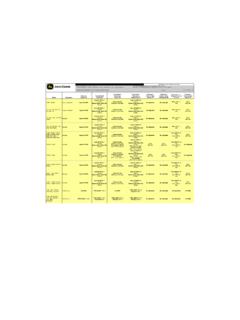
10 TCM Temperature Out of Range DTC will no longer pop up a notification to the user on the display. GreenStar Software Update 2017 -1 Release Notes 6 Software Versions Bold items have changed from previous releases and are included in the Software bundle. Please utilize the john Deere Custom Performance website to view and/or Update controllers not included with this Software bundle. Version # Description GreenStarTM 2630 Display GreenStarTM 2600 Display GreenStarTM 1800 Display GSD B Original GreenStarTM Display GR6 StarFireTM 6000 Receiver ITC B StarFireTM 3000 Receiver ITC H StarFireTM iTC Receiver LCR C StarFireTM 300 Receiver SF B StarFireTM Gen II Receiver 03B10 john Deere Mobile RTK Modem R2 only Machine Communication Radio TCM A TCM T Application Controller 1100 (iGradeTM, john Deere Active Implement Guidance) F Application Controller 1120 ( john Deere Mobile Weather, john Deere Harvest Identification, Cotton) ATU A AutoTracTM Universal (ATU) 100 ATU A AutoTracTM Universal (ATU) 200 RG2 B AutoTracTM RowSenseTM Universal CAT B AutoTracTM Controller ( Deere )