Transcription of Guide to Using Dragon 10 Medical
1 Guide to Using Dragon 10 Medical Jon W. Wahrenberger, MD Table of Contents Introduction .. 2 Prerequisites .. 3 Software .. 3 PC Requirements .. 3 Microphone .. 3 Setting Up Dragon .. 5 Basic Installation .. 5 Creating your first User Profile .. 5 Basic Use of Dragon .. 7 Configuring Dragon for Medical Use .. 7 Assigning Hot Keys .. 8 Correction Options .. 8 Tips on Using Dragon .. 9 Keys to Achieving a High Level of Accuracy .. 11 Using Dragon Templates as Navigation Fields .. 12 Using Dragon Templates as navigation fields: .. 13 Navigating via Dragon Templates: .. 13 Using Dragon Templates with default values: .. 14 Removing Variable Field Delimiters.
2 14 Using Dragon Commands to Extend your Productivity .. 15 Types of Commands .. 15 Text Commands Why They re so Important .. 16 Building Text Commands .. 17 Editing Commands .. 19 Importing Commands .. 19 Exporting Commands .. 20 Appendix: .. 22 Using the PowerMic II Microphone .. 22 Setting up the PowerMic II: .. 22 Assigning functions to the PowerMic II keys .. 22 Method of Programming Buttons on the PowerMic II .. 23 Commands for Downloading .. 24 Overview of Common Dragon Commands .. 26 Additional Resources .. 30 Introduction Although previously seen only in the realm of science fiction, during the last few years the dream of computerized speech recognition has truly come to life.
3 In no field has the success of this technology more revolutionized work flow than in the Medical field. Leading to dramatic time and cost savings when compared with secretarial transcription and dramatic efficiencies when compared with hand typing, this exciting new software has truly been thrust to forefront with the recent release of Dragon 10 Medical . Like no prior edition, Dragon 10 Medical brings the speed and accuracy of this software to new heights and adds a variety of features particularly useful to the Medical practitioner. What does this software accomplish? In the simplest terms, speech recognition software is a means to control your personal computer with your voice.
4 Dragon NaturallySpeaking effectively does the following: 1. Turns your spoken word into text in word processing documents 2. Allows use of voice to navigate and affect other command and control processes on a personal computer (PC) 3. Through the use of macros or commands, allows multi step repetitive tasks to be performed with a single voice command Perhaps the most remarkable feature of this software is that out of the box and with the basic 6 minutes of training, Dragon offers accuracy rates in the 95% or higher range. With a little more practice and use, typical users are seeing accuracy rates in the 99% range. Compared with version 9, Dragon 10 Medical has a number of new features that will make this a worthwhile investment for current version 8 or 9 users.
5 Enhancements include: 1. Notable increases in speed and accuracy 2. Improved formatting options for Medical terminology 3. Greatly enhanced integration with the hand held PowerMic II microphone 4. Improved general formatting options 5. Voice shortcuts for email and calendar functions, 6. Voice shortcuts for web searches and desktop searches 7. Enhanced functionality of the dictation box which can now be used in a hidden mode 8. Dragon Templates or variable regions which can be used as a means of navigating through a document Prerequisites Software For use in the Medical arena, the vocabulary and functionality of the Dragon Medical is highly recommended.
6 This can be purchased directly from Nuance ( ), but can be obtained more cost effectively from a value added reseller . Where to buy? Particularly good prices are obtained from Softnet System, Inc. at: * . Larry Allen, who runs Softnet, wrote the bible on building commands for NaturallySpeaking and offers both excellent prices and useful information on all aspects of speech recognition. The upgrade from Dragon 8 or 9 Medical is currently running about $250 (this will nearly double after November 30, 2008) and the full version will likely range between $1200 and $1500 depending on where you purchase. Should you consider something less than the Medical version (Preferred or Professional versions)?
7 No, and for 3 good reasons. The Medical version has extensive Medical vocabularies and this will dramatically increase the likelihood of the program getting it right the first time Only the Medical version will work in the environment of most electronic health records (Nuance, unfortunately, has specifically disabled functionality of other versions in common EHRs we hope they will reconsider this) Only the Medical version provides tight integration with the PowerMic II microphone *We provide links to commercial entities and do so only to direct you in a good direction. We have no financial arrangement with Softnet System, Inc. Nuance, or any other entities.
8 PC Requirements The minimum processor need is an Intel Pentium 4 (or AMD equivalent) at 1 GHz or greater with minimum 512 MB of RAM and recommended 1GB of RAM. If you plan to run other high demand programs at the same time, we recommend upgrading to 2GB or even 4GB of RAM. If you need extra RAM, a simple method of assessing your current RAM and purchasing additional RAM is to visit Microphone The microphone that is bundled with NaturallySpeaking should be considered a starter microphone. Better results, especially in environments with external noise contamination will be obtained with a higher quality microphone. Depending up your needs, you should consider upgrading to one of the following microphones: Sennheiser ME3: This is the best quality wired microphone for use with NaturallySpeaking and provides the highest accuracy and noise cancellation.
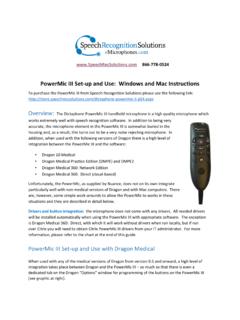
9 It is head worn and does not include speakers. It is best used with an external sound adapter, such as the Andrea USB adapter or Buddy 6G USB adapter. In comes with an 8 ft. cord. Price with included USB adapter: $178 Dictaphone PowerMic II: This is a hand held microphone with a series of programmable button and included USB interface with your PC. For the busy physician or other professional, this microphone offers a number of advantages, including the convenience of being hanheld and ability to program buttons to initiate a number of Dragon functions, including moving through navigation fields, turning microphone off and on, and lots more.
10 (See addendum with additional information about the PowerMic II) Price $489 d Sennheiser BW900: This is a high quality wireless Bluetooth microphone. In addition to providing excellent results with NaturallySpeaking, it is designed to interface with a wired telephone and can also pair directly with a Bluetooth cell phone. In order to use this with your computer you will need to purchase this microphone bundled with a separate pc interface device (the Sennheiser modular to PC adapter, the ZoomSwitch, or the GN Netcom SeleCT switch). The only downside of this microphone is the paraphernalia which is required with it (base station, interface device) and the need for AC power for the base unit.