Transcription of HEAT PRESS USER’S GUIDE - Pro World
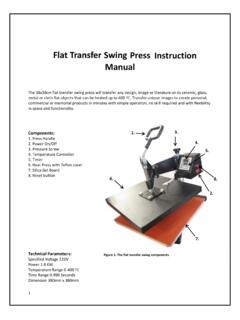
1 heat PRESS user 'S GUIDE . Pro World Inc. 961 Bethel Ave. Pennsauken, NJ 08110. Toll Free 800-678-8289. Outside 856-406-1020. Fax 856-406-1025. Handle Temperature/Timer Control Pressure Adjustment Knob Power Switch Teflon Coated heat Plate Base Silicone Pad Heavyweight Aluminum Base Specifications Model No: TransPro Voltage: 110V/60Hz Power: 1200W (15 X 15 Model); 1400W (16 X 20 Model). Time range: Adjustable Temperature range: 0-600 degrees Fahrenheit Packing: Strong corrugated box with foam inside Weight: 68 lbs.
2 (15 X 15 Model); 88 lbs. (16 X 20 Model). Page 2. OPERATION INSTRUCTIONS. Read Before Operating 1. Be sure to operate with safe ground wire!!! 2. Check the voltage before using it. The correct voltage is 110-120v. 3. Turn off the machine when not in use. 4. Grasp the handle firmly when opening. 5. Keep children away from the machine. 6. Do not attempt to PRESS products that are not intended for normal heat transfer use. Operation Procedures 1. Plug in and turn on the power switch. The red light will illuminate.
3 2. Adjust the temperature by pressing the set button. Use arrows to choose desired temperature. PRESS the set button again. 3. Allow 20-30 minutes for machine to heat to set temperature. 4. Adjust the timer by pressing the set button. Use arrows to choose desired time duration. PRESS the set button 5. Pressure adjustment: Set pressure to a firm, comfortable lockdown. The pressure may have to be adjusted depending on the transfer application instructions. Turn to the right to tighten the pressure, turn left to lower the pressure.
4 Connecting Your heat PRESS To An Electrical Outlet Connect the power cord into a properly grounded electrical outlet with a sufficient amperage rating. Your Pro World heat PRESS requires a full 15 amp grounded circuit for 120 volt operation. Extension cord use on the heat transfer machines is not recommended. Extension cords ,if used, should be as short as possible and not less then 12. gauge. Heavy duty extension cords are highly recommended in this case. FAILURE TO FOLLOW THESE INSTRUCTIONS CAN CAUSE: 1.
5 Erratic controller functions. 2. Inaccurate displays and slow heat -up. 3. The fuse to pop/break. 4. Internal malfunctions prevent the machine to perform properly Video Tutorial A video tutorial is also available at Page 3. WIRING SCHEMATIC. Power (220V/110V,50-60HZ). L N GND. Thermal Time SSR. - +. 7 6 5 4 3 2 1. Time and temperature controller display 14 13 12 11 10. + - controller Grounding Page 4. TRANSPRO WARRANTY. Warranty Coverage TransPro products offered by Pro World are warranted against defects in material and workmanship.
6 Warranty is void if equipment has been damaged by accident, unreasonable use, neglect, unauthorized and/or improper service, or other causes not arising out of defects in material and workmanship. This warranty does not cover damage caused by normal wear and tear, neglect or lack of proper maintenance. This warranty is for the original purchaser/owner only, it is not transferable. Warranty Duration The heating element shall be warranted for the life of the heat PRESS . There is a one (1) year warranty on major components, circuit boards and all other components.
7 Warranty Performance During the warranty period, and in the event that a situation cannot be resolved by telephone/email and upon PRE-AUTHORIZATION from Pro World equipment must be shipped, freight prepaid to Pro World for service in the original packaging. After 30 days, all shipping and insurance expenses to and from Pro World of in-warranty equipment is solely the responsibility of the customer. Prior to 30 days the shipping costs will be refunded if Pro World deems the equipment to be defective as stated.
8 Pro World cannot be held responsible for improper handling or any other damage incurred in transit. No charge will be made for labor and components for repair of in-warranty equipment. OUT-OF WARRANTY machines will be charged at the repair rates in effect at the time the machine is received. Warranty Disclaimers Pro World shall not be liable for loss of use of TransPro equipment or other inciden- tal or consequential costs, expenses, or damages incurred by the original purchaser or any other user . The above warranty provisions constitute the entire agreement between all parties, and supersede any and all prior written and/or oral representa- tions and understandings.
9 This "Limited Warranty" applies to all TransPro equipment. However, the procedure for obtaining service may vary outside the continental United States. Contact your Pro World representative for warranty information. The purchaser is responsible for compliance with all local laws, regulations and measure. Agreement shall be governed by and construed in accordance with all applicable laws of said region. Page 5. Pro World Inc. 961 Bethel Ave. Pennsauken, NJ 08110. Toll Free 800-678-8289. Outside 856-406-1020.
10 Fax 856-406-1025.