Example: dental hygienist

How to check Intel ME driver version on Windows 10.

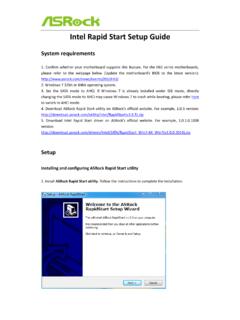
How to check Intel ME driver version on Windows 10. Step1. Please enter Device Manager as below. Step2. Find System devices and lunch it, then you are able to find Intel (R) Management Engine Interface as below. Step3. Double click Intel (R) Management Engine Interface and select driver , then the ME driver version will show here as below. If the ME driver version is shown there, your ME driver is installed correctly, then it is unnecessary to install or downgrade the driver from ASRock website or support CD.
Microsoft Windows Hardware Compatibility o view details about the driver files o update the driver software for this device f the device fails after updating the driver. roll back to the previously installed driver Disables the selected device o uninstall the driver (Advanced)

Tags:

  Compatibility, Windows, Windows 10

Information

Domain:

Source:

Link to this page:

Please notify us if you found a problem with this document:

Other abuse

Advertisement

Transcription of How to check Intel ME driver version on Windows 10.

1 How to check Intel ME driver version on Windows 10. Step1. Please enter Device Manager as below. Step2. Find System devices and lunch it, then you are able to find Intel (R) Management Engine Interface as below. Step3. Double click Intel (R) Management Engine Interface and select driver , then the ME driver version will show here as below. If the ME driver version is shown there, your ME driver is installed correctly, then it is unnecessary to install or downgrade the driver from ASRock website or support CD.


Related search queries