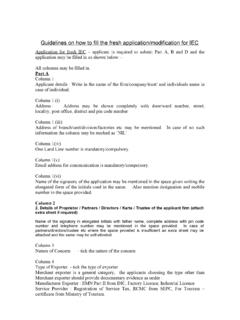
Transcription of Importer Exporter Code (e-IEC) New IEC / IEC data ...
1 Importer Exporter code (e-IEC) New IEC / IEC data Modification website - http : dgft[dot]gov[dot]in For Technical problems please contact DGFT-New Delhi Toll Free Number : 1800111550. e-mail ID : dgftedi@nic[dot]in Give available reference such as PAN, ECOM Ref. No., Entity Name, File No., Key No., Final Screenshot where you got struck. Power of Attorney, Executive Director, Authorized Signatory, Manager cannot be the Applicant Signatory for IEC Application Fee ( Use Debit Card / Credit Card / Net Banking for Fee payment ) for New IEC & for IEC data Modification [ PAN/Mobile ID cannot be changed after logging into the IEC system ] Pre-requisite Class II or Class III [ Digital Signature Certificate ] (Attach DSC from beginning of processing application) Number of Entity applicant ID of Entity applicant 1.
2 Digital Photograph (3 x 3 cm size). GIF format SCAN [ Ensure that the scan is Legible, Upright. Not upside down or sideways ] 2. Original Entity PAN card (obverse/front only required). GIF format. 3. Entity Name & A/C No. Pre-printed Cheque leaf. GIF format OR 3. Bank Certificate (B/C) as per ANF 2A(i). PDF format For IEC data Modification by existing IEC holders-further documents required. Please see List given below To know existing IEC data in the DGFT site View your IEC : http : // dgft[dot]delhi[dot]nic[dot]in:8100/dgft/ IecPrint OPEN your IEC application any number of time using PAN, Registered Cell No.
3 And e-mail ID. Settings before applying for IEC Fresh/Modification BROWSER [ JavaScript enabled ] Internet Explorer 11 or above. (IE). From Menu bar options in Internet Explorer (IE or above), select Tools >> Compatibility View Settings and in this dialog under Add this Website text box enter then press Add Button and Close Button. From Menu bar options in Internet Explorer (IE or above), select Tools >> Internet Options then select Security tab from the top. In this option click on Trusted Sites and then press Sites Button when a dialog will appear on which under Add this website to the zone enter then press Add Button and Close Button.
4 Login for IEC Online PAN: Applicants are advised to read the instructions carefully before applying. Please Note:(Before Logging into the System ) submitting the IEC application digitally use Internet Explorer browser (only) having version or above i)From Menu bar options in Internet Explorer (IE or above), select Tools >> Compatibility View Settings and in this dialog under Add this Website text box enter then press Add Button and Close Button. ii) From Menu bar options in Internet Explorer (IE or above), select Tools >> Internet Options then select Security tab from the top.
5 In this option click on Trusted Sites and then press Sites Button when a dialog will appear on which under Add this website to the zone enter then press Add Button and Close Button. Above Picture shows that IEC NOT issued against this PAN. [ If you have an IEC against this PAN DO NOT PROCEED with this Menu. Please contact DGFT-New Delhi : 1800111550. e-mail ID : dgftedi@nic[dot]in ] Above Picture shows that an IEC is existing against this PAN. IEC data can be modified if required. Master Data Name : fill up Entity Name as appearing in the Cheque Leaf; B/C. PAN : Entity PAN ( Proprietor s PAN for Proprietorship firm ) Name on PAN : Entity Name as appearing on PAN card (For Proprietorship firm proprietor s name as on PAN) Date of Birth / Incorporation : Date as appearing on the Entity PAN card (applicable to proprietor also) CIN : CIN allotted to companies and LLP firms by Ministry of Corporate Affairs RC No.
6 : Registration Certificate No. for Partnership / Society / Trust A/C Holder Name : fill up Entity Name as appearing on the Cheque Leaf, B/C. Contact Details : Head address as appearing in MCA website, Bank Certificate. Signatory Details in Master Data : This is appearing at the bottom of Print application form : Name of the applicant signatory, Designation (Proprietor; ; etc.), Official address, , e-mail ID, PAN, Declaration Date, Place. Branch : If NO Branch SKIP to Director Details Director Details : Details of Proprietor / all Partners / Directors / Trustees etc. DIN: DIN required in the application for all Directors and Designated Partners.
7 Details should match with MCA website (DIN is allotted by Ministry of Corporate Affairs) PAN :PAN Number required in the application for Proprietor / all Partners / Directors / Trustees etc. Details should match with Income Tax website. Foreign director Enter six zero(000000) in the PIN code field by which the system will not prompt for PAN detail/City/State. Pay Fee for New IE code . for IEC data Modification. Attachments : Serial No. 1, 2 & 3 with New IEC application. Other attachments NOT accepted 1. Digital Photograph GIF. Attach under PHOTOF 2. Entity PAN card GIF. Attach under PANCAR 3.
8 Cheque leaf GIF. Attach under CANCHQ OR 3. Bank Certificate PDF. Attach under BANKCR For IEC data Modification by existing IEC holders-further documents required. Please see List given below Preview: all attachments & Application before clicking SUBMIT button Pint Appln. : For those Modififying IEC (Not applicable for New IEC applicants). After filling up application, uploading documents and before clicking SUBMIT button, take Print-out of Application. Put Tick mark in the declaration box, SCAN & ATTACH the application under DCLDOC Submit : SELECT Jurisdictional DGFT office. Eg.[ Joint Director General of Foreign Trade PUNE ] SELECTION OF WRONG OFFICE : Please get the application rejected by that office [ Note down ECOM Ref.]
9 No., File No. & Key No. for future reference ] : View status of your application by opening the application using PAN, Registered Cell No. and e-mail ID. PRINT e-IEC certificate Open your application using PAN, Registered Cell No. and e-mail ID [Click] Appl. status [Click] IEC ALLOTTED ( Certificate not sent in physical format ) View your IEC at DGFT http : // [dot]nic[dot]in:8100/dgft/IecPrint Check IE code /BIN status at ICEGATE https : // www[dot]icegate[dot]gov[dot]in/EnqMod/ ~~~~~ ~~~~~ ~~~~~ ~~~~~ ~~~~~ ~~~~~ ~~ ~ ~~~ ~~~~~ ~~~~~ ~~~~~ ~~~~~ ~~~~~ ~~~~~ For more details please read HELP available on the following URL New IEC : http : //dgft[dot]gov[dot]in/exim/2000/iechelpf aqhtm/IecFAQ[dot]htm IEC data Modification : http.
10 //dgft[dot]gov[dot]in/exim/2000/iechelpf aqhtm/FaqModification[dot]htm JDGFT, Pune is one of the 36 field Offices of the DGFT Organisation. The territorial jurisdiction of Pune office is spread over the 15 districts of Maharashtra viz. Districts of Maharashtra (i)Pune (ii) Ahmed Nagar (iii) Jalna (iv) Beed (v) Kolhapur (vi) Latur (vii) Nanded (viii) Osmanabad (ix) Prabhani (x) Ratnagiri (xi) sangli (xii) Satara (xiii) Solapur (xiv) Sindhudurg (xv) Nashik DGFT approved (DSC) Digital Signature issuing authorities : 1. (n) code Solutions CA 2. e-Mudra 3. Safescrypt (Sify Communication Limited) Uploading Bank Certificate (B/C) instead of Entity Name & Account No.