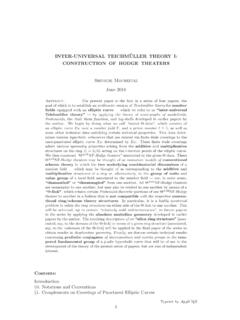
Transcription of INSTRUCTION MANUAL
1 INSTRUCTION MANUALSynScanTMCopyright Sky-WatcherSSHCV4-F-161208V1-EN2 PART I : INTRODUCTIONPART II : INITIALIZATIONPART III : ALIGNMENTPART IV : SYNSCAN MENU TREEPART V : LOCATING OBJECTSPART VI : CONFIGURE THE TELESCOPE Outline and Interface .. Connecting to a Telescope Mount .. Slew the Mount with the Direction Keys .. SynScan Hand control s Operating Modes .. Setup the Home Position of the Telescope Mount .. Initialize the Hand Control .. Choosing an Alignment Method .. Aligning to Alignment Stars .. Alignment Method for Equatorial Mounts .. Alt-Azimuth Mounts using Brightest Star Alignment Method.
2 Alt-Azimuth Mounts using 2-Star Alignment Method .. Alt-Azimuth Mounts using Daytime Alignment Method .. Tips for Improving Alignment Accuracy .. Comparison of Alignment Methods .. Menu Structure .. Accessing Menus .. Short-cut Keys .. Locating Messier Objects .. Locating NGC and IC Objects .. Locating Planets and the Moon .. Locating Caldwell Objects .. Locating SAO Stars .. Locating Named Stars, Double Stars, and Variable Stars .. Deep Sky Tour .. User-Defined Objects .. Choosing Tracking Speed .. Backlash Compensation .. Setting the Slewing Limits.
3 Enable/Disable Auxiliary Encoder .. Setting Autoguider Speed .. Setting Flipping Mode ..28 PART VII : CONFIGURE THE HAND Display, Keypad .. Alignment Star Filter .. Sorting Method of the Alignment Star List .. Naming of Stars .. 29 Basic OperationsIntermediate Operations3 PART VIII : AUXILIARY FUNCTIONSPART IX : CONNECTING TO A COMPUTERPART X : UPDATING FIRMWAREPART XI : ADVANCED FUNCTIONSPART XII : USING A SYNSCAN GPS MODULEAPPENDIX I : ELIMINATING CONE ERROR .. 46 APPENDIX II : SYNSCAN SELF-DIAGNOSIS .. 47 APPENDIX III : SCHEMATIC OF THE PORTS .. 48 APPENDIX IV : SPECIFICATIONS.
4 Working with Astronomical Applications .. PC Direct Mode .. Initialization of the Hand control with a SynScan GPS Module .. Checking GPS Information .. Hardware Requirements .. 35 Preparation .. Updating Firmware .. Troubleshooting .. Editing Date, Time, Coordinates, Time Zones, and Daylight Saving Time .. Re-aligning the Mount .. Show Position .. Show Time and Local Sidereal Time .. Display Version Information .. Display Power Voltage .. Display Polaris Position .. Display Polar Alignment Error.
5 Changing Polar Scope Illumination Level .. Identifying Objects .. Synchronizing Encoders .. Parking Telescope .. Pointing Accuracy Enhancement .. Polar Alignment without Polar Scope .. Camera Control .. Periodic Error Correction (PEC) for EQ Mount .. Calibrating Auto-Home Offset .. Setting Cone Error and Non-Perpendicular Error .. Astronomical Time-Lapse Photography .. Solar Track Mode ..44 Advanced Language Configuration ..304 PART I : INTRODUCTIONM ulti-Purpose Port: Connects to an external device such as a com-puter, a GPS module, a camera, etc.
6 LCD Display Screen: It can display two lines of text with18 characters per line. The contrast and the brightness of the red backlight are : ESC, MENU, ENTER, direction, number/shortcut keys, and scroll SynScan hand control and its interfaces are shown in Fig. Outline and Connecting to a Telescope MountFig. the 8-pin (RJ-45) Mount port of the hand control to the Hand Control port on a Sky-Watcher mount using an appropriate cable. The table below lists the Hand Control ports on different Sky-Watcher ModelHand control Port Hand Control Port on MountEQ6 Pro 8-pin RJ-45 D-sub 9 MaleHEQ5 Pro, EQ5 Pro, EQ3 Pro, AZ-EQ5 Pro, AZ-EQ6 Pro, EQ8 8-pin RJ-45 All Alt-azimuth mounts 6-pin Slew the Mount with the Direction KeysIn many situations, users need to slew the mount at different speeds with the direction keys.
7 Here are the guides for this operation:Mount Port: Connects to a Sky-Watcher telescope mount. The hand control can get power from the mount via this I: INTRODUCTION1. Full Feature Mode:The flow chart of the Full Feature operation is shown in Fig. The left and right keys are used to control the movement of the Right Ascension ( ) axis (for an equatorial mount) or the azimuth axis (for an Alt-azimuth mount). The up and down keys are used to control the movement of the Declination (Dec.) axis (for an equatorial mount) or altitude axis (for an Alt-azimuth mount). In most cases, pressing the RATE/2 key will invoke the operation of choosing a slewing speed: The LCD screen will display Set Speed , followed by the current speed as Rate = *x.
8 Press a number between 0 and 9 to select a new speed. Press the ENTER key to return to the previous display. If the user does not press the ENTER button, he/she can continue to change the speed while using the direction keys to slew the mount. If there is no keypad operation in 5 seconds, the most recent speed will be kept and the LCD display will return to the previous one. The following table lists the available speeds: Rate 7/8/9 is primarily used to quickly slew a mount. Rate 5/6 is primarily used to move a target in the field of view of a finder scope. Rate 2/3/4 is primarily used to move a target in the field of view of an eyepiece.
9 Rate 0/1 is used to move a target in the field of view in high magnification observations, or :*1: Speed is represented as multiples of the Earth s rotation speed.*2, *3: For Equatorial mounts, the speed is the drift speed of an object in FOV while the mount s tracking is turned on; it is not the axis s rotation speed.*4: Maximum speed varies on mounts. For most Sky-Watcher mounts, it is higher than 800X ( degrees/sec).Rate0123456789 Speed * *21X*38X16X32X64X128X400X600 XMax* SynScan Hand control s Operating ModeThe SynScan hand control has 2 operating modes: Full Feature Mode and Easy Tracking or other operationsFig.
10 A celestial object automatically6In Easy Tracking mode, the hand control also needs to be connected to a Sky-Watcher telescope mount. The mount must be setup at a proper Home Position (refer to Section for details) before turning on the power. After turning on the power to the mount, the hand control must complete an Initialization routine. Then the user can choose to skip the Alignment routine and start the tracking function directly (refer to Section Choosing Tracking Speed ). Users will need to locate a celestial object in the sky, and then use the hand control to manually point the telescope to the target.




![Iasonas Kokkinos arXiv:1412.7062v4 [cs.CV] 7 Jun 2016 ...](/cache/preview/9/3/1/b/7/e/7/4/thumb-931b7e7481d1de70bd85d22219772982.jpg)