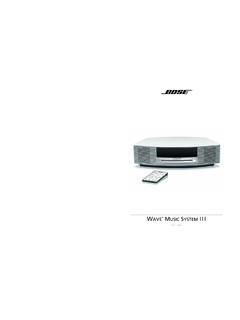
Transcription of INSTRUCTION MANUAL - C. Crane Company
1 PLEASE READ ALL THE INSTRUCTIONSCOMPLETELY BEFORE USE AND SAVETHIS MANUAL FOR FUTURE REFERENCEINSTRUCTION MANUALCC Skywave SSBPage 3 The CC Skywave SSB radio opens the door to a fantastic world of information and entertainment at home or on the go. The standard AM and FM bands allow for listening to local radio stations near your home, or around the world when traveling. In the USA, Canada and parts of northern Mexico local weatherinformation, forecasts and warnings are available at the touch of a button on the WX (weather) band. The AIR band enables reception of both aircraft and air traffic control (ATC) at or near airports, or just about anywhere on or near land within about 200 miles. For long distance listening, the Skywave SSB covers the international shortwave bands (SW). In addition to standard SW broadcast stations such as BBC, VOA, radio Japan and many others, the Skywave SSB can, using the special built-in SSB (single sideband) mode, receive ham radio operators, long-range aviation (commercial and military), maritime, space and even spy transmissions from all over the world, no satellites or Internet required!
2 Have fun and enjoy the amazing tool of adventure and discovery you now have in your hands! If you have any questions about your radio , please give us a call or check out 4CC Skywave SSBO wners RecordFor your future reference: Serial No. (Found inside battery compartment) _____ Date of purchase _____ Name & address of dealer _____ UnpackingThe box should contain the CC Skywave SSB, CC Buds earphones, Carry Case, Shortwave Antenna, Warranty card, and this MANUAL . If anything is missing or damaged, please contact your dealer immediately. We recommend you keep the packaging in the unlikely event your radio will need servicing. CC Skywave SSBPage 5 Safety InstructionsCAUTION Before turning the unit on, set your volume control to a low setting. Slowly increase the sound until you can hear it comfortably and clearly without distortion. Long-term exposure to loud sounds may cause hearing damage.
3 It is best to avoid high volume levels when using headphones/earbuds, especially for extended periods. SAFETY INSTRUCTIONS1. Read and understand all safety and operating instructions before the radio is Heat: Never put the radio in direct sunlight in an unventilated area or behind glass like a car s interior. The appliance should be away from heat sources such as radiators, heat registers, stoves, or other appliances that produce lf the radio is left unattended and unused for long periods of time, remove the batteries. The batteries may leak and damage furniture or your The user should not attempt to service the appliance beyond that described in the operating very high quality parts were used in the manufacturing of your radio , buttons, knobs, and dials should be operated with a light touch for best longevity. 6. All other servicing should be referred to qualified service personnel.
4 WARNING: DO NOT CHARGE ALKALINE BATTERIES. Use only the recommended power adapter that we supply for recharging NiMH batteries. Page 6CC Skywave SSBT able of Operationlnstalling the Identification Display ..Quickstart radio /Sleep and Down Tuning Memory Weather Button/Changing Button - Using Meter 9/10 kHz Tuning/Expand the - Time Set - 12/24 Hour the Weather the Air Airband the Shortwave the CC Portable SW Knob/Squelch Power/Charging Beep Designate Frequency or Clock all 20212122222223232324242425272829CC Skywave SSBPage 7DO NOT USE LITHIUM BATTERIES. 1. Position the radio face down on a soft surface to protect Remove the battery cover by applying pressure and sliding downwards towards the bottom of the Insert the two (2) AA alkaline or NiMH cell batteries into the compartment as indicated.
5 Be sure the negative (-) end of the battery is against the Replace the battery cover. You are now ready to operate your : You will have 30 seconds after batteries are removed before the clock and alarm settings are lost. We recommend having your new batteries ready to insert quickly after removing the old our test, (going slowly) it took us about 15 seconds to add the new batteries after removing the old ones. The memory presets and other settings are stored in permanent memory so they will not be lost if the radio is unpowered for a duration of the Batteries AA Batteries (2)Page 8CC Skywave SSBR adio Identification - DisplayCC Skywave SSBPage 9 Upper Sideband ActivatedLower Sideband ActivatedFine Tuning for SSB ActivatedAlarm Set for radio StationAlarm is ActivatedRadio is Locked Tuning Speed with KnobSleep Timer is ActivatedSquelchAudio Filter for Music or VoiceBattery Icon/ Charge IndicatorPage Number (for station memories)Station Memories 0-9 Weather Band IndicatorWeather Alert is ActivatedReception Signal Strength Band Indicators (AM, SW, AIR, FM)Frequency/TimeStereo FM ReceptionSingle Sideband Identification - DisplaySee diagram Page 10CC Skywave SSBHere are a few tips for those new to tuning Single Sideband (SSB) voice transmissions:1.
6 Use the WX/SW/AIR button to switch to the SW (shortwave) bands. On the keypad press the FREQ button and enter the lower frequency of one of the ham bands like 7125. Press the SSB button. Make sure the display shows LSB (lower sideband), if it shows USB (upper sideband), then press the USB/ LSB button to go to the LSB mode. LSB is the standard mode on 3600-4000kHz and It is recommended to fully extend the whip Go to the slow 1 kHz tuning mode by pressing the main dial inward and releasing. Start tuning up the band. When you hear an odd sounding duck-like voice, use the main tuning dial to tune the signal until it sounds as good as possible, then press the FINE TUNE button and tune the main dial in the fine-tuning mode until the voice sounds Listening suggestions: a. Daytime - try: 7125-7300kHz (LSB), 14150-14325kHz (USB) or 21200-21450kHz (USB) b.
7 Nighttime - try: 3600-4000kHz (LSB) or 7125-7300kHz (LSB)Note: radio conditions on SW change every day like the weather. Sometimes you may hear many stations on the air, and sometimes just a few or even none. Evenings and weekends tend to be the best times to listen. There is more to learn by going to or searching the Guide for SSBCC Skywave SSBPage 111. Power Button - Sleep Timer To turn the radio ON press and release the red power button. To activate the Sleep Timer, press and hold the red power button while the radio is off. The display will cycle through minutes 120, 90, 60, 45, 30, 15, and OFF. Release the power button to activate the sleep setting you desire. The radio will remember your last Sleep Timer setting for the next time you activate it. The Sleep Timer will automatically shut off the radio after the set amount of time Up and Down Tuning Buttons Press once quickly to tune to the next frequency increment.
8 Press and hold for 2 seconds to automatically tune to the next strong station. Hold continuously to cycle through the whole Memory Preset Buttons 0-9 Save your favorite stations to memory buttons. To save a station, press and hold any memory button for 2 seconds while the station is playing. To play a saved station, press the same button once quickly. Note: The CC Skywave SSB is a smart radio and will remember current settings when a station is preset into memory. The current settings that will be saved with your station are: 1. Stereo or Mono selection on FM. 2. Bandwidth selection on AM, Shortwave, or Air bands. 3. Tone OperationPage 12CC Skywave SSBR adio Operation4. AM/FM/NOAA Weather Alert Press the AM/FM button once quickly to switch between AM and FM bands. For NOAA Weather Alert: Press and hold this button to activate the weather alert for 4, 8, or 16 hours. Release button to make selection.
9 To disable alert, press and hold this button for 2 seconds. Note: While the radio is OFF with ALERT activated, it will continue to use the same amount of power as if the radio were fully ON. The light will continue to flash indicating alert is ON and working. Turning the alert OFF when not needed will help conserve Frequency Button When you are in your selected band, this button lets you directly enter the frequency number of your desired station using the number buttons. For example, to play 1480 kHz in the AM band, quickly press the FREQ button and then enter 1, 4, 8, O using the number buttons. Note: When manually entering SW frequencies 2300 to 2610, you must press the FREQ button after Page Button/Changing Tone Each memory page allows you to save 10 additional stations per band. To change to a different page, press the PAGE button once quickly, then press any memory button 0-9 to select the Page that you desire.
10 To change between Music and Voice tones, press and hold this button for two seconds. Display will switch between Music and Voice .CC Skywave SSBPage 137. Light/ATS Button When using batteries, if the LIGHT button is pressed, then the display light will turn on for 20 seconds. When using the AC Adapter (sold separately), if the LIGHT button is pressed with radio ON, then the display light will remain on all the time. Press the LIGHT button again to turn off the display light. If you press any button thereafter, the light will only turn on for 10 seconds. Note: It is not possible to keep the display light OFF all the Automatic Tuning System (ATS). This feature programs all receivable stations in the AM, FM, Air and Shortwave bands to memory buttons. To use ATS, select your desired band: AM, FM, Air or Shortwave, and press and hold the ATS button for two seconds. The CC Skywave SSB will scan the entire band and automatically set all available stations in sequence 1-10.