Transcription of INSTRUCTIONS FOR COMPLETED
1 Authorized Representative INSTRUCTIONS for Completing Form I-9 Revised 05/04/2017 Authorized Representative INSTRUCTIONS for Completing Section 2 of the Form I-9 Citizenship and Immigration Services (USCIS) requires every employer hiring an individual in the United States to verify his or her identity and employment authorization through completion of the Form I-9. The Adecco Group including: Adecco Staffing, Parker & Lynch, Accounting Principals, Ajilon, Soliant Health, Special Counsel, Paladin, Pontoon, Lee Hecht Harrison, Beeline, Modis, Entegee, TAD PGS, and all subsidiaries (collectively The Company ) is authorizing you to act on our behalf as our Authorized Representative to complete the Form I-9.
2 We request that you examine the documents presented to you by our new employee, complete and sign their Form I-9. The Company acknowledges its full responsibility as employer for any future claims arising from this verification process. Please follow the steps below to complete Section 2 of our new hires Form I-9: Step 1 In person only, our New Hire will present the following for the verification process: 1. A Verification Token number 2. Document(s) required to complete the Form I-9 o All document(s) presented must be unexpired o All document(s) presented must be the originals The only exception is a certified copy of a birth certificate. USCIS does not expect you to be a document expert.
3 You are expected to accept documents that reasonably appear to be genuine and relate to the person presenting them. Step 2 Turn off your computer Pop-Up Blocker --- Log-on to our electronic Form I-9 system, eI9 verify WEB ADDRESS: Client ID: accprin USER NAME all lowercase: accprin PASSWORD all lowercase: accprin Verification Token: New Hire will provide Copy and pasting only works when using the keyboard (Ctrl C and Ctrl V) No other US verify browsers should be opened at the same time. Step 3 Enter the Employee Start Date Please use today s date. Step 4 Review and record the document information in US verify 1. Select the Document List 2.
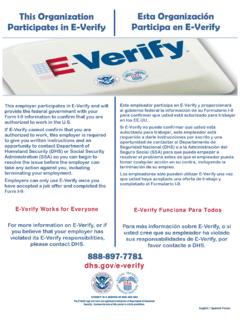
4 Document title 3. Issuing Authority 4. Document number 5. Expiration date leave blank if document does not have an expiration date If documents from Lists B & C are presented The List B document must bear a photograph Authorized Representative INSTRUCTIONS for Completing Form I-9 Revised 05/04/2017 If our New Hire presents a Social Security Card, confirm that the Social Security card does not include any restrictions. If a restricted Social Security Card is presented, the New Hire must present alternate documentation and should contact Staff Hiring with questions. Step 5 Upload Support Documents (if applicable) The Company participates in the federal government s E- verify program.
5 As required under this program, if presented, the following documents must be attached with the Form I-9. Only if these documents are presented by our New Hire, please upload a copy of the document. Do not exceed 5MB. 1. Passport/Card 2. Permanent Resident Card (Form I-551) 3. Employment Authorization Document (Form I-766) Step 6 Verifier Information and Electronic Signature- This is you! First/Last Name of Authorized Representative Enter your name Title Please use the title Authorized Representative Please contact our New Hire s Office Representative if you have any questions about how to complete this process.
6 Thank you!