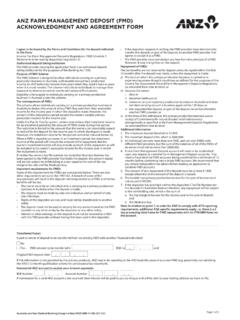
Transcription of Internet Banking Business Maintenance Request Form
1 Page 1 of 5 Australia and New Zealand Banking Group Limited (ANZ) ABN 11 005 357 522. ANZ Internet Banking FOR Business Maintenance FORMThis form is used for: Making changes to an existing ANZ Internet Banking for Business service. It is used to change or update the set up or access of businesses previously registered for ANZ Internet Banking for Business ( currently using the service). If you are an existing ANZ Internet Banking for Business Customer and would like to register an additional Business ( different Business Name) for ANZ Internet Banking for Business please complete the ANZ Internet Banking for Business Registration :To make changes to your existing ANZ Internet Banking for Business service as fast as possible please: Ensure all relevant sections of the form are completed including the Customer Agreement section (please ensure that the required representatives from the Business sign this form).
2 Return the completed and signed form to your ANZ Representative (preferred option). Alternatively email or fax to 1800 304 you have any questions about this form, please contact your ANZ complete the sections listed next to the changes you d like to make to your ANZ Internet Banking for Business access or set up. You will need to complete a separate Maintenance form for each Business /company whose ANZ Internet Banking for Business set up or access you are you d like to makeSections to completeChanging the account your ANZ Internet Banking for Business fees are charged to1, 2, 3 & 10 Changing the accounts you have linked to ANZ Internet Banking for Business . Note: you will also need to complete section 5 or 6 to give Administrators and/or Authorisers access to any accounts you add1, 2, 4, 5, 6 & 10 Changing ANZ Internet Banking for Business access for existing Administrators or Authorisers1, 2, 4, 6 & 10 Adding Administrators or Authorisers to ANZ Internet Banking for Business1, 2, 4, 7 & 10 Removing Administrators or Authorisers from ANZ Internet Banking for Business1, 2, 8 & 101.
3 WHO IS COMPLETING THIS FORM? [ Business /CUSTOMER OR ANZ REPRESENTATIVE TO COMPLETE]NamePhone Email Are you an ANZ Staff member? Yes No If Yes, Role: If No, can you advise who at ANZ has been assisting you regarding your ANZ Internet Banking for Business Application? Name Not Applicable Branch or Business Centre Location 2. Business /CUSTOMER DETAILSThe address listed below must be the same as the current mailing address as listed in our ANZ systems. Please note: All ANZ Security Devices will be sent to this address. The Business Phone Number is used to assist in delivery of ANZ Security Name ABN/ACN Business /Customer Address Country Business /Customer Phone Number (including country code & area code) Page 2 of 5 Australia and New Zealand Banking Group Limited (ANZ) ABN 11 005 357 522.
4 3. FEE ACCOUNTP lease nominate the preferred account to which you direct ANZ to debit any applicable ANZ Internet Banking for Business fees as described in the ANZ Banking Transaction Accounts Fees and Charges Booklet. If you are unclear on what qualifies as a valid fee account, please contact your ANZ name BSB Account number 4. ACCOUNT DETAILS Please list the accounts you currently have or would like to have access to via ANZ Internet Banking for Account name BSB Account number1 2 3 4 If you have or would like to add additional accounts, please copy this page and attach it to your Maintenance Card AccountPlease note: Only Commercial Card Account numbers can be linked to ANZ Internet Banking for Business , not the individual card Name Account Number 5.
5 ADDING OR REMOVING LINKED ACCOUNTSA dding linked accounts Referring to the numbers in section 4, please tick the boxes of the accounts you would like added to ANZ Internet Banking for Business access. You will also need to complete either sections 6 or 7 to give Administrators or Authorisers access to these accounts. 1 2 3 4 Commercial Card AccountRemoving linked accounts Referring to the numbers in section 4, please tick the boxes of the accounts you would like removed from ANZ Internet Banking for Business access. If you are removing access to the account that your ANZ Internet Banking for Business fees are currently charged to, you will need to nominate a new fee account in section 3. 1 2 3 4 Commercial Card Account6.
6 CHANGING ACCESS FOR EXISTING ADMINISTRATORS OR AUTHORISERSR eferring to the numbers in section 4, please tick the boxes of the accounts that you would like added to or removed from each Administrator or Authoriser s access. If you don t select any accounts to be added or removed, the accounts the Administrator or Authoriser can currently access using ANZ Internet Banking for Business won t you would like to change an Administrator or Authoriser s access level, please select a new access level. If you do not select a new access level, their existing access level will not User 1 DetailsCurrent access level Administrator or Authoriser ( please tick only one selection )Customer Registration Number (CRN) Title Name Adding linked accounts Referring to the account numbers in section 4, please tick the boxes of the accounts you would like added to this person s ANZ Internet Banking for Business access.
7 1 2 3 4 Commercial Card AccountRemoving linked accounts Referring to the account numbers in section 4, please tick the boxes of the accounts you would like removed from this person s ANZ Internet Banking for Business access. 1 2 3 4 Commercial Card AccountNew access level Administrator or Authoriser ( please tick only one selection )ANZ Internet Banking FOR Business Maintenance FORMPage 3 of 5 Australia and New Zealand Banking Group Limited (ANZ) ABN 11 005 357 522. Existing User 2 DetailsCurrent access level Administrator or Authoriser ( please tick only one selection )Customer Registration Number (CRN) Title Name Adding linked accounts Referring to the account numbers in section 4, please tick the boxes of the accounts you would like added to this person s ANZ Internet Banking for Business access.
8 1 2 3 4 Commercial Card AccountRemoving linked accounts Referring to the account numbers in section 4, please tick the boxes of the accounts you would like removed from this person s ANZ Internet Banking for Business access. 1 2 3 4 Commercial Card AccountNew access level Administrator or Authoriser ( please tick only one selection )If you would like to change access for more than two Administrators and/or Authorisers, please copy this page and attach it to your Maintenance ADDING NEW ADMINISTRATORS OR AUTHORISERSFor each person listed below, you can select one of two access levels: Administrator - Applies for limits, maintains other users (including Operators*) access and can create, view and authorise transactions and create and manage PayIDs.
9 Authoriser - Can create, view and authorise transactions.* Operators are created by Administrators within ANZ Internet Banking for Business and therefore not listed on this form. An Operator can create and view transactions which an Administrator or Authoriser can then approve. Administrator or Authoriser ( please tick only one selection )ANZ Internet Banking for Business (IB4B) requires enhanced security. There are two security options available: ANZ Shield (free security app from App Store or Google Play), each Authorised User must download the app and register via ANZ Internet Banking (eligibility criteria apply#) ANZ Security Device (a physical device which is posted to the Business address), each Authorised User must register via ANZ Internet BankingPlease select one (1) of the following security options (please tick selection): ANZ Shield If selected, ANZ Shield will apply to all linked Customer Registration Numbers (CRNs), including any linked personal CRNs ANZ Security Device If selected, does the Authorised User already use an ANZ Security Device Yes No ( please tick selection )Please note.
10 If you do not select one of the above, your security option will automatically default to ANZ Shield. Once registered for ANZ Shield any existing ANZ Security Device(s) will be de-registered. Title Name Date of birth Email address^ Preferred contact number (mobile)^ ^Please note: The Authorised User may be sent their new Customer Registration Number via email and their temporary password via SMS. Please leave email and mobile number fields blank if you do not wish this to to the numbers in section 4, please tick the boxes of the accounts you wish this person to access via ANZ Internet Banking for Business . 1 2 3 4 Commercial Card AccountTo change the businesses or your personal accounts that are linked to this CRN at any time, simply complete a Customer Registration Number (CRN) linking form which is available from your ANZ Representative or Internet Banking FOR Business Maintenance FORMPage 4 of 5 Administrator or Authoriser ( please tick only one selection )ANZ Internet Banking for Business (IB4B) requires enhanced security.