Transcription of Join a Webex Meeting - Chicago
1 / Webex MeetingsWBS40 Product:Release:Join a Webex MeetingYou can join a Meeting from your computer, mobile device, phone, or a videosystem. Pick the one that works best for article applies to and later 've made some changes to the options that are visible before you join a Webex Meeting . If you have an earlierWebex version, these options may not be visible. Learn how to join meetings on earlier Webex 't download? Here's how you can join right from your 9, 2020|2576223 view(s) |27370 people thought this was helpful By continuing to use our website, you acknowledge the use ofcookies.
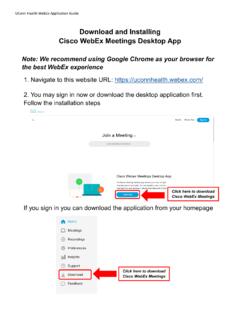
2 Privacy Statement | Change Settings/ By continuing to use our website, you acknowledge the use ofcookies. Privacy Statement | Change Settings/Windows and Mac1 Open your email invite, and click Join. If you don't have a Meeting invite, contact your Meeting host. By continuing to use our website, you acknowledge the use ofcookies. Privacy Statement | Change Settings/2If this is the rst time you're joining a Webex Meeting , Webex automatically downloads the you don't want to install anything, click Join from your browserClick the installer le to install the the automatic download didn't work, click Download the app again.
3 If you join from a Linux computer or Chromebook, you won't be prompted to install Meeting simply opens in your can also download the Webex Meetings app your name and email address, and click Next. By continuing to use our website, you acknowledge the use ofcookies. Privacy Statement | Change Settings/4If you're asked for a Meeting password, enter the Meeting password - it's in your email invitation - andclick Next. By continuing to use our website, you acknowledge the use ofcookies. Privacy Statement | Change Settings/5In the preview window, you can make sure your audio and video sound and look good before you jointhe Meeting .
4 First, choose how you want to computer audio (default) Use your computer with a headset or me Enter a phone number and Webex calls you. Depending on your host's Webex plan, youmay or may not see this in If you prefer to use your phone for audio, dial in when the Meeting starts. A list of theglobal call-in numbers is available in your Meeting invite. Choose this option if your Internetconnection is 't connect to audio Use this option when you need to join a Meeting and share content, anddon't need audio.
5 For example, you're in a conference room with your team, or someone alreadyconnected to the Meeting from a video whether or not you want to have your video and microphone turned on before you Stop video or Start video to turn your video o or Mute or Unmute to turn your microphone o or connect to a compatible video device, click Use video Join Meeting . By continuing to use our website, you acknowledge the use ofcookies. Privacy Statement | Change Settings/iOS and AndroidIf you're on the go, you can join your Meeting from your Apple or Android phone, tablet or Apple watch usingthe Webex mobile 'll be able to use video, chat with other participants, and share Join Meeting in your email invitation when it's time to join the Download to install the Cisco Webex Meetings app and join the video join the Meeting by phone only, tap the number on your screen.
6 By continuing to use our website, you acknowledge the use ofcookies. Privacy Statement | Change Settings/3 Tap Open after the Webex Meetings app installs and accept the Terms of Service and PrivacyStatement. If you re joining a Meeting for the rst time on iOS, you must click the Meeting link from youremail invitation or calendar again to go to your Meeting . For future meetings, clicking themeeting link opens the Webex Meetings app and takes you to your Meeting your name and email address, then tap OK.
7 If necessary, enter the Meeting password it's in the email invitation and tap the Webex Meetings app opens, your video is turned o by default. Tap Start video to previewhow you'll look to others before you join the Meeting . By continuing to use our website, you acknowledge the use ofcookies. Privacy Statement | Change Settings/5 Change your audio and video settings before joining your Internet for audio (default) Use your phone with a headset or me Enter a phone number and Webex calls you. Depending on your Webex plan, you may ormay not see this in If you prefer to use your phone for audio, dial in when the Meeting starts.
8 A list of theglobal call-in numbers is available in your Meeting invite. Choose this option if your Internetconnection is 't Connect Audio Use this option when you need to join a Meeting and share content, anddon't need audio. For example, you're in a conference room with your team, or someone alreadyconnected to the Meeting from a video Connect to a device to join the Meeting from a compatible video device. By continuing to use our website, you acknowledge the use ofcookies. Privacy Statement | Change Settings/7 Tap Join.
9 By continuing to use our website, you acknowledge the use ofcookies. Privacy Statement | Change Settings/WebUse the web app to join a Webex Meeting from your browser. This is the easiest way to join if you're using aChromebook, a Linux computer, or you simply don't want to download your email invite, and click Join Meeting . By continuing to use our website, you acknowledge the use ofcookies. Privacy Statement | Change Settings/2 Webex starts preparing to connect you to your Meeting . If you join from a Windows computer or Mac,click Join from your browser.
10 If you join from a Linux computer or Chromebook, you won't beprompted to install anything. The Meeting simply opens in your browser. You may see a Meeting details page load, instead. If so, click Join prompted, allow your browser to access your camera and microphone in order to see andhear what's going on in the your name and email address, then click name you enter is the name everyone in the Meeting sees. By continuing to use our website, you acknowledge the use ofcookies. Privacy Statement | Change Settings/4If you're asked for a Meeting password, enter the Meeting password - it's in your email invitation - andclick Next.