Transcription of KX-HDV230 Operating Instructions - Panasonic
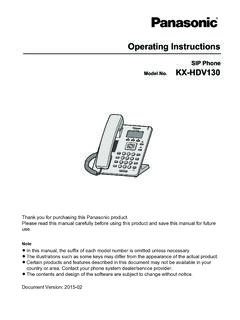
1 Operating InstructionsSIP PhoneKX-HDV230 Model you for purchasing this Panasonic read this manual carefully before using this product and save this manual for this manual, the suffix of each model number is omitted unless illustrations such as some keys may differ from the appearance of the actual products and features described in this document may not be available in yourcountry or area. Contact your phone system dealer/service contents and design of the software are subject to change without Version.
2 2015-07 OutlineThis manual describes information about the installation and operation of DocumentationRQuick Start GuideDescribes basic information about the installation and safety precautions to prevent personal injuryand/or damage to GuideDescribes detailed information about the configuration and management of this and supporting information are provided on the Panasonic Web site at: Future ReferenceRecord the information in the space below for future serial number and MAC address of this product may be found on the label affixed to the bottom ofthe unit.
3 You should note the serial number and MAC address of this unit in the space provided andretain this manual as a permanent record of your purchase to aid in identification in the event of ADDRESSDATE OF PURCHASENAME OF DEALERDEALER S ADDRESSDEALER S TEL. InformationImportant Information ..4 For Users in European Countries ..5 For Users in the United Kingdom ..5 For Users in Australia ..5 For Users in Australia and the UnitedKingdom ..6 For Users in New Zealand ..6 For Best Performance ..7 Before Operating the TelephonesAccessory Information.
4 8 Location of Controls ..10 The Display and Icons ..15 Adjusting the Volume ..22 Incoming/Outgoing Call Log ..22 Setting the Password ..23 Selecting the Display Language ..23 Entering Characters ..24 Basic Operation ..25 Making CallsMaking Calls ..26 Basic Calling ..26 Easy Dialing ..26 Making a Multicast Voice Paging call ..28 Receiving CallsReceiving Calls ..29 Answering Calls ..29 Hands-free Mode ..30 Training Mode ..30 During a ConversationDuring a Conversation ..31 Before Leaving Your DeskCall Forwarding/Do Not Disturb.
5 34 Listening to Voice Mail Messages ..34 Using the PhonebookUsing the Phonebook ..35 Using the Local Phonebook ..36 Using the Remote Phonebook ..41 ECO Mode ..41 Checking the Line Status ..42 Customizing the TelephoneCustomizing the Telephone ..44 Installation and SetupInstallation and Setup ..51 Updating the software ..58 AppendixAppendix ..593 Table of ContentsImportant InformationData SecurityRTo avoid unauthorized access to this product: Keep the password secret. Change the default password. Set a password that is random and cannot be easily guessed.
6 Change the password product can store your private/confidential information. To protect your privacy/confidentiality, werecommend that you erase the information such as the phonebook or call log from the memory beforeyou dispose of, transfer or return the product, or have the product is recommended that you lock the phonebook to prevent stored information from being for Users on Collection and Disposal of Old Equipment and usedBatteriesInformation for Users on Collection and Disposal of Old Equipment and used BatteriesThese symbols on the products, packaging.
7 And/or accompanying documents meanthat used electrical and electronic products and batteries should not be mixed withgeneral household proper treatment, recovery and recycling of old products and used batteries, pleasetake them to applicable collection points, in accordance with your national legislationand the Directives 2002/96/EC and 2006/66 disposing of these products and batteries correctly, you will help to save valuableresources and prevent any potential negative effects on human health and theenvironment which could otherwise arise from inappropriate waste more information about collection and recycling of old products and batteries,please contact your local municipality, your waste disposal service or the point of salewhere you purchased the may be applicable for incorrect disposal of this waste.
8 In accordance withnational business users in the European UnionIf you wish to discard electrical and electronic equipment, please contact your dealer orsupplier for further on Disposal in other Countries outside the European UnionThese symbols are only valid in the European Union. If you wish to discard theseitems, please contact your local authorities or dealer and ask for the correct method for the battery symbol (bottom two symbol examples):This symbol might be used in combination with a chemical symbol.
9 In this case itcomplies with the requirement set by the Directive for the chemical InformationFor Users in European CountriesThe following declaration is applicable to KX-HDV230NE/KX-HDV230X onlyFor information of Compliance with EU relevant Regulatory Directives,Contact to Authorized Representative: Panasonic Testing CenterPanasonic Marketing Europe GmbHWinsbergring 15, 22525 Hamburg, GermanyEcodesign informationEcodesign information under EU Regulation (EC) amended by (EU) Regulation visit here: [Downloads] Energy related products information (Public)
10 =======================================P ower consumption in networked standby and guidance are mentioned in the web site Users in the United KingdomRThis unit is designed to be installed under controlled conditions of ambient temperature and a installing the unit in damp or humid environments, such as bathrooms or swimming and 112 can be dialed on the product after accessing the outside line for the purpose of makingoutgoing calls to the BT emergency (999) and (112) method for accessing an outside line differs depending on the SIP server.