Transcription of Lesson Plan for Student Teaching Support Guide
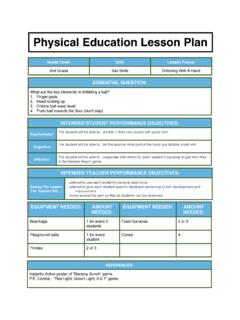
1 Lesson Plan for Student Teaching Support Guide Created: July 2019 1 This document is meant to Guide you through the process of Lesson planning using the Student Teaching template. This Lesson plan should be used when writing daily Lesson plans during Student Teaching . Special Notes: The Student Teaching Lesson plan template meets the edTPA specification guidelines of 11-point Arial font with 1-inch margins; do not change the margins or font type or size. You can adjust the columns and rows if needed to maximize space. You can add or delete sections in table 1 if you have fewer or more than three objectives, and you can add or delete sections in table 4 if you have fewer or more than five LXs. You can also delete boxes you do not feel are relevant for the Lesson or learning experience; but be careful not to eliminate important information that you could use as evidence when writing to the prompts.
2 The edTPA learning segment must be 3-5 lessons. Each Lesson has a 4-page limit. You will submit the lessons for the learning segment as one document that is no more than 20 pages ( , 5 lessons = 20 pgs.; 3 lessons = 12 pgs.). Include page numbers, Lesson label, and begin each Lesson at the top of a page. This Lesson plan Support document is organized based on the tables in the Lesson plan template in the order they appear on the Lesson plan template. Remember Lesson planning is not a linear process and it will be necessary to plan parts of table 4 before you are able to plan tables 2 and 3. In this document I have reproduced each table and provided definitions, simple directions and helpful information right in the table (see the purple asterisks*). I have also included a simple example (see green for example) of what the table could look like; I did this so you could see the mechanics of how to fill in the table.
3 My examples are merely examples to provide you with a visual. Your completed tables may or may not look like my example, depending on the grade, students, content, and timing. The first box at the top of the Lesson plan ( , Lesson plan label) is used to identify the Lesson number within the learning segment, the central focus, grade level, and number of students. Central Focus * Lesson #: central focus, grade, number of students For example: Central Focus Lesson 1: maintaining rhythm and movement pattern, 7th grade, 32 students Table 1: Learning Targets and Assessment Plans Table 1: Learning Targets and Assessment Plans State Standard-Benchmark *Include the benchmark number and write out the entire benchmark Objective *Include a complete, clear objective (3 Cs). *Some objectives may span across multiple lessons; or objectives may be progressive from one Lesson to another by changing the condition, so it is more complex or demanding, adding to the content, or increasing the level of expectation of the criterion.
4 *Remember, objectives Guide all planning, instruction, and assessment choices, and are written for the teacher to ensure alignment throughout one Lesson , across multiple lessons, and within a long-term plan ( , unit plan). Lesson Plan for Student Teaching Support Guide Created: July 2019 2 Domain/s *Name and bold the domain and identify the domain-specific learning focus; identify the domains in the order of priority for this objective. *Remember, this box is directly related to the objective (see box directly above) and to any learning experiences aligned to this objective; which means you will come back to this box after planning the rest of the Lesson plan. *Special note: It is important for physical educators to always consider how we are planning to foster learning in the domains; however, it does not literally need to go on the Lesson plan as long as it is intentionally thought about during the Lesson planning process.
5 I suggest keeping this box during the Lesson planning process, so you have a reminder about how you planned for the domains when you are writing the commentary, but then remove this row if you need the extra space based on the 4-page limit/ Lesson plan. If you have adequate space leave the row here. Learning Target *Write an I Can statement for the Lesson using Student -friendly language *Learning targets are NOT the same as an objective. Learning targets Guide learning, whereas objectives Guide instruction; learning targets are designed for (and sometimes with) the students, whereas objectives are designed for the teacher. *Learning targets use Student -friendly, developmentally appropriate language. They describe Lesson -sized chunks of content (knowledge and/or skills), are written from the students point of view, are shared with the students, and referred to throughout the Lesson implementation.
6 Assessment/s *Identify the use of informal or formal (and/or formative or summative) assessment; identify what is being assessed; identify how it will be assessed; and identify the tool that will be used when assessing. *Special note: for the edTPA learning segment you should use a coding system in this box ( , assessment would mean the first assessment used in Lesson plan #1). This code will direct the reader to the assessment, which you will include as part of task 1. There is an unlimited number of pages allowed for assessment documents per Lesson plan. Using a coding system reduces the information needed in this box. Common Errors *Describe the common errors typically made with the content and criteria identified in the objective ( , errors that can be anticipated based on what you know about your students).
7 *Common errors are based on the whole class, or when relevant, based on the specific needs of an individual Student or small group of students. Learning Supports Whole Class *Describe strategies you will implement in the Lesson during various LXs that are meant to decrease the chance of these errors occurring; or to assist students when the errors do occur. Suggestion: When there are multiple common errors that are each supported with different strategies it is useful to number the error and Support ; when the errors can be supported with a similar strategy numbering is not necessary. Target Student [TS] TS A: *Based on each Student s needs (as identified in the Context for Learning), identify targeted supports; when the supports are the same as the whole class supports write see whole class supports ; remember these supports are directly aligned to the content and criteria in the objective, and to the common errors.
8 TS B: TS C: Lesson Plan for Student Teaching Support Guide Created: July 2019 3 Table 1: Example Pay attention to how I used bold, underline, italics and other markings; these help the reader better understand and see the plan but are not necessary; it also helps you organize, visualize and differentiate the sections more clearly. For this Lesson assume target Student A (TS-A) has a sensory processing disorder; TS-B has been in dance since he was 3 years old; and TS-C experiences anxiety in movement-based situations. Table 1: Learning Targets and Assessment Plans State Standard-Benchmark : demonstrate correct rhythm and pattern for two of the following dance forms: fold, social, creative, line and world dance Objective Using moderate tempo music, TSW perform the eight-count East Coast swing dance step, CB/moving fluidly and remaining on rhythm for six consecutive phrases.
9 Domain/s psychomotor: perform a rhymical movement pattern cognitive: recall and apply the eight-count swing footwork Learning Target I can stay on beat when performing the East Coast swing without a partner Assessment/s Informal formative self and peer assessment: students will video tape one another; they will watch the video and count the consecutive patterns they remained on beat using a rhythm tracker sheet (see assessment ) Informal teacher observation of Student s ability to do the pattern on beat; keep track of students who pick it up quickly, those who struggle, and those who appear inhibited or self-conscious. Common Errors 1) not stepping on the and during the 1 and 2, 3 and 4; 2) not shifting weight back then forward on counts 5 and 6; too upright and stiff Learning Supports Whole Class 1) start with a single step and progress to the triple step; 2) use the cue 1&2, 3&4, baaack.
10 Together; or the cue 1,2,3 4,5,6 7-8 Target Student [TS] TS A: position away from the speaker and monitor volume of the music TS B: instead of the triple steps have him do double kicks TS C: Every activity in this Lesson will be done individually in personal space; when we video tape I will place her with a pre-planned partner/group Table 2: Academic Language Demands and Supports: complete this table after planning Table 4 Table 2: Academic Language Demand Language Demand Support Function: *Identify the primary language function(s) for the Lesson ; or the highest level of cognitive processing required by the students in this Lesson . *Describe strategies you will implement in the Lesson to help students achieve the language function. Vocabulary: *List the vocab. you will use, and the vocab.