Transcription of LLP Form 3 - MCA
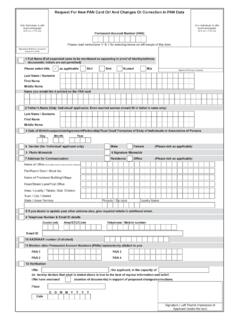
1 LLP form 3. instructions FOR filling OF LLP EFORM 3. (Information with regard to limited liability partnership agreement and changes, if any, made therein). S. No. Detailed instructions Note: 1. instructions are not provided for the fields which are self explanatory 2. If the space within any of the fields is not sufficient to provide all the information, then additional details can be provided as an optional attachment to the eForm. Please note the following: In case of change in LLP agreement due to appointment or cessation of designated partner(s)/ partner(s), eForm 4 (Notice of appointment, cessation, change in name/. address/ designation of a designated partner or partner and consent to become a partner/.)
2 Designated partner) should be filed together at the time of filing of eForm 3. In case the number of designated partners and partners exceeds two hundred (200). Details of each partner including their profit sharing details should be updated through the screen for Updating partners' detail at LLP portal. This is applicable both in case of initial LLP agreement or any changes thereto. These details are required to be provided in the screen before filling this eForm. Once the details are updated on the LLP portal, a service request number (SRN) shall be generated by the system and the same shall have to be mentioned at the time of filing of this form . Please note that filing of this form shall not be allowed in case there is any other eForm 3 pending for payment of fee or any other eForm 3 is under processing or already approved in respect of the SRN.
3 In case of changes in LLP Agreement, filing of this form shall not be allowed in case there is any eForm 4 (Notice of appointment, cessation and change in designation of a designated partner or partner) pending for payment of fee or any eForm 4 is under processing in respect of the LLP. The Stamp Duty payable of LLP Agreement is a State subject and same may be paid as per the State Stamp Act. Till the time specific Stamp Duty is prescribed in respective Stamp Act, the Stamp duty on LLP Agreement may be paid as per the stamp duty payable on partnership agreement in view of the Finance Bill, 2009. Refer the relevant provisions of the limited liability partnership (LLP) Act, 2008 and rules made there under with respect to the matter dealt in the eForm.
4 1 Select option for Filing information with regard to LLP Agreement' or Filing information with regard to changes in LLP Agreement'. In case of filing information with regard to initial LLP Agreement, fields 2, 3, 4 and part A (fields 5 to 17) are required to be filled. In case of filing information with regard to changes in LLP Agreement, fields 2, 3, 4 and part B (18 to 22) are required to be filled. 2, 3, 4 4(a), 4(b) Enter limited liability partnership identification number (LLPIN). Click the Pre-fill button System will automatically display the name, address of the registered office and the email ID of the LLP. In case there is any change in the email ID, enter the new valid email ID.
5 Part A- For filing information with regard to LLP Agreement 5 Enter the place and date of agreement. In case the date of agreement is prior to date of incorporation, date of ratification (acceptance) of LLP agreement is mandatory to enter. 6 System will display the business activities to be carried out by the LLP on incorporation based on the LLPIN. 7 System will display the total number of partners. In case the number of partners in the LLP is less than two hundred (200), click the Pre-fill button. System will display the details of the partners along with total monetary value of each partner's Page 1 of 6. S. No. Detailed instructions contribution. Enter the % of profit sharing' for each partner.
6 In case the number of partners in the LLP is more than the two hundred (200), enter the service request number (SRN) of details updated through the screen. 8 to 17 Enter the details as per LLP agreement. Part B- For Filing information with regard to changes (addition, omission or alteration) in the LLP Agreement. 18 Enter the date of modification in LLP agreement. You can file the modifications in the LLP agreement through this form only if these changes are within 30 days of the filing date. If any change(s) are beyond 30 days, then separate form is to be filed for every such change in the LLP agreement. In case of multiple changes in LLP agreement, date of earliest modification should be entered.
7 19 Select the reason(s) for change in LLP agreement. Multiple check boxes can be selected. In case Change in business activities' is selected, details are required to be filled in field 20. In case Change in partner(s)' is selected, Change in partner's contribution and % of profit sharing' shall also be selected. Details are required to be filled in field 21. In this case, eForm 4. should also be filed together at the time of filing eForm 3. In case Change in partner's contribution and % of profit sharing' is selected, details are required to be filled in field 21. In case Change in details pertaining to each field at serial number 8 to 17' is selected, details are required to be filled in field 22.
8 20 a, b, c Enter the business activities to be carried out by LLP after the change in LLP agreement. Based on the new business activities of the LLP, please enter the main division of industrial activity as per National Industrial Classification (NIC)-2004 given below in Annexure A. The main division should be selected based on relevant sub-class and description applicable to the LLP. given in NIC-2004. The details of main division, sub-class and description of National Industrial Classificastion-2004. are also available under information' link on the MCA21 portal 21 a, b, c, d System will automatically display the total number of existing designated partners and partners of the LLP.
9 Enter the number of designated partners and partners being appointed. In case the summation of existing designated partners/ partners and designated partners/. partners appointed is less than 200, click the Pre-fill button. System will automatically display the partners' details as per the existing information in the LLP. system. Select the type of change for each of the partner. In case there is no change in details of a particular partner, No Change' should be mentioned. However, in case there is No Change' but the existing details form of contribution, Monetary value of Contribution or % of profit sharing is/are not displayed or the displayed details needs to be updated, enter the updated value(s).
10 In case there is change in the form of contribution, its monetary value and % of profit sharing, select Change' in type of change and enter the details as per new LLP agreement. In case of appointment of new partner/ designated partner, provide the unique identifier of partner/ designated partner. Click the Pre-Fill All' button. System will automatically display the name of partners in case designated partner identification number (DPIN) is entered. Enter the other required particulars of the partner. In case the summation of existing designated partners/ partners and designated partners/. partners appointed is more than the 200, enter the SRN of details updated through the screen.