Transcription of Ltl Acorn - Sunbeamtech
1 Ltl Acorn . Mobile Scouting camera Ltl-5210M Series USER'S MANUAL. -0- TABLE OF CONTENTS. General Information .. 2. Features .. 2. Application .. 2. Illustration .. 3. Quick Start .. 6. Insert SIM Card Load Batteries .. 6. Insert SD Card .. 6. Enter Test Mode .. 6. Enter Live Mode .. 7. Advantages of Prep Sensors Advanced Settings .. 9. Parameter Settings .. 9. File Format .. 11. Set up camera on PC. Set up MMS Function on PC. camera Working with MMS. View Local MNOP Name and Signal Strength on TFT display Ltl-5210M Series Products Parts Models for Purchase Important Information Prevent From Short-Circuits Power Supply and Battery Box SD Card Auto Adjustment on Video Length 850nm and 940nm IR LED. Mount on Tripod FAQs on MMS Function camera application upgraded Appendix I Technical Specifications.
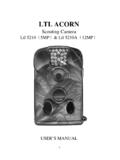
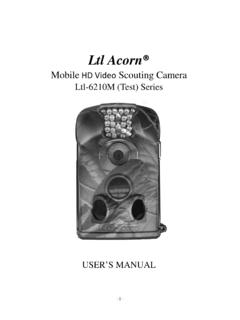
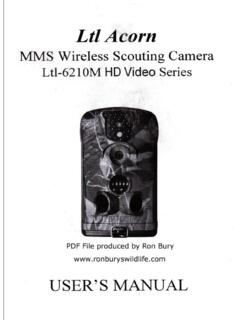
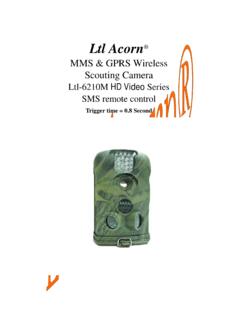
2 13. Appendix II Package Contents .. 15. Appendix III Instruction on Installing Additional Battery Box .. 16. -1- General Information GENERAL INFORMATION. Introduction The Ltl Acorn M Series (Model Ltl-5210MC and Ltl-5210MM) is the second generation of our Ltl-5210 scouting camera . Bundled with the MMS-module (Multimedia Messaging Service). battery box (Part # LTL-MM), the regular scouting camera (Part # Ltl-5210M) can be upgraded to work as a remote cellular camera . With its highly sensitive Passive Infra-Red (PIR) sensor, the camera detects the sudden change of ambient temperature caused by moving game in a region of interest (ROI), triggers to take pictures/videos, and sends the images via GSM network to the user's cell phone or email account.
3 Features: Programmable 5 or 12-Megapixel high-quality resolution.. Infrared night vision LEDs for flash range as far as 65 feet . In Cam + Video mode, camera takes both pictures and video at every trigger event . Ultra low standby power consumption. Extremely long in-field life (in standby mode, up . to 3 months with 4 x AA batteries and 6 months with 8 x AA batteries). Unique side Prep Sensor design provides wider sensing angle and enhances camera 's response speed . Perform in the most extreme temperatures from -22 F to 158 F . Compact size (5 x 3 x 2 inches). Well designed to deploy covertly . Impressively quick trigger time (1 second) . In Time Lapse setting, the camera automatically and constantly takes pictures/videos at specified interval.
4 This is very useful when observing plants flowering, birds building nest, or when monitoring unattended properties such as parking lots .. With Timer setting on, the camera can be programmed to only work in specified period every day. This feature can work together with Time Lapse feature . Backpack-looking tree grabber makes mounting and aiming a snap . Serial Number setting enables you to code locations in the photos. This helps multi- camera users identify the location when reviewing the photos . Built-in 2 TFT color display to review images and videos . Date, time, temperature and moon phase can be stamped in the pictures . Lockable and password protected . Two MMS image sizes to choose: 640 x 480 or 320 x 240.
5 Users can configure the camera and MMS function either by running the enclosed CD. on the computer, or directly on the built-in TFT display.. Separation of the camera and the MMS module provides users flexibility: starting with the value model as a regular scouting camera , and upgrading to the premium model with MMS function.. Our Advanced Remote Cellular Technology transmits images to your cell phone and .. -2- General Information email account constantly at lower battery consumption and shorter transmission time, compared to products of its kind on the market. Automatic text alert when battery power level goes low . Check cellular signal information on the built-in TFT display in the field . All MMS pictures saved as well as the original pictures.
6 Internal antenna emits strong signal . Operates globally via GSM/GPRS network. Supports four bands: 850 / 900 1800 /. 1900 MHz.. Application trail camera for hunting . Animal or event observation . Motion-triggered security camera , for home, office and community . All other indoor/outdoor surveillance where invasion evidence needed .. Illustration Figure shows the front view of the camera (Part # Ltl-5210M) . Figure shows the bottom view of the camera (Part # Ltl-5210M) . Figure shows the back view of the camera (Part # Ltl-5210M) and front view of the additional battery box (Part # LTL-BM1 or LTL-MM1) . -3- General Information Figure : Front View of Ltl-5210M. Figure : Bottom View of Ltl-5210M. -4- General Information The camera provides the following connections for external devices: USB port, SD card slot, TV out jack, and external DC power in jack.
7 The 3-way Power/Mode Switch is used to select the main operation modes: OFF, ON and TEST. To supply power, use four NEW high-performance alkaline or lithium AA batteries. FOR. BETTER PERFORMANCE, WE RECOMMEND USING ENERGIZER LITHIUM AA. BATTERIES. To achieve longer in-field life, always install the additional battery box which contains four more AA batteries. (Please reference Appendix III: Instruction on Installing Additional Battery Box). Figure : Back View of Ltl-5210M and Front View of Battery Box CAUTION: If you are not using the camera for an extended period of time, it is highly recommended that you remove the batteries from the camera to avoid possible acid leak that may damage the camera which would void the warranty.
8 -5- Quick Start QUICK START. Insert SIM Card (Only for Model Ltl-5210MM). You need to purchase the SIM card from your local Mobile Phone Network Operators, making sure they provide Multimedia Messaging Service (MMS). Ask them for the relevant information to configure the MMS. settings on your camera . (Please reference Figure 2-1). Open the battery compartment cover, slide the SIM card in the slot and lock it. Figure 2-1 MMS-module Battery Box Load Batteries To install batteries on the camera (Part # Ltl-5210M), please follow the instructions below. Open the bottom cover by pulling down the lock hole.. Push the cover of the battery compartment and release. It will pop out.. Install 4 AA batteries. Make sure the polarity matches the sign on the cover.
9 Replace the cover.. To install the additional battery box (Part # LTL-BM1 or LTL-MM1), please reference Appendix III: Instructions on Installing Additional Battery Box). Alternatively the camera can run on an external 6V~12V DC power source (optional). When both external power and batteries are connected, the camera will be powered by the external one preferentially. Bundled with our external solar power supply (purchased separately), the camera can work in the field over one year without changing batteries. When battery level gets low, the Motion Indicator in the LED array will flash blue. On Model Ltl-5210MM, a text alert will be sent automatically to the user's cell phone or email account. Insert SD Card The camera does not come with internal memory.
10 So it will not work without a SD (Secure Digital) memory card or SDHC (High Capacity) card. Before inserting the SD card into the card slot, please make sure the write-protect switch on the side of the SD card is off (NOT in the -6- Quick Start Lock position). The supported memory capacity is up to 16GB. If you use a card capable of above 16GB, make sure you test it before putting the camera in use. Figure 2-2. CAUTION: ALWAYS SWITCH THE camera TO OFF MODE BEFORE YOU INSTALL. OR REMOVE THE BATTERIES OR THE SD CARD. Enter Test Mode Switch to the TEST position to enter the Test mode. In this mode you can take pictures or video clips like a regular digital camera , or enter the Menu to set up parameters.