Transcription of MANUAL FOR MODEL FD4 FIRE PUMP CONTROLLERS
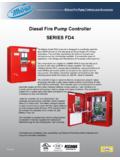
1 Metron, Inc. Date: 03/22/04 Approved: MH DOC#: 586 Revision: C Date: 03/27/06 Approved: MH Page: 1 of 25 MANUAL FOR MODEL FD4 fire PUMP CONTROLLERS Starting Serial No. "BF" This MANUAL provides General Information, Installation, Operation, Maintenance and System Set-Up Information for METRON MODEL FD-4 Engine driven fire Pump CONTROLLERS . TABLE OF CONTENTS PART I General Information .. PAGE 3 PART II Functions .. PAGE 3 PART III Operation of the PAGE 4 PART IV Installation & Test Procedure .. PAGE 5 PART V Additional Optional Features .. PAGE 8 PART VI Operator Interface Device (OID) Use and Navigation ..PAGE 9 PART VII System Set Point Definitions .. PAGE 18 PART VIII Alarm and Event Log PAGE 22 APPENDIX 1 Changing Printer Paper and Ribbon Cartridge .. PAGE 24 METRON, INC. 1505 West Third Avenue Denver, Colorado 80223 Telephone: (303) 592-1903 Fax: (303) 534-1947 Page 2 of 25 File Name: Doc# THIS PAGE IS BLANK Page 3 of 25 File Name: Doc# PART I: GENERAL INFORMATION The basic function of the MODEL FD4 fire Pump controller for diesel engine driven fire pumps is to automatically start the engine upon a drop in pressure in the water main, or from a number of other demand signals.
2 This controller provides automatic cycled cranking, alarm and/or alarm shutdown protection for various engine failures. Stopping of the engine after the demand period is over may be either MANUAL or automatic. This controller also includes an automatic weekly test starting feature. PART II: FUNCTIONS Equipment is provided in the controller to provide the following functions: A. Automatic Starting From: a. Drop in water line pressure b. Loss of battery charger output (if enabled) c. Operation of optional remote start switches, such as remote start switch, deluge valve switch, fire alarm switch, etc. d. Weekly test timer B. OID Operator Interface Device - Provided for display of alarm functions, system pressure, battery volts, battery charger amps, alarm conditions, etc. Includes buttons for Auto, Test, MANUAL and Off. Also features a 4 line by 20 character LCD for display C. Automatic Cranking - A microprocessor controlled crank cycle timer provides six (6) fixed crank periods separated by five (5) rest periods each of approximately 15 seconds duration.
3 D. Alarms and Signal Lights - Twelve (12) Standard lights are provided to give visual signals for; "System Fault , "Battery #1 Failure , Battery #2 Failure", "Charger #1 Failure", Charger #2 Failure , AC Power Loss , Engine Running , "Engine Failed to Start", "Engine Low Oil Pressure", "Engine High Water Temp", "Engine Overspeed" and Low Fuel . In addition the mode buttons have LED s on the button indicating Auto , MANUAL , Test , or Off mode. 12 additional lights, configurable by the factory, are provided for "Pump Room Alarms". An audible alarm horn is mounted on the front of the cubicle for sounding in the event of failure. Terminals are provided for remote failure indication of the following: "Automatic Mode" "System Fault" "Engine Running (2 sets)" "Common Battery Fault" E. A data logger is provided as standard to record system pressure along with numerous alarm conditions and system events. The data can be displayed on the OID or can be downloaded to a PC through the RS232 port provided on the main system board or printed to the internal printer (if supplied).
4 F. A weekly test timer is supplied to automatically start the engine any set day of the week, at a set time of day, and a preset run time. See System Config Screen 106. G. "Stop" Pushbutton - A pushbutton is provided to stop the engine in Automatic only after starting causes have returned to normal. This returns the controller to the automatic position. H. Integral Battery Chargers (Option J). There are two separate fully automatic, solid state chargers provided for maintaining full charge on the dual sets of engine batteries. An LED display is provided on the charger circuit board with a selector switch for reading the charging current and voltage on each charger as standard. I. Cabinet - A heavy gauge steel cubicle encloses the controller . The OID, battery circuit breakers, and MANUAL start pushbuttons are mounted behind a break-glass in the door of the cabinet. Page 4 of 25 File Name: Doc# PART III: OPERATION OF THE controller A. When the controller is the "Auto" mode and both circuit breakers are in the "On" position, the controller is in standby condition ready to start the engine automatically.
5 A green pilot light above the "Auto" button will illuminate in this mode. Also, Battery #1 Fault and Battery #2 Fault lights should be off indicating that battery power is available. When the water pressure drops below a level which is set in System Config Screen 101, the controller will actuate the starter motor and the cranking cycle will commence. If the engine starts and runs, cranking will cease and the protective circuits will be operative. If the engine fails to start after six (6) crank periods, cranking will cease, the "Engine Failed to Start" light will illuminate, and the alarm horn will sound. The battery alternating circuit alternates batteries on each crank attempt unless one battery is in a discharged state and incapable of cranking the engine. In this instance, the control will lock onto the other battery for the remaining cranking attempts. Dry contacts for remote indication of "Battery Failure/Missing Battery" are provided. The panel is wired so that optional remote start switches may be used, such as Deluge Valve, Remote Start pushbutton, fire Alarm switches, etc.
6 In addition, when Power Failure Engine Startup feature is enabled (System Config Screen 111), the controller will automatically start the engine upon loss of Battery Charger output or AC Power loss, after an adjustable time delay (System Config Screen 112). While the engine is running, all protective circuits are operative. If the engine stops while running, and there is still an auto start demand, the control will attempt to restart the engine. If the engine fails to start the "Engine Failed to Start" light will illuminate and the alarm will sound. If, while the engine is operating, the oil pressure drops below a safe limit, the Low Oil Pressure light will illuminate immediately. After approximately seven (7) seconds the alarm will sound. Should the engine temperature exceed a safe limit while running, the Engine High Water Temp. light will illuminate and the alarm will sound indicating engine overheating. In case of Overspeed, the engine will be stopped and the "Engine Overspeed" light will illuminate and the alarm will sound.
7 The light and alarm will stay on until the Engine Speed Switch and the controller are manually reset. To manually reset the controller , Press the Off button and the Press the "Reset" button on the OID for two seconds. The controller may be configured as either " MANUAL " or "Automatic" stop as required (System Config Screen 104). " MANUAL " stop is set as standard. When Automatic stop is enabled the stop timer is preset at the factory to 30 minutes. Longer time settings can be set in System Config screen 105. When Automatic Stop is disabled, the engine will continue to run even though the pressure switch or other remote starting switch returns to its normal position. The engine can be stopped immediately only by pressing the stop button or by pressing the Off mode button. On engines that do not use the energize to stop method ( Caterpillar), the engine may also be stopped by turning the circuit breakers BATT1 and BATT2 to OFF. If set up for "Automatic" stop, the engine will be stopped automatically upon restoration to normal of whatever demand switch started the engine providing it has run at least 30 minutes or longer as set in System Config screen 105.
8 If the demand period was less than the time set on the auto stop timer, the engine will continue to run until the timer times out and then will stop. B. When the "Test" mode button is pressed for two or more seconds, the engine will be started by causing a drop in water pressure. Failure alarm circuits will be operative in the "Test" mode. This method of starting provides a test of the controller , thereby assuring proper operation when required. The engine will run for the time set in Auto Weekly Test Length Of Run Time (System Config Screen 109) or until the "Stop" push button is pressed or the OFF mode button is pressed. C. The " MANUAL " mode button is for manually starting the engine from either battery. The fuel and water solenoids are energized in this position, and the engine must be cranked by pushing one of the buttons located below the OID. " MANUAL Crank 1" cranks from Battery 1, and " MANUAL Crank 2" cranks from Battery 2. Pressing both buttons will result in cranking from both batteries simultaneously.
9 D. When the engine is given a command to stop for any reason, terminal 12 will energize and will remain on for approximately 15 seconds. The controller will not start until terminal 12 is de-energized again. E. Periodic Self Testing - The Test Run Timer can be set to give test runs on any day of the week and time of day desired. A timing element is incorporated in the control so that when the engine starts in this manner, it will run for a definite time before it shuts down. See System Config Screens 106 through 109 to set the starting time and length of engine running. F. Provision for sequential starting is accomplished by the use of adjustable time delay on pressure drop starting or Deluge Valve starting. On Multiple Pump installations these timers are set sequentially and progressively longer in time to prevent more than one (1) pump from starting simultaneously with another pump. Failure of the lead pump to start will not prevent subsequent pumps from starting.
10 The time delay on starting is set in System Config Screen 103. Page 5 of 25 File Name: Doc# PART IV: INSTALLATION AND TEST PROCEDURE A. INSTALLATION The fire Pump controller has been assembled and wired at the factory in accordance with the highest workmanship standards. All circuits and functions have been thoroughly tested to assure correct operation when properly installed. The installer should be completely familiar with the external hookup of the engine junction box to the terminal bar in the controller . Various engine components must be wired to the proper terminal in the controller using the correct size of stranded wire. An appropriate size wire must be wired from the grounding lug in the controller to earth ground. In most cases, the engine manufacturer furnishes the engines with all accessories installed and wired to the connection box. Therefore, it is only necessary to wire from the engine connection box to like numbered terminals in the controller .