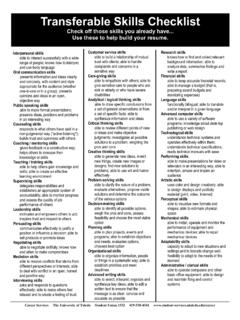
Transcription of Microsoft Excel 2010 Intermediate Skills Checklist
1 Other Checklists for Microsoft Office and other Skills are available at Microsoft Excel 2010 Intermediate Skills Checklist This Checklist has been compiled from various public sources to help job seekers to efficiently communicate their current proficiency with Intermediate -level Skills in using Microsoft Excel 2010 in addition to the Basic-level Skills . Maintain a Large Worksheet Advanced Chart Skills Use Zoom to narrow focus Create a new chart (full range of chart options) Split window horizontally Move or resize an existing chart in a worksheet Split window vertically Use Design Tab to customize type and style Freeze/unfreeze headings Use Layout Tab to customize chart elements Add, name, order worksheets Edit chart titles Name a cell, formula, constant Format chart elements (titles, categories, values) Use date in a formula Add graphic image and textbox to a worksheet Add clip art and WordArt to a worksheet Work with Multiple Worksheets Add a SmartArt object to a worksheet Navigate among sheets in a workbook Edit cell in two worksheets at a time Work with Data Lists Add, name and order worksheets Create a list Open, arrange multiple windows in a worksheet Add records using a data form View two worksheets side by side Edit and find records using a data form Move or copy a worksheet to another workbook Sort records on single and multiple fields Create a link between two workbooks Use AutoFilter to hide records Create a summary worksheet that recaps values from other worksheets Create a custom filter for a list Delete a comment from a document Work with Data Document and Audit a Worksheet Group data Add, review.
2 Edit and print comments Dissociate (Ungroup) data Use Watch Window to find errors in a worksheet Import data from another database to worksheet Use Auditing feature to find errors in a worksheet Add hyperlink to another document in worksheet Printing Options Specify margins, orientation, etc. on Page Setup Preview page breaks Print formulas only Suggested instructions for use of this Checklist : 1. Delete items that you have not yet performed (copy chart and title and paste in a Word file). 2. Replace check box with symbol, or print out Checklist and check the appropriate boxes with broad-tipped black pen. 3. Bring copies of checklists for relevant Skills to interviews, or create a PDF or Word Document containing multiple checklists and email as an attachment along with resume. If you have a portfolio, enclose checklists. Your feedback on the usefulness of this Checklist along with suggested changes is encouraged and appreciated.
3 Please visit for additional materials.