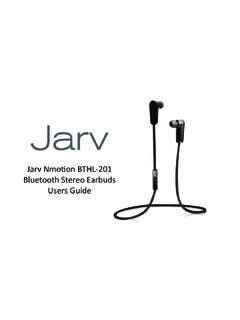
Transcription of Mini Bluetooth Stereo Headset User’s manual - …
1 mini Bluetooth Stereo Headset user s manual Congratulations on your purchase of the mini Bluetooth Stereo Headset (MBSH). This device was designed to allow you to enjoy music and/or audio wirelessly, and provide hands-free control (HSP) of mobile phone voice calls. Please read this manual carefully before using this device. For more information about this wireless Bluetooth Headset product, visit to find the latest documentation on this product. 1 Technology The MBSH features Bluetooth Version , and it supports following Bluetooth profiles: HSP Headset Profile HFP Hands-free Profile A2DP Advanced Audio Distribution Profile AVRCP Audio/Video Remote Control Profile 2 Features The MBSH has the following user features: a.
2 Pairing with a Bluetooth cell phone or PDA supporting HFP profile. Answer calls, end calls, and reject calls Last number redial Voice dial Adjust volume (Up & Down) Transfer calls between to/from the paired mobile phone Microphone mute b. Pairing with a Bluetooth cell phone (or Bluetooth transmitter supporting A2DP profile). Enjoy music wirelessly Adjust the volume Remote control pause/play Remote control previous/next track c. Easy to switch between the call and music, you will not miss the incoming call during listening to music.
3 D. Every time the Headset is turned on, it will connect to last connected device automatically. Note: In order to complete the above functions, the paired device must support the same Bluetooth profiles supported by this mini Bluetooth Stereo Headset . Also, even though the paired device and the Headset support the same Bluetooth profiles, the functions may vary due to differences in the implementations of each device manufacturer. 3 Operation 1 LED indicator 5 Multi-functions button (MFB): Pause / Play 2 Charging Jack 6 Volume Down / Next Song 3 Built-in Microphone 7 Right Speaker 4 Volume Up / Last song 8 Left Speaker Charging the MBSH The MBSH has a rechargeable built-in Lithium battery 85mAh.
4 Prior to using it for the first time, it is recommended to charge the battery for about 2 hours. Follow the steps below to charge your MBSH: 1. Plug the special charging clip into the charging jack of Headset , make it clip the Headset as shown in the picture (on the right). 2. Plug another side of cable to the USB port of your PC (or to a USB power adapter not included) Red light on: Charging Red light off: Charging is completed! Remarks: (1) When the battery is low in power, the Headset will emit five BEEP tones every 5 minutes, and the red LED will flash.
5 (2) Batteries (battery pack or batteries installed) shall not be exposed to excessive heat such as direct sunshine, fire or alike. Getting started Turning on/off the MBSH Functions Operation LED indicator Turning on Press and hold MFB button about 4 seconds until blue LED flashes Blue LED on one second Turning off Press and hold MFB button about 4 seconds until red LED flashes Red LED on one second Remark: In order to save power, the Headset will turn off automatically if no devices can be connected after 5 minutes.
6 Pairing the MBSH with other Bluetooth -Enabled devices How to enter pairing mode: Functions Operation LED indicator Entering pairing mode Ensure the Headset is off, otherwise please turn it off first. And then press and hold MFB button about 8 seconds until red and blue LED flash alternately. Red and blue LED flash alternately Remark: Pairing mode will last 2 minutes. If no devices can be connected after 2 minutes, it will return to standby mode automatically. Pairing the MBSH with Bluetooth cell/mobile phone Prior to using the Headset for the first time, you have to pair it with a Bluetooth -enabled cell phone.
7 The pairing procedures are subject to each cell phone. Please refer to your cell phone user s manual for further information. The general pairing procedures are as follows: 1) Keep your MBSH and phone within 3 feet when pairing; 2) Make the MBSH enter pairing mode (please refer to How to enter pairing mode above); 3) Activate your cell phone s Bluetooth function and set your cell phone to search for Bluetooth devices within range, and select BTH023 from the list of devices shown; 4) If requested by your cell phone, enter password or PIN No: 0000 (If your cell phone supports Bluetooth or above, password is not required).
8 If prompted by your cell phone to connect, select Yes (this will vary among cell phone models); 5) After successful paired, choose and connect BTH023 from the list of devices shown on cell phone; 6) After successful connecting, blue LED of Headset will flashes twice every 4 seconds Remarks: If pairing is failed, please turn off the MBSH first and then re-pair according to steps 1 6 mentioned above. After pairing is successful, the Headset and the cell phone will remember each other, they will no need to re-pair next time.
9 The MBSH can remember 8 paired devices, when the number of paired devices exceeds 8, the first one will be replaced. Every time the MBSH is turned on, it will connect to last connected device automatically. If you want to pair it with other devices, please turn off the Bluetooth function of last connected devices first and pair the Headset with the new device according to steps 1 6 mentioned above. Pairing MBSH with any Bluetooth -enabled device (not included) You can connect the MBSH to any Bluetooth -enabled device that will work as an AUDIO/MUSIC source to enjoy music wirelessly from any music or audio device.
10 The pairing steps are as follows: 1) Keep your MBSH and Bluetooth device within 3 feet from each other; 2) Make the MBSH enter pairing mode (Please refer to How to enter pairing mode above); 3) Turn on the Bluetooth device and make it enter pairing mode (please refer to the Bluetooth device manual for instructions). All Bluetooth -enabled devices will search for Bluetooth devices automatically and send a pairing request; 4) When the MBSH requests to enter a PIN No., and the Bluetooth device supporting or above, the Bluetooth device should response 0000 automatically.