Transcription of Mobile Computer - Honeywell Productivity and …
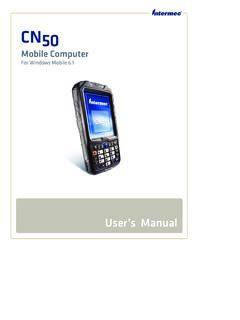
1 CK3cMobile ComputerCK3c, CK3c1 User s ManualiiCK3c Mobile Computer User s ManualIntermec Technologies CorporationWorldwide Headquarters6001 36th , WA information contained herein is provided solely for the purpose of allowing customers to operate and service intermec -manufactured equipment and is not to be released, reproduced, or used for any other purpose without written permission of intermec Technologies and specifications contained in this document are subject to change without prior notice and do not represent a commitment on the part of intermec Technologies Corporation. 2008-2011 by intermec Technologies Corporation. All rights word intermec , the intermec logo, Norand, ArciTech, Beverage Routebook, CrossBar, dcBrowser, Duratherm, EasyADC, EasyCoder, EasySet, Fingerprint, i-gistics, INCA (under license), Intellitag, Intellitag Gen2, JANUS, LabelShop, MobileLAN, Picolink, Ready-to-Work, RoutePower, Sabre, ScanPlus, ShopScan, Smart Mobile Computing, SmartSystems, TE 2000, Trakker Antares, and Vista Powered are either trademarks or registered trademarks of intermec Technologies are and foreign patents as well as and foreign patents is a registered certification mark of the Wi-Fi , Windows, and the Windows logo are registered trademarks of Microsoft Corporation in the United States and/or other is a trademark of Bluetooth SIG, Inc.
2 , product includes software developed by the OpenSSL Project for use in the OpenSSL Toolkit ( ).This product includes cryptographic software written by Eric Young product uses Regex++, Index software during its operational phases. The owner of Regex++ has granted use of the software to anyone provided such use is accompanied by the following copyright and permission notice:Regex++, Index. (Version , 16th Dec 2001)Copyright 1998-2001 Dr John MaddockPermission to use, copy, modify, distribute and sell this software and its documentation for any purpose is hereby granted without fee, provided that the above copyright notice appear in all copies and that both that copyright notice and this permission notice appear in supporting documentation. Dr John Maddock makes no representations about the suitability of this software for any purpose.
3 It is provided as is without express or implied is a trademark of TABLET media, Mobile Computer User s ManualiiiDocument Change Record This page records changes to this document. The document was originally released as Revision NumberDateDescription of Change0042/2011 Revised manual to correct the following sections: Connecting to a Bluetooth Scanner on page 35. EA20X Extended Range Area Imager Minimum Reading Distances on page 86. Single Dock (AD20) on page manual to add the EX25C imager and update supported bar code manual to support the new CK3c1 model, and the DDIB radio Mobile Computer User s ManualContentsCK3c Mobile Computer User s ManualvContentsBefore You Begin.. ixSafety Information .. ixGlobal Services and Support .. ixWarranty Information.. ixWeb Support .. xTelephone Support .. xService Location Support.
4 XWho Should Read This Manual .. xiRelated Documents .. xiPatent Information .. xii1 Using the Computer .. 1 Introducing the CK3c Mobile Computer .. 2 What s New?.. 4 Using the Battery .. 4 Charging the Battery ..5 Removing and Installing the Battery .. 5 Maximizing Battery Life .. 6 Checking the Battery Status .. 7 Using the Keypad .. 8 Using the Color-Coded Keys .. 9 Capitalizing Characters.. 10 Using the Power Button .. 10 Configuring the Backlight Settings .. 11 Understanding the Audio Features ..11 Adjusting the Volume of the Speaker .. 11 Using the Touch Screen .. 12 Using the Stylus .. 12 Understanding the Screen Icons .. 13 Aligning the Touch Screen .. 13 Understanding the Status LEDs .. 15 Scanning Bar Codes .. 16 Scanning With the Linear Imager.. 17 Scanning With an Area Imager .. 18 ContentsviCK3c Mobile Computer User s ManualScanning With the Extended Range Area Imager.
5 18 Scanning With the Near-Far Range Area Imager .. 19 Improving the Performance of the Area Imager .. 20 Using a microSD Card.. 222 Connecting and Configuring the CK3c .. 27 Managing the CK3c Using SmartSystems Foundation .. 28 Connecting to a PC .. 28 Configuring the CK3c Parameters ..30 Using intermec Settings Remotely With SmartSystems Foundation .. 30 Using intermec Settings Directly on the CK3c .. 31 Hiding Menu Items in intermec Settings .. 32 Configuring the CK3c Remotely With SmartSystems Foundation .. 33 Configuring the CK3c for Your Network .. 33 Configuring Radio Communications .. 33 Configuring Bluetooth Communications .. 34 Connecting to a Bluetooth Scanner.. 35 Configuring Bluetooth Communications for Wireless Printing .. 37 Configuring Ethernet Communications .. 38 Using Serial and USB Communications .. 39 Checking the Status of Your Wireless Connection.
6 39 Configuring Wireless Security .. 40 Choosing Between Funk and Microsoft Security .. 41 Selecting a Funk Security Profile .. 41 Selecting Microsoft as Your Security Choice .. 46 Loading a Certificate .. 49 Disabling Security ..513 Developing and Installing Applications .. 53 Developing Applications for the CK3c .. 54 Packaging Your Application .. 54 Choosing a Target Location .. 54 Installing Applications on the CK3c ..55 Installing Applications Using SmartSystems Foundation .. 55 Installing Applications Using Microsoft ActiveSync.. 55 Installing Applications Using a Storage Card .. 56 ContentsCK3c Mobile Computer User s ManualviiInstalling Applications Using the FTP Server .. 56 Freeing Up Virtual Memory for Applications .. 57 Launching an Application Automatically .. 59 Upgrading the System Software .. 60 Upgrading the CK3c Using a microSD Card.
7 61 Upgrading the CK3c Using SmartSystems Foundation.. 624 Troubleshooting and Maintaining the CK3c .. 65 Calling Product Support.. 66 Troubleshooting Your CK3c .. 67 Checking Network Status .. 73 Resetting the CK3c .. 77 Warm Booting the CK3c .. 77 Cold Booting the CK3c .. 77 Clean Booting the CK3c .. 78 Cleaning the Scanner Window and Screen.. 80A Specifications .. 81 Physical and Environmental Specifications .. 82 Accessories .. 94B Default Settings .. 97 Default Configuration .. 98C Keypads and Keystrokes.. 107 Standard Characters ..108I Index .. 115 ContentsviiiCK3c Mobile Computer User s ManualBefore You BeginCK3c Mobile Computer User s ManualixBefore You BeginThis section provides you with safety information, technical support information, and sources for additional product Information Your safety is extremely important.
8 Read and follow all warnings and cautions in this document before handling and operating intermec equipment. You can be seriously injured, and equipment and data can be damaged if you do not follow the safety warnings and section explains how to identify and understand warnings, cautions, and notes that are in this document. Global Services and SupportWarranty InformationTo understand the warranty for your intermec product, visit the intermec web site at and click Support > Returns and Repairs > warning alerts you of an operating procedure, practice, condition, or statement that must be strictly observed to avoid death or serious injury to the persons working on the caution alerts you to an operating procedure, practice, condition, or statement that must be strictly observed to prevent equipment damage or destruction, or corruption or loss of : Notes either provide extra information about a topic or contain special instructions for handling a particular condition or set of You BeginxCK3c Mobile Computer User s ManualDisclaimer of warranties: The sample code included in this document is presented for reference only.
9 The code does not necessarily represent complete, tested programs. The code is provided as is with all faults. All warranties are expressly disclaimed, including the implied warranties of merchantability and fitness for a particular SupportVisit the intermec web site at to download our current manuals (in PDF). Visit the intermec technical knowledge base (Knowledge Central) at and click Support > Knowledge Central to review technical information or to request technical support for your intermec SupportIn the and Canada, call 1-800-755-5505. Outside the and Canada, contact your local intermec representative. To search for your local representative, from the intermec web site, click About Us > Contact Location SupportFor the most current listing of service locations, click Support >Returns and Repairs > Repair technical support in South Korea, use the after service locations listed below:AWOO Systems102-1304 SK Ventium522 Dangjung-dongGunpo-si, Gyeonggi-do Korea, South 435-776 Contact: Mr.
10 Sinbum KangTelephone: +82-31-436-1191E-mail: You BeginCK3c Mobile Computer User s ManualxiIN Information System PTD LTD6th FloorDaegu Venture Center Bldg 95 Shinchun 3 DongDonggu, Daegu City, KoreaE-mail: or Should Read This ManualThis manual is for the person who is responsible for installing, configuring, and maintaining the CK3c Mobile Computer . In this manual, CK3c refers to both models CK3c and CK3c1, unless specifically stated otherwise. This manual provides you with information about the features of the CK3c, including how to install, configure, operate, maintain, and troubleshoot you work with the CK3c, you should be familiar with your network and general networking terms, such as IP DocumentsThe intermec web site at contains our documents (as PDF files) that you can download for d o w n l o a d d o c u m e n t s1 Visit the intermec web site at the Products the Products menu, navigate to your product page.