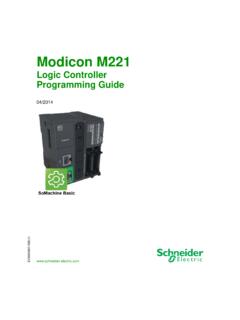
Transcription of Modicon M241 Logic Controller - Programming Guide - …
1 M241 Logic ControllerEIO0000001432 04/2014 Modicon M241 Logic ControllerProgramming Guide04/20142 EIO0000001432 04/2014 The information provided in this documentation contains general descriptions and/or technical characteristics of the performance of the products contained herein. This documentation is not intended as a substitute for and is not to be used for determining suitability or reliability of these products for specific user applications. It is the duty of any such user or integrator to perform the appropriate and complete risk analysis, evaluation and testing of the products with respect to the relevant specific application or use thereof.
2 Neither Schneider Electric nor any of its affiliates or subsidiaries shall be responsible or liable for misuse of the information contained herein. If you have any suggestions for improvements or amendments or have found errors in this publication, please notify us. No part of this document may be reproduced in any form or by any means, electronic or mechanical, including photocopying, without express written permission of Schneider pertinent state, regional, and local safety regulations must be observed when installing and using this product. For reasons of safety and to help ensure compliance with documented system data, only the manufacturer should perform repairs to devices are used for applications with technical safety requirements, the relevant instructions must be followed.
3 Failure to use Schneider Electric software or approved software with our hardware products may result in injury, harm, or improper operating to observe this information can result in injury or equipment damage. 2014 Schneider Electric. All rights 04/20143 Table of ContentsSafety Information ..7 About the Book..9 Chapter 1 About the Modicon M241 Logic Controller ..13M241 Logic Controller Description .. 13 Chapter 2 How to Configure the Controller ..19 How to Configure the Controller .. 19 Chapter 3 Libraries ..23 Libraries .. 23 Chapter 4 Supported Standard Data Types..25 Supported Standard Data Types.
4 25 Chapter 5 Memory Mapping ..27 Controller Memory Organization .. 28 RAM Memory Organization .. 30 Flash Memory Organization .. 32 Relocation Table .. 36 Chapter 6 Tasks ..39 Maximum Number of Tasks.. 40 Task Configuration Screen .. 41 Task Types .. 43 System and Task Watchdogs .. 46 Task Priorities .. 47 Default Task Configuration .. 50 Chapter 7 Controller States and Behaviors.. Controller State Diagram .. 52 Controller State Diagram .. Controller States Description .. 57 Controller States Description .. State Transitions and System Events .. 61 Controller States and Output Behavior.
5 62 Commanding State Transitions .. 65 Error Detection, Types, and Management.. 71 Remanent Variables .. 734 EIO0000001432 04/2014 Chapter 8 Controller Device Editor ..75 Controller Parameters ..76 Controller Selection ..78 PLC Settings ..79 Services ..81 Chapter 9 Embedded Inputs and Outputs Configuration ..83 Embedded I/Os Configuration ..83 Chapter 10 Expert Functions Configuration ..89 Expert Functions Overview ..90 Counting Function ..92 Pulse Generators Embedded Function ..94 Chapter 11 Cartridge Configuration..97 TMC4 Cartridge Configuration ..97 Chapter 12 Expansion Modules Configuration.
6 99I/O Configuration General Practices ..100I/O Bus Configuration..101TM4 Expansion Module Configuration ..102TM3/TM2 Expansion Module Configuration ..103 Chapter 13 Ethernet Configuration .. Ethernet Services..106 Ethernet Services..107IP Address Configuration ..109 Modbus TCP Client/Server ..114 Web Server ..116 FTP Server..130 SNMP .. Firewall Configuration ..133 Introduction ..134 Dynamic Changes Procedure ..136 Firewall Behavior ..137 Script File Syntax .. Ethernet Optional Devices ..143 Ethernet Manager ..144 Ethernet/IP Device ..145 Modbus TCP Slave Device ..166 EIO0000001432 04/20145 Chapter 14 Serial Line Configuration.
7 171 Serial Line Configuration .. 172 SoMachine Network Manager .. 174 Modbus Manager.. 175 ASCII Manager .. 179 Modbus IOScanner .. 181 Adding a Device on the Modbus IOScanner .. 182 Adding a Modem to a Manager .. 189 Chapter 15 CANopen Configuration..191 CANopen Interface Configuration .. 191 Chapter 16 Post Configuration ..195 Post Configuration Presentation .. 196 Post Configuration File Management .. 198 Post Configuration Example .. 200 Chapter 17 Connecting a Modicon M241 Logic Controller to a PC203 Connecting the Controller to a PC .. 203 Chapter 18 SD Card ..207 Updating Modicon M241 Logic Controller Firmware.
8 208 File Transfer with SD Card .. 211 Appendices ..217 Appendix A Functions to Get/Set Serial Line Configuration in User Program..219 GetSerialConf: Get the Serial Line Configuration .. 220 SetSerialConf: Change the Serial Line Configuration .. 221 SERIAL_CONF: Structure of the Serial Line Configuration Data Type224 Appendix B Controller Performance ..227 Processing Performance .. 227 Glossary ..229 Index ..2396 EIO0000001432 04/2014 EIO0000001432 04/20147 Safety InformationImportant InformationNOTICERead these instructions carefully, and look at the equipment to become familiar with the device before trying to install, operate, or maintain it.
9 The following special messages may appear throughout this documentation or on the equipment to warn of potential hazards or to call attention to information that clarifies or simplifies a 04/2014 PLEASE NOTEE lectrical equipment should be installed, operated, serviced, and maintained only by qualified personnel. No responsibility is assumed by Schneider Electric for any consequences arising out of the use of this qualified person is one who has skills and knowledge related to the construction and operation of electrical equipment and its installation, and has received safety training to recognize and avoid the hazards 04/20149 About the BookAt a GlanceDocument ScopeThe purpose of this document is to help you to program and operate your Modicon M241 Logic Controller with the SoMachine.
10 Read and understand this document and all related documents before installing, operating, or maintaining your Modicon M241 Logic Modicon M241 Logic Controller users should read through the entire document to understand all NoteThis document has been updated with the release of SoMachine DocumentsTitle of DocumentationReference NumberSoMachine Programming GuideEIO0000000067 (ENG); EIO0000000069 (FRE); EIO0000000068 (GER); EIO0000000071 (SPA); EIO0000000070 (ITA); EIO0000000072 (CHS) Modicon M241 Logic Controller Hardware GuideEIO0000001456 (ENG); EIO0000001457 (FRE); EIO0000001458 (GER); EIO0000001459 (SPA); EIO0000001460 (ITA); EIO0000001461 (CHS) Modicon TM2 Expansion Modules Configuration Programming GuideEIO0000000396 (ENG); EIO0000000397 (FRE); EIO0000000398 (GER); EIO0000000399 (SPA); EIO0000000400 (ITA); EIO0000000401 (CHS)10 EIO0000001432 04/2014 You can download these technical publications and other technical information from our website at TM3 Expansion Modules Configuration Programming GuideEIO0000001402 (ENG); EIO0000001403 (FRE); EIO0000001404 (GER); EIO0000001405 (SPA); EIO0000001406 (ITA).