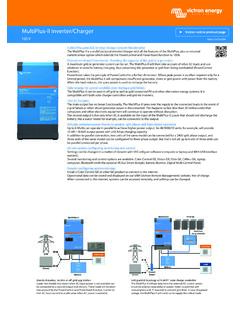
Transcription of MultiPlus-II GX
1 MultiPlus-II GXrev 05 - 03/2021 ENGLISHT able of Contents1. MultiPlus-II GX Product Manual .. 12. Safety Instructions .. Transport and storage .. 23. Safe Installation .. 34. Product Description .. Features applying to all applications .. GX LCD display .. BMS-Can Connections .. Ethernet and Wifi .. Automatic and uninterruptible switching .. Two AC outputs .. Three phase capability .. PowerControl - maximum use of limited AC power .. PowerAssist - Extended use of generator or shore current .. Programmable .. Programmable relay .. External current transformer (option) .. Programmable analog/digital input/output ports (Aux in 1 and Aux in 2, see appendix) .. Features specific on-grid and off-grid systems combined with PV .. External current transformer (optional) .. Frequency shift .. Built-in Battery Monitor .. Autonomous operation when the grid fails.
2 Battery charger .. Lead-acid batteries .. Li-ion batteries .. Other Li-ion batteries .. More on batteries and battery charging .. ESS - Energy Storage Systems: feeding energy back into the grid .. 65. Operation .. On/Off/Charger only Switch .. 86. GX LCD Interface .. On/Off behaviour .. Push button behaviour .. Information displayed .. Error Code Display .. 97. Accessing Connection Points: see appendix A .. 108. Installation .. Location .. Connection of battery cables .. Battery Connection procedure .. Connection of the AC cabling .. Optional Connections .. Remote Control .. Programmable relay .. Programmable analog/digital input/output ports .. Voltage sense (connection terminal J, see Appendix A) .. Temperature sensor (connection terminal J. see Appendix A) .. Parallel Connection .. Three-phase operation .. Connection to the VRM Portal .. GX - How to update firmware.
3 Changelog .. Via internet or with microSD-card/USB-stick .. 15 MultiPlus-II Direct download from the internet .. MicroSD-card or USB-stick .. 159. Configuration .. Standard settings: ready for use .. Explanation of settings .. Equalisation .. 1910. Configuring the Product .. VEConfigure PC software .. Quick Configure Setup .. System Configurator .. 2111. Maintenance .. 2212. Error Indications .. General error indications .. error codes .. 2413. Technical Specifications .. 2614. Appendix .. Appendix A: Connection Overview .. Appendix B : Block Diagram .. Appendix C: Parallel Connections .. Appendix D: Three Phase Connections .. Appendix E: Charge Characteristic .. 4-stage charging: .. Appendix F: Temperature Compensation .. Appendix G: Dimensions .. 33 MultiPlus-II GX1. MultiPlus-II GX Product ManualIntroductionThe Victron MultiPlus-II GX integrates the following elements: A powerful MultiPlus-II inverter/charger A GX card with a 2x 16 character displayThese elements come prewired, and preconfigured together inside a single unit.
4 Thissimplifies installation, saving time and document explains: Features Behaviour Specifications Limitations Installation instructions Troubleshooting stepsYou must read it to understand how to use your product safely and manual applies to: MultiPlus-II GX 24/3000/70-32 MultiPlus-II GX 48/3000/35-32 MultiPlus-II GX 48/5000/70-50 MultiPlus-II GXPage 1 MultiPlus-II GX Product Manual2. Safety InstructionsPlease read the documentation supplied with this product first, so that you are familiar with the safety signs and directions beforeusing the product. This product is designed and tested in accordance with international standards. The product should be used forthe designated application OF ELECTRICAL SHOCKThe product is used in combination with a permanent energy source (battery). Even if the product is switched off, a dangerouselectrical voltage can occur at the input and/or output terminals.
5 Always switch the AC power off and disconnect the battery beforeperforming product contains no internal user -serviceable parts. Do not remove the front panel and do not put the product into operationunless all panels are fitted. All maintenance should be performed by qualified use the product at sites where gas or dust explosions could occur. Refer to the specifications provided by the manufacturerof the battery to ensure that the battery is suitable for use with this product. The battery manufacturer's safety instructions shouldalways be product is not intended for use by persons (including children) with reduced physical, sensory or mental capabilities, or lackof experience and knowledge, unless they have been given supervision or instruction concerning use of the product by a personresponsible for their safety. Children should be supervised to ensure that they do not play with the not lift heavy objects Transport and storageOn storage or transport of the product, ensure that the mains supply and battery leads are liability can be accepted for damage in transit if the equipment is not transported in its original the product in a dry environment; the storage temperature should range from 20 C to 60 to the battery manufacturer's manual for information on transport, storage, charging, recharging and disposal of the GXPage 2 Safety Instructions3.
6 Safe InstallationRead the installation instructions before commencing installation activities. For electrical work, follow the local national wiringstandard, regulation and this installation product is a safety class I device, intended for a TN system (supplied with a ground terminal for safety purposes). Its ACinput and/or output terminals must be provided with uninterruptible grounding for safety purposes. An additionalgrounding point bonded to the chassis is located inside the terminal cover of the product. See Appendix ground conductor should be at least 4mm . If it can be assumed that the grounding protection is damaged, the productshould be taken out of operation and prevented from accidentally being put into operation again; contact qualified that the connection cables are provided with fuses and circuit breakers. Never replace a protective device by acomponent of a different type.
7 Refer to the connection of battery cables section of the manual for the correct not invert neutral and phase when connecting the before switching the device on whether the available voltage source conforms to the configuration settings of the productas described in the that the equipment is used under the correct operating conditions. Never operate it in a wet or dusty that there is always sufficient free space around the product for ventilation, and that ventilation openings are not the product in a heatproof environment. Ensure therefore that there are no chemicals, plastic parts, curtains or othertextiles, etc. in the immediate vicinity of the inverter is provided with an internal isolation transformer providing reinforced GXPage 3 Safe Installation4. Product DescriptionThe basis of the product is an extremely powerful sine inverter, battery charger and transfer switch in a compact casing.
8 It issuited for use in Marine, Automotive, as well as stationary land-based Features applying to all GX LCD displayA backlit 2 x 16 character display screen shows system BMS-Can ConnectionsThe BMS-Can connection allows connecting of compatible 500 kbps CAN-bus BMS batteries. products as for exampleVictron MPPT Solar Chargers, or a Lynx Shunt are NOT Ethernet and WifiEthernet and WiFi connections allow for local and remote system monitoring, as well as connection to Victron's free VRM portalfor long term system performance Automatic and uninterruptible switchingHouses or buildings with solar panels or a combined micro-scale heating and power plant or other sustainable energy sourceshave a potential autonomous energy supply which can be used for powering essential equipment (central heating pumps,refrigerators, deep freeze units, Internet connections, etc.) during a power failure.
9 A problem is however that grid connectedsustainable energy sources drop out as soon as the grid fails. With the product and batteries, this problem can be solved: theproduct can replace the grid during a power failure. When the sustainable energy sources produce more power than needed,the product will use the surplus to charge the batteries; in the event of a shortfall, the product will supply additional power from Two AC outputsBesides the usual uninterruptible output (AC-out-1), an auxiliary output (AC-out-2) is available that disconnects its load in theevent of battery operation. Example: an electric boiler that is allowed to operate only if the genset is running or shore power isavailable. There are several applications for Three phase capabilityThe unit can be connected with others and configured for three-phase output. It is possible connect up to 6 sets in parallel in threephases, to a total of 18 PowerControl - maximum use of limited AC powerThe product can supply a huge charging current.
10 This implies heavy loading of the AC mains or generator. Therefore a maximumcurrent can be set. The product then takes other power users into account, and only uses 'surplus' current for charging PowerAssist - Extended use of generator or shore currentThis feature takes the principle of PowerControl to a further dimension allowing the product to supplement the capacity of thealternative source. Where peak power is often required only for a limited period, the product will make sure that insufficient ACmains or generator power is immediately compensated for by power from the battery. When the load reduces, the spare power isused to recharge the ProgrammableAll settings can be changed with a PC and free of charge software, downloadable from our website Seethis manual for more information - Programmable relayThe product is equipped with a programmable relay. The relay can be programmed for different applications, for example asa starter relay for a GXPage 4 Product External current transformer (option)External current transformer option to implement PowerControl and PowerAssist with external current Programmable analog/digital input/output ports (Aux in 1 and Aux in 2, see appendix)The product is equipped with 2 analog/digital input/output ports can be used for several purposes.