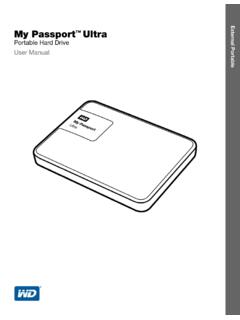
Transcription of My Passport Wireless User Manual
1 My Passport WirelessPortable Hard DriveUser ManualiiWD Service and SupportShould you encounter any problem, please give us an opportunity to address it before returning this product. Most technical support questions can be answered through our knowledge base or email support service at If the answer is not available or if you prefer, please contact WD at the best telephone number shown product includes 30 days of free telephone support during the warranty period. This 30-day period starts on the date of your first telephone contact with WD Technical Support.
2 Email support is free for the entire warranty period and our extensive knowledge base is available 24/7. To help us keep you informed of new features and services, remember to register your product online at Online SupportVisit our product support website at and choose from these topics: Downloads Download drivers, software, and updates for your WD product. Registration Register your WD product to get the latest updates and special offers. Warranty & RMA Services Get warranty, product replacement (RMA), RMA status, and data recovery information.
3 Knowledge Base Search by keyword, phrase, or answer ID. Installation Get online installation help for your WD product or software. WD Community Share your thoughts and connect with other WD users. Online Learning Center Start here to get the most out of your WD product. ( ). Contacting WD Technical Support When contacting WD for support have your WD product serial number, system hardware, and system software versions Your WD ProductRegister your WD product to get the latest updates and special offers. You can easily register your drive online at AmericaEurope (toll free)*00800 ASK4 (00800 27549338)( )
4 Europe+31 East+31 880062100 Africa+31 880062100 Mexico001 8002754932 Russia8 10 8002 335 5011 South AmericaAsia PacificChile 1230 020 5871 Australia1800 429 861 / 0011 800 2275 4932 Colombia009 800 83247788 China800 820 6682 / 400 627 6682 Venezuela 0800 100 2855 Hong Kong3057 9031 Peru0800 54003 India1800 200 5789 / 1800 419 5591 Uruguay000 413 598 3787 Indonesia001 803 852 3993 Argentina0800 4440839 Japan0800 805 7293 Brazil0800 7704932 Korea02 2120 34150021 800 83247788 Malaysia1800 817 477 New Zealand0508 555 639 / 00800 2275 4932 Philippines1800 1855 0277 Singapore1800 608 6008 Taiwan0800 225 593 Thailand00 1800 852 5913 Other countries+86 21 2603 7560* Toll free number available in the following countries: Austria, Belgium, Czech Republic, Denmark, France, Germany, Ireland, Italy, Netherlands, Norway, Poland, Slovakia, Spain, Sweden, Switzerland, United Kingdom.
5 TABLE OF CONTENTS iii Table of ContentsWD Service and Support .. iiRegistering Your WD Product .. ii1 About Your WD Storage Device.. 1 Features.. 1 Handling Precautions .. 2 Kit Contents.. 2 Optional Accessories .. 2 About the Online Learning Center .. 3 Compatibility .. 3 Physical Description .. 42 Understanding the LEDs and Buttons.. 5 Power and Battery Status LED.. 5Wi-Fi LED.. 6 Other LED Behavior .. 6 Buttons .. 63 Setting up the Wireless Drive.. 7 Turning the Drive On .. 7 Setting up the Drive the First Time.
6 74 Using the Dashboard .. 15 Accessing the Dashboard .. 15 Dashboard Home Page .. 15 Icons .. 16 Viewing Drive Status .. 17 TABLE OF CONTENTS iv 5 Connecting the Drive .. 18 Ways to Connect the Drive .. 18 Making a Direct Connection .. 21 Connecting to a Public Wi-Fi Network/Internet .. 23 Connecting to Your Home Wi-Fi Network .. 25 Viewing or Changing the Drive s Advanced Wi-Fi Settings .. 27 Removing a Connection.. 296 Loading Content on Your Drive .. 30 Loading Content .. 30 Using a Compatible Wireless Camera.
7 32 Backing up a Computer to the Drive .. 337 Using an SD Card with the Drive .. 36 Moving or Copying Content from an SD Card .. 36 Viewing Content Imported from an SD Card .. 37 Viewing Content on an SD Card.. 388 Playing/Streaming Videos, Photos, & Music .. 39 Using the Drive as a Media Server .. 39 Enabling Media Streaming .. 39 Accessing Your Content Using Media Players .. 40 Using the Drive with a DLNA-Enabled Mobile App .. 419 Using the Battery .. 42 Improving Battery Life or Performance .. 42 Charging the Battery.
8 43 Viewing Battery Status When Drive is Off .. 43 TABLE OF CONTENTS v 10 Performing Administrative Functions .. 44 Changing the Password and Device Name .. 44 Changing the Language .. 45 Specifying Types of Access .. 45 Locking the Drive .. 46 Rebooting and Shutting Down .. 4611 Resetting Your Drive and Password .. 47 Manually Resetting the Drive .. 47 Restoring Factory Settings Using the Dashboard .. 4712 Updating Firmware .. 49 Updating with Available Firmware.. 49 Performing a Manual Update .. 5013 Using WD Quick View with the Drive.
9 51 Installing WD Quick View .. 51 Accessing WD Quick View Shortcut Options .. 5314 Getting Support .. 54 Support Page .. 5415 Problems and Solutions .. 56 Appendix A. Technical Specifications.. 59 Appendix B: Compatible Media Formats .. 61 DLNA File Formats .. 61 Formats Compatible with WD My Cloud App .. 61 Appendix C. Compliance and Warranty Information .. 62 Regulatory Compliance .. 62 Battery Safety .. 65 Warranty Information .. 66 GNU General Public License ( GPL ) .. 67 ABOUT YOUR WD STORAGE DEVICE1 MY Passport WIRELESSUSER MANUALA bout Your WD Storage DeviceThis chapter includes the following topics:FeaturesHandling PrecautionsKit ContentsOptional AccessoriesAbout the Online Learning CenterCompatibilityPhysical DescriptionWelcome to your My Passport Wireless Wi-Fi mobile storage.
10 Now you have the freedom to save, access and share your content using tablets, smartphones, and computers instantly and without the need of an Internet connection. Plus, transfer or back up photos and videos from your SD card on the go for instant access and sharing. My Passport Wireless is the one drive for all your re more attached with no attachments Free of wires and the Internet, My Passport Wireless lets you save, access and share files, and an Internet connection, with multiple devices at the same time. Built-in SD card slot Transfer or back up photos and videos from your SD card in the field so that you can keep on shooting.