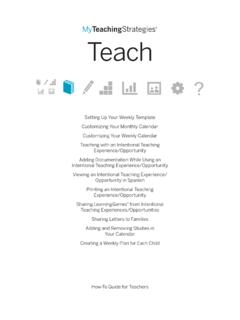
Transcription of MyTeachingStrategies Guide for Teachers
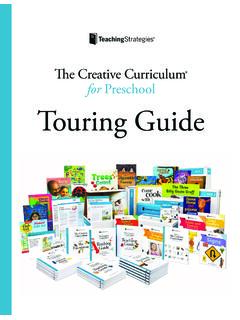
1 MyTeachingStrategies Guide for Teachers Log in to MyTeachingStrategies . This is where you will access the Digital Content Library, create dynamic weekly plans, and engage with families. If you are new to MyTeachingStrategies , you will also receive an email that contains your username and temporary password. Follow the instructions in that email to log in and set a permanent password. Note: If you haven t received this email, check your spam or junk folders or contact your administrator. Quickly preview our favorite Cloud features! READY. SET. GO! LIBRARY *Cloud access required What s in the Digital Content Library? Infants, Toddlers, Twos | Preschool | Kindergarten Getting Started: Introduction to the individual pieces that make up the Creative Curriculum and an how everything works together to develop the whole child.
2 Foundation Volumes: These volumes give the what and why of a high-quality early childhood education and support Teachers comprehensive understanding of best practices. The six volumes discuss in detail the latest theory and research, how to support active learning and promote children s progress, and how to plan for a variety of engaging experiences. Infants, Toddlers, Twos | Preschool | Kindergarten Teaching Guides: Comprehensive, detailed plans for your entire year. The Teaching Guides organize firsthand investigative studies, systematic instruction, and daily routines into a coherent, careful sequence. They offer plans for investigations, explorations, and experiences during each part of every day. Infants, Toddlers, Twos | Preschool | Kindergarten Investigations: Hands-on investigations that engage children in the scientific process as they work to find answers to their questions about a topic.
3 These explorations leverage children s innate desire to make sense of their experiences, to find out more, and to explore the world around them. Mighty Minutes: Short activities that include songs, chants, rhymes, and games that can be used anywhere to teach language, literacy, math, science, social studies, and physical skills during in-between times, such as preparing to go outside or gathering children for large-group time. Infants, Toddlers, Twos | Preschool | Kindergarten Intentional Teaching Experiences: Playful, engaging activities that can be implemented throughout the day. Designed for ages 3 6, these experiences support social emotional, physical, and language development, as well as development and learning in literacy and mathematics. Typically offered during small-group time, but many are appropriate for large-group, outdoor, and one-on-one experiences.
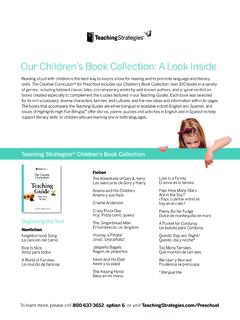
4 Infants, Toddlers, Twos | Preschool | Kindergarten Children s Book Collection: Over 100 books in a variety of genres, classic tales, contemporary works by well-known authors, and original nonfiction books created to complement the studies featured in our Teaching Guides. Each book was selected for its rich vocabulary; its depiction of diverse characters, families, and cultures; and the new ideas and information within its pages. Preschool | Kindergarten Book Discussion Cards: Engage children in multiple effective read-alouds, fostering analytical book discussions that encourage critical-thinking skills and support social-emotional development. Children develop skills to reconstruct, as opposed to retell, a story, which prepares them for literacy experiences in kindergarten and beyond. Preschool | Kindergarten Learning Games: A series of early learning activities that help families engage in meaningful at-home learning to strengthen their relationships with their children.
5 Each LearningGame is aligned to at least one Intentional Teaching Experience , so as you plan to share LearningGames with families, you can plan for Intentional Teaching Experiences to support your home-school connection. Infants, Toddlers, Twos | Preschool | Kindergarten Downloadable Teaching Resources: Getting Started Checklists, Letters to Families, Recipes, Photo Library, and Mighty Minute Posters are all available for download and print! TEACH Set Your Weekly Template: Video Support | Text Support Create weekly plans or weekly experiences plan that include custom activities, Intentional Teaching Experiences, and Mighty Minutes . Customize Your Monthly Calendar: Video Support Modify Days to block off days on their planning calendar for professional development, weather events, holidays, or other school closures.
6 Clear Days to clear any planned or modified days from their planning calendar. Save a Custom Activity for Future Use: Text Support Upload Other Resources to Your Plan: Text Support Teachers can upload documents to their weekly plan to supplement the Intentional Teaching Experiences/Opportunities and custom activities they have planned for resources created outside of MyTeachingStrategies . Submit Weekly Plans: Video Support | Text Support Teachers can submit their completed weekly plans to their administrator for approval in MyTeachingStrategies . Create Weekly Routines and Plans: [IT2 only] Text Support Infants, toddlers, and twos class in MyTeachingStrategies can create an Individual Care Plan for each child for each routine, plan for routine-specific Intentional Teaching Experiences, and select strategies to use for each child for each routine.
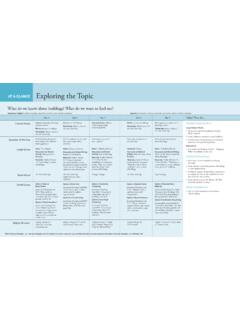
7 Add a Teaching Guide : Populate their planning calendar with the activities from the At-A-Glance charts from a Teaching Guide . *Cloud access required to use this feature Video Support: Infants, Toddlers, Twos | Preschool | Kindergarten Text Support: Infants, Toddlers, Twos | Preschool | Kindergarten Remove a Study: Remove At-A-Glance chart content they added to their planning calendar. Text Support: Infants, Toddlers, Twos | Preschool | Kindergarten Add an ITE: Teachers use the most recent assessment information for the children in their classroom to purposefully plan for and teach these experiences. Video Support: Infants, Toddlers, Twos | Preschool | Kindergarten Text Support: Infants, Toddlers, Twos | Preschool | Kindergarten Add a Custom Activity: Teachers can add their own activities and experiences as custom activities to their weekly plans.
8 These activities can be saved and used again for future weekly plans. Video Support: Infants, Toddlers, Twos | Preschool | Kindergarten Text Support: Infants, Toddlers, Twos | Preschool | Kindergarten Add a Mighty Minute: Add Mighty Minutes to their weekly plans on their MyTeachingStrategies planning calendar. Teachers can search for Mighty Minutes by objective/dimension. Video Support: Infants, Toddlers, Twos | Preschool | Kindergarten Text Support: Infants, Toddlers, Twos | Preschool | Kindergarten ASSESS Discover how to use GOLD to advance the essential functions of assessment in an early childhood classroom, including how the 2021 Assess area updates streamline collecting, organizing, and leveraging your documentation of children's development and learning. At a glance: Text Support Teachers subscribed to GOLD can use the Assessment At a Glance to provide them with real-time, actionable information on their documentation collection and help them quickly identify areas that need attention for each child based on the most recently entered preliminary levels.
9 You can complete the following tasks while using the Assessment At a Glance on the Teaching Strategies platform: Navigating to At a Glance Using the Assessment At a Glance Understanding the Status Icons Reviewing Overall Documentation Status Reviewing Documentation at the Area Level Reviewing Documentation at the Objective and Dimension Level *At a Glance is part of the Elevated GOLD experience. Add Documentation: Text Support Primary Teachers , co- Teachers , assistant Teachers , and team members using GOLD can add documentation of children's knowledge, skills, and abilities to MyTeachingStrategies either on the MyTeachingStrategies web platform, or via the GOLD Documentation mobile app. What should be included in a piece of documentation? What are the types of documentation I can select?
10 How can I select more than one child at a time to assess? View Documentation: Video Support | Text Support Teachers can view all GOLD documentation added to MyTeachingStrategies for the child record in their class. This can be documentation added via the Add Documentation feature, via planned Intentional Teaching Experiences/Opportunities, and via the GOLD Documentation mobile app. Checkpoints: A period of time during which observations and assessment data is collected. 10 Tips for Successfully Completing Your GOLD Checkpoint Checkpoint Dates: Text Support Each program or agency determines their own GOLD checkpoint due dates, or follows the GOLD default checkpoint due dates. You can locate these dates in MyTeachingStrategies Assess area, so that you know when you are required to have your checkpoint ratings completed and finalized.