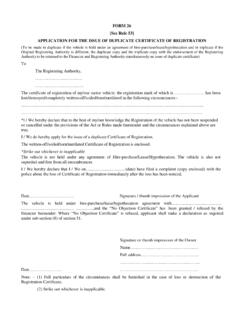
Transcription of New Online Application for Ration Card
1 New Online Application for Ration Card Card National Informatics Centre Page 1 Procedure for filing Application for new Ration Card: Application can be filed at any service kiosk located at Bangalore One/ Karnataka One/ Private franchises/ Janasnehi Kendra/ Grama Panachayath/ POS shops. Applicant and the family members to be added need to provide Aadhaar based bio-metric authentication at the stage of filing Application . For children below 5 years, bio-metric authentication is not required but Aadhaar card is mandatory.
2 No other document is required except the Aadhaar card. All the details , Name, Photo, Age, Sex, Address, Mobile Number as appearing in the Aadhaar card of the applicant and his family members are copied automatically to the Ration card Application . At-least one member of the applicant s family should have the current address of their residence entered correctly in the Aadhaar card. If not, then at-least one member of the family should get his/her address updated to their current residence address by going to the Aadhaar Enrollment Centre.
3 The mobile number to be provided should be registered in Aadhaar card. If it is not done already, then at-least one family member s mobile should be registered in Aadhaar. But providing mobile number is not mandatory. The applicant should correctly select his ward no in urban areas and should correctly select his Grama Panchayath in rural areas. The applicant can choose any fair price shop of his choice within his Taluk/City for PHH Card Type. Based on the postal code of Address to be given to Ration Card the Shop is auto-assigned for NPHH Card Type.
4 All the family members should preferably go together. If they go separately, then Application fee has to be given every time. Application fee Rs. 50/- The eldest female member of the household can only be selected as Head of the household as per the provisions of National Food Security Act-2013. The Application is sent automatically to the concerned Ward/ Grama Panchayath official for verification through computer software. The concerned official visits the house of the applicant for verification and approves the Ration card if the applicant is found eligible.
5 The applicant is informed through SMS at various stages , Advance intimation about date of visit of the official to his place of residence for verification of his Application , Approval/Rejection of his Application . New Online Application for Ration Card National informatics Centre Page 2 Ration card is delivered to the doorstep of the applicant through Speed post. The applicant is required to pay Rs. 70/- to the post man. Application for NPHH Ration Card: New Online Application for Ration Card System facilitates the generation of Ration Card by the citizen themselves.
6 This is an Online System for applying for Ration Card and generating the Ration Card. The aim of this System is to make the Department services more accessible, cost-effective and transparent to the citizens. Public can visit the Department of Food, Civil Supplies and Consumers Affairs Website to generate Ration Card. Visit the dept. website using URL , and then select e-services menu. Under e- Ration sub menu provision to Application and generate the new Ration card can be seen. Aadhaar is mandatory to apply for new Ration Card.
7 The Application shows two language options, Kannada and English. The user has to select the respective language option in which user wants the Application details to be displayed. On clicking the language option, the following options are displayed. 1. New Ration Card Request: If the user wants to apply for new Ration Card, user can opt for this option. 2. Edit Saved Request: To edit the Application which is not submitted or view the submitted New Online Application for Ration Card National informatics Centre Page 3 Application details, the user can use this option.
8 3. Application Withdrawal: If the user wants to withdraw the Application , the user can opt for this option. For any of above request, to apply, edit or withdraw the Application the user is require to do Aadhaar authentication. 1. New Ration Card Request: The user has to click on New Ration Card Request option to apply for Ration Card. The user has to click on Non-Priority Household (NPHH) option to apply for NPHH Ration Card. The user is required to enter the Aadhaar Number and Mobile Number which registered in Aadhaar and click on Go Button.
9 New Online Application for Ration Card National informatics Centre Page 4 The user has to provide his consent to share Aadhaar Number as the details in Aadhaar will be in-cooperated in Ration Card in order to proceed further to apply for the Card by clicking Aadhaar consent option. The following two Aadhaar based Authentication options are provided. The user can select the One Time Password to Mobile Number registered with the Aadhaar option the Mobile Number registered in Aadhaar. On clicking this option, OTP will be sent to Mobile Number which is registered in Aadhaar from Aadhaar.
10 New Online Application for Ration Card National informatics Centre Page 5 Enter the OTP received from Aadhaar and Captcha and click on Go Button. On successful verification of the OTP and Captcha, details like Name, Date of Birth, Year of Birth, Gender and Photo as it is Aadhaar are displayed. New Online Application for Ration Card National informatics Centre Page 6 The user has to click on Finger Print Verification Authentication option is the user opts for that mode. The user has to click on Capture Button and capture Finger impression using Bio-metric Device.



![[APPLICATION FOR TRANSFER OF EPF ACCOUNT]](/cache/preview/4/a/6/f/e/c/3/7/thumb-4a6fec37418aa228cdaeca3ba694561c.jpg)