Transcription of Officer RECORD MANAGEMENT - U.S. Navy Hosting
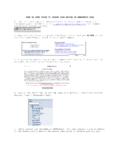
1 Officer RECORD . MANAGEMENT . The following information is gouge on how to keep your RECORD up-to-speed. The blue links go to the NPC website. All these items are handled by different offices, so do not wait. Start getting your ship in order NOW! BUPERS ONLINE (BOL) /Official Military Personnel File (OMPF) Formerly called WEB. ENABLED RECORD REVIEW (WERR) : To access your Officer Data Card (ODC), Officer Summary RECORD (OSR), Performance Summary Report (PSR) online, log in at From here you can view your ODC, OSR and PSR by clicking on the ODC, OSR, PSR, ESR tab.
2 Navigation hint: If you left click on the information block (blue I ) next to each item, a separate window will open that explains that block. If you experience problems accessing these items online contact the BUPERS help desk at (800) 951-NAVY. Reserve officers not on active duty must contact PERS-9 at 866-827-5672 to update their information through completion/update of the Naval Reserve Qualifications Questionnaire (NRQQ). Orders - The primary method of viewing/receiving/printing orders is via BOL. NPC releases most orders between 90-120 days from the Officer 's transfer date.
3 Tour Length Orders are written based on tour lengths defined in MILPERSMAN 1300-110. Although PERS can move officers early based on the needs of the Navy, officers should expect to execute orders for the tour length stated in their orders. OMPF (CDROM / WERR) Image Documents - OMPF provides a secure and efficient method for you to access and review your image RECORD 24/7 and is the preferred method of obtaining OMPF information and correcting your records (see Corrections below). vice ordering on CDROM. The name WERR has been dropped and OMPF is now the primary term.
4 Active duty USN and USNR. drilling Reservists should use OMPF to view/get copies of their OMPF RECORD . Ordering a CD should only be done for retaining a copy. See NAVADMIN 011/09 for details. - To correct documents in your OMPF RECORD (and CDROM) see NPC webpage's Corrections and Submissions, Document Submission, Frequently Asked Questions (FAQ) and Contact Us. Officer DATA CARD & Officer SUMMARY REPORT UPDATES/CORRECTIONS. Updates or corrections to your ODC are done through the appropriate PERS code at Navy Personnel Command, or by the Navy Standard Integrated Pay/Personnel System (NSIPS), depending on the block of the ODC that requires update or change.
5 The list of who to contact by ODC block number is located in Appendix E of NAVPERS 15839I, Volume II. Change requests to the OSR are done by requesting changes to the ODC (you cannot update the OSR, you must make change requests to the ODC; updates/corrections to your ODC will automatically reflect on your OSR). Most changes or additions to the ODC that need to be reflected on the OSR involve academic degrees, service schools, personal decorations (awards) and special qualifications (AQDs). Contacts and guidance on updating the ODC can be found in here.
6 For questions regarding other blocks of the OSR, contact your detailer. The current database systems do not enable reservists to see the ODC. They only have access to the OSR. The NAVPERS manual referenced above (Vol II) can still be used to help track down POC's, but the OSR does not have numbered blocks. SERVICE SCHOOLS. Only service schools (courses) listed in the Appendix C of NAVPERS 15839I, Volume II may be added to the ODC/OSR; service schools not listed cannot be added to your ODC. The community manager will determine if the school needs to be added and they will work with PERS-341 to make this addition.
7 Not all courses are listed on the ODC. Course completions are generally limited to those which are of substantial assistance in detailing and planning functions within the Bureau of Naval Personnel. Many significant courses are purposely omitted because they are basic to Officer professional development, or because the utilization of the training is the responsibility of the graduate's subsequent commanding Officer . Team, refresher, indoctrination, orientation and most fleet training are omitted for the foregoing reasons. If you feel a service school should be added to the Officer Manual, you will need to contact your community manager.
8 To add a service school into the ODC, the three digit service school code, course abbreviation, completion date and duration (weeks, or cc if correspondence course) is required. The course completion certificate must be sent to NSIPS for the course to be entered on your ODC/OSR. Submit either by fax (504-697-0342, DSN 647-0342), or scan and email (WORD or PDF format) to NSIPS can also be reached through the 24-hour toll-free Help Line at 877-589-5991. As a last resort, you can send the documents via regular mail through the Postal Service to: NSIPS CUSTOMER SUPPORT CENTER, CDM.
9 SECTION, 2251 LAKESHORE DR., NEW ORLEANS, LA 70145. RESERVISTS: NSIPS is only for active duty. PERS-9 adds service schools for the reserves: NRQQ Page: Other Contact Info: ACADEMIC DEGREES. To add academic degrees to the ODC/OSR, refer to Education Codes in Appendix D of NAVPERS 15839I, Volume II. This appendix shows a listing of Institution (College/University) abbreviations, major fields of study, etc. To have your formal education updated, sealed transcripts directly from the university must be sent to PERS-45E: Navy Personnel Command, PERS-45E, 5720 Integrity Dr.
10 , Millington, TN 38055-4500. If transcripts are not available, contact PERS-45E for guidance at (901) 874-4946/4992. Transcripts will be sent from PERS-45E to PERS-313 after the ODC/OSR updates are made to be scanned into your Official Military Personnel File (OMPF), which you can access via BOL. It will take approximately 1 week after additions/changes to view in the ODC/OSR. It will take approximately 45-60 days to see the transcript scanned into the OMPF. FITNESS REPORTS. There is normally a two to three-month lag time for fitness reports to appear in your RECORD .