Transcription of Online Job Application Guide - Mississippi
1 Online Job Application Guide Revised 2/18/2014 If you are unable to view either PDF, go to to download the latest version of Adobe Acrobat Reader. Instructions for the First-Time User 1. Go to 2. Click on Job Seekers 3. Under MSPB Career Center, Click on Job Openings Important Notes for Applicants: When applying Online , each applicant must have their own, unique email account. Many websites such as, , , and , allow you to establish free mail accounts. If you forget your username or password, an email will be sent to the email address listed in your profile allowing you to retrieve your username or reset your password.
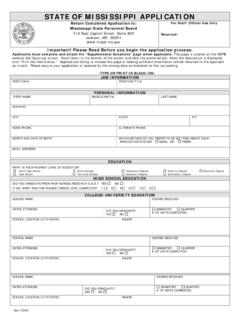
2 If you acquire a different email address, make sure you change it in your profile or you will not be able to receive your forgot username/password emails. Instructions for Applying with Paper Application Applicants are encouraged to apply Online to make it easier to apply for multiple positions. However, an electronic version of the paper Application is available in a PDF format for applicants to print and mail to MSPB or the appropriate agency. "Click Here" to download. applications will be considered incomplete if the supplemental questions included with the job posting are not completed and attached.
3 Please Note: You must follow the instructions on each job posting as to where to submit a paper Application . A separate Application must be completed for each position. applications must be received before the closing date to be considered. Any applications received after the closing date will be returned and not processed. Online Job Application Guide Revised 2/18/2014 Applicant Information Applicants may apply for positions that have been posted. Once the posting period ends, the job posting will no longer appear on the MSPB website.
4 From MSPB's home page in the box labeled "MSPB Career Center," the applicant will see the following links: How to Apply, Applicant Login, Job Openings, Agency Only Opportunities, State Employee Opportunities, Job Descriptions, and Job Interest Cards. Online Job Application Guide Revised 2/18/2014 How to Apply To apply for a position with the State of Mississippi , choose one or more categories from the search criteria below that best suits your interest. You may choose "Select All Categories" in order to view all jobs available or "Clear All Categories" and select the categories in which you are interested.
5 From this page you may also select the counties where you desire employment. After your selection are made, press GO at the bottom of the page and all jobs found, based on the search criteria selected, will be displayed Online Job Application Guide Revised 2/18/2014 From the list displayed, click on the title of the position you wish to apply for (example: Accountant/Auditor II, Professional). Clicking on the link will bring up the job description page from which job information may be printed and an Application for the position can be completed.
6 To apply for the position, click on Apply. Online Job Application Guide Revised 2/18/2014 Create an Account If you have already created a user account, login using your previously created username and password. Otherwise, Click Create one to create an account, and then enter your new account information. 1. If you created an account before, you cannot use the same email address again to create a new account. The email value must be unique. 2. If you created an account before and can't remember you username, click on Forgot username.
7 This sends you email with your username. 3. Your password must be at least six characters in length, and contain at least one number. 4. Answer the security question. In this example, type 14. 5. As you supply correct information for each field, a checkmark on the right indicates that the value is correct, for example: Online Job Application Guide Revised 2/18/2014 Click Create. Keep a record of your username and password. When you are signed in, your username appears on the right in the top menu bar: If you need to change your password, use Accounts Settings in the pull-down below your username.
8 Find Jobs You can find jobs using search as follows. 1. Type a job title in the search box. You can further limit the search by providing a state or city, for example: As you type in these boxes, it suggests jobs or locations that match, for example Online Job Application Guide Revised 2/18/2014 2. Click Find Jobs. 3. The jobs that match your search are shown, for example: 4. Click on the title to open the job details Online Job Application Guide Revised 2/18/2014 Apply for a Job To apply for a job: 1.
9 Click on the Apply tab from job details. 2. You can speed completing basic profile information by importing a resume from Linkedln, or by uploading a file. 3. Next you complete a series of steps (entries or screens). The specific steps that you must complete are determined by the employer, and may vary from this example. Your progress and current step in the process is shown on the left. In the next example, the information step is in progress: As you work on your Application , refer to the progress bar to see the number of items for each entry, and errors.
10 In the next example, the work entry contains eight items, and the questions entry contains errors: Online Job Application Guide Revised 2/18/2014 4. For each step, the buttons on the bottom allow you to save or discard your work on this entry. Although your typing is periodically automatically saved, it is good practice to click on the Save button. The Cancel button discards any changes you have made since the last save. For some entries, the Remove link is present. It deletes the current entry, after a confirmation.