Transcription of Operating Instructions (English) - Panasonic
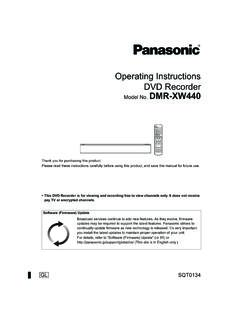
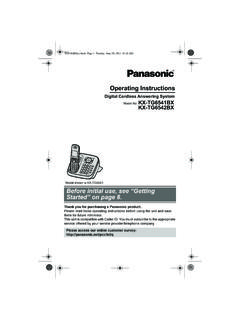
1 Operating Instructions Link-to-Cell Cellular Convergence Solution Model No. KX-TG7652AZ. KX-TG7653AZ. Model shown is KX-TG7622. Before initial use, see Getting Started on page 9. Thank you for purchasing a Panasonic product. Please read these Operating Instructions before using the unit and save them for future reference. This unit is compatible with Caller ID. You must subscribe to the appropriate service offered by your service provider/ telephone company. To use this unit in your country, first change the unit's region setting to match your country (page 38).
2 Please access our online customer survey: TG765xAZ(en) 1 2011/12/15 14:29:32. Table of Contents Introduction Turning the answering system on/. Model composition ..3 off ..48. Accessory information ..3 Greeting message ..49. Listening to messages using the base Important Information unit ..49. For your safety ..5 Listening to messages using the Important safety Instructions ..6 handset ..50. For best performance ..7 Remote operation ..51. Other information ..7 Answering system settings ..52. Specifications ..7. Voice mail Service for Getting Started Landline Setting up.
3 9. Voice mail service for landline ..54. Note when setting up ..10. Intelligent eco mode ..11 Intercom/Locator Controls ..12 Intercom ..56. Initial settings ..15 Handset locator ..56. Transferring calls, conference Link to Cell calls ..56. Link to cell feature ..16. Registering a cellular phone ..16 DECT repeater Link to cell settings ..17 Installation for DECT repeater ..57. Making/Answering Calls Useful Information Making cellular calls ..21 Wall mounting ..60. Making landline calls ..21 Error messages ..63. Answering calls ..22 Troubleshooting.
4 64. Useful features during a call ..23 Warranty (for New Zealand) ..75. Shared Phonebook Index Shared phonebook ..26 Programming Programmable settings ..29. Special programming ..36. Registering a unit ..38. Caller ID Service Using Caller ID service ..40. Caller list ..42. Using Bluetooth Devices Copying phonebook from a cellular phone (phonebook transfer) ..45. Using a Bluetooth wireless headset (optional) for landline calls ..46. Answering System for Landline Answering system for landline ..48. 2. TG765xAZ(en) 2 2011/12/15 14:29:32. Introduction Model composition Base unit Handset Series Model No.
5 Part No. Part No. Quantity KX-TG7651 series KX-TG7652 KX-TG7621 KX-TGA410 2. KX-TG7653 KX-TG7621 KX-TGA410 3. R The suffix (AZ) in the following model numbers will be omitted in these Instructions : KX-TG7652AZ/KX-TG7653AZ. Accessory information Supplied accessories Quantity No. Accessory item/Part number KX-TG7652 KX-TG7653. A AC adaptor for base unit and charger/ 2 3. PNLV226AL. B telephone line cord (for Australia)*1 1 1. C telephone line cord (for New Zealand) 1 1. D Rechargeable batteries*2 4 6. E Handset cover*3 2 3. F Charger 1 2. G Wall mounting adaptor 1 1.
6 H DECT repeater 1 1. I AC adaptor for DECT repeater/ 1 1. PQLV219AL. *1 The telephone line cord comes connected with the telephone plug. *2 See page 4 for replacement battery information. *3 The handset cover comes attached to the handset. AI B C D. E F G. 3. TG765xAZ(en) 3 2011/12/15 14:29:32. Introduction Additional/replacement accessories Please contact your nearest Panasonic dealer for sales information. Accessory item Order number Rechargeable HHR-4 MRT/2B*1. batteries Battery type: Nickel metal hydride (Ni-MH). 2 x AAA (R03) size for each handset *1 Replacement batteries may have a different capacity from that of the supplied batteries.
7 Expanding your phone system Handset (optional): KX-TGA410AZ. You can expand your phone system by registering optional handsets (6 max.) to a single base unit. R Optional handsets may be a different colour from that of the supplied handsets. Bluetooth devices You can expand your phone system by registering the following units to a single base unit. Your Bluetooth cellular phone*1: 2 max. (for cellular calls: page 16). Your Bluetooth headset*1: 1 max. (for a wireless hands-free conversation: page 46). *1 Your cellular phone and headset must be Bluetooth wireless technology compatible.
8 4. TG765xAZ(en) 4 2011/12/15 14:29:32. Important Information Operating safeguards For your safety R Unplug the product from power outlets before cleaning. Do not use liquid or To prevent severe injury and loss of life/. aerosol cleaners. property, read this section carefully before R Do not disassemble the product. using the product to ensure proper and safe R Do not spill liquids (detergents, cleansers, operation of your product. etc.) onto the telephone line cord plug, or allow it to become wet at all. This may WARNING cause a fire. If the telephone line cord plug becomes wet, immediately pull it from the Power connection telephone wall socket, and do not use.
9 R Use only the power source marked on the product. Medical R Do not overload power outlets and R Consult the manufacturer of any personal extension cords. This can result in the risk medical devices, such as pacemakers or of fire or electric shock. hearing aids, to determine if they are R Completely insert the AC adaptor/power adequately shielded from external RF. plug into the power outlet. Failure to do so (radio frequency) energy. (The product may cause electric shock and/or excessive operates in the frequency range of heat resulting in a fire.)
10 GHz to GHz, and the RF. R Regularly remove any dust, etc. from the transmission power is 115 mW (max.).). AC adaptor/power plug by pulling it from R Do not use the product in health care the power outlet, then wiping with a dry facilities if any regulations posted in the cloth. Accumulated dust may cause an area instruct you not to do so. Hospitals or insulation defect from moisture, etc. health care facilities may be using resulting in a fire. equipment that could be sensitive to R Unplug the product from power outlets if it external RF energy.