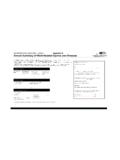
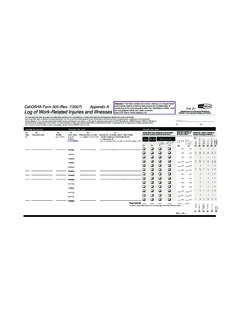
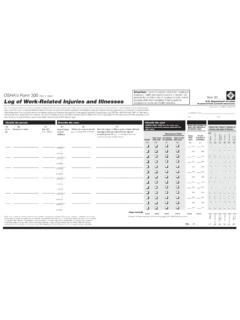
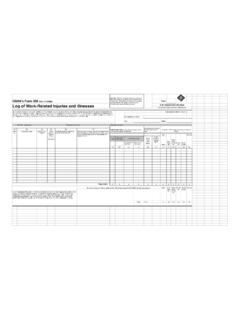
Transcription of OSHA 300 ONLINE
1 USER (800)497-9996 Revised February 19, 2010 Insurance Visions, IncPage2 of18 Table of osha 300 TOOL osha Visions, FORM Visions, of18 INTRODUCTIONTo make your utilization of osha 300 ONLINE easier and more enjoyable, we have developed thiseasy to use User Guide that may be utilized as a ready reference. All users of osha 300 Onlineshould familiarize themselves with this manual. Keep in mind that once the initialSet-Up hasbeen completed as described in ItemsA-I below, you will never need to re-enter thisinformation except for periodic maintenance.
2 Also included is a brief how to for themaintenance and printing of the osha 300 Log, the 300A Summary, the Injuryand IllnessIncidence Rates, and the form osha 301. We recommend the following steps be used and in theorder in which they are OPERATIONS osha 300 ONLINE contains a sessiontime-out function. If osha 300 ONLINE detects noactivity for a30 minute period of time the system will automatically logout the is done for several technical reasons, all of which are designed to maximize systemresources and keep osha 300 ONLINE operating at its optimum level. Always use the<Tab> key toadvance the cursor.
3 Do not use the<Enter> key. Input all dates in amm/dd/ccyy format. All indicators use either a radio button or a check mark. Clicking on the appropriatefield with your mouse will toggle the indicator on or off. Or, if you cursor isresting inthat field, pressing the space bar will do the same. Always use upper and lower case to enter your data. osha 300 ONLINE uses aproportional font when printing the forms and since very limited space is available,using upper case only will over-print the information contained in various sections ofthe forms. Throughout the program you will notice various words or phrases that arelinks that will take you directly into that file where various functions can beperformed.
4 This is consistent throughout the Visions, of18 SETTING-UP osha 300 ONLINEThe site address your User ID and Password and maintain in a safe location. If you should everforget your Password, at the Login screen, first enter your User ID (your e-mail address) thenclick on theForgot Password link. Your Password will be e-mailed to PageImmediatelyafter Login, you will be taken to the osha 300 ONLINE Welcome Page. Anoverview of this page, and the procedures for setting-up osha 300 ONLINE follows:Your NameClick onYour Name located in the upper right of the screen and review your personalinformation.
5 You may change any of the information shown then when finished click on theSave SettingsNext, click onSystem Settings that is also located in the upper right corner of the screen andyou will be taken to the System Settings Maintenance Menu. To review or make anychanges to your company information, click on your companyName then make the finished, click on theSaveButton. Note to the right and bottom of the screen is theLogin Passwords file that also needs to be PasswordsAt the bottom of this screen is theLogin PasswordTable. This is where you will be addingthe personnel who will actually be using osha 300 ONLINE .
6 Click on theAdd Login Passwordlink and the Password screen will appear. Enter the person s Name, Title, Phone Number,Login User ID (their e-mail address) and their individual Password. The Password maycontain up to eight (8) characters and may be either alpha or numeric or a combination ofboth. Next, click on the Password Level pull-down table. If the person is assigned an Adminclassification, they will have access to every function within osha 300 ONLINE . As a User,they are restricted to the capability of only maintaining an osha Log at a designatedlocation(s). If a Viewer level, they can onlyview an osha entry at aspecific location.
7 Next, ifeither a Viewer or User level, check if they are to have access to the osha 301 formInsurance Visions, of18functions that includes completion, maintenance, and printing of that form. Finally, if a Userlevel, check if they will be permitted to edit or change Location data or utilize the Reportsfunction. When complete, click on theSavebutton,and you will be returned to the SystemSettings Maintenance an existing Password Login, click on the person sName then change any of theinformation shown. When you are finished, click FieldsThe osha 300 ONLINE program permits you to addCustom Fields that areNOT contained onthe actual osha Log.
8 This is additional data that you may wish to capture at the time anOSHA entry is made and later utilize for claim profiling purposes. Examples of this could bethe employee s age at time of injury, date of return to work, time of the injury, if the injuryresulted in a fatality, or if the employee speaks English, etc. When a custom field is addedhere, you will also be able to run Reports on this on My Account then click on theCustom Fields link and a listing of any Custom Fieldsalready on file will appear. To add a new entry, click on theAdd Custom Field link. On thenext screen provide aField Name, for example Age.
9 TheDescription would be Age attime of Injury . At theField Type pull-down, click on the type of field. You are permittedthree types of fields: Text, Date, or Yes/No. After your selection, indicate the fieldLength(Dates = 10, Yes/No = 3), then check the Include on Reports box. When you have completedyour entry click note that this function may be added initially or you may choose to do this at a laterdate when you have thoroughly familiarized yourself with osha 300 Visions, of18 HelpThis is where you will find this User Guide. Clicking on the User Guide link will open thismanual in a PDF format that can be printed to your local printer.
10 In addition, we are in theprocess of developing a series of How To videos that explain various functions of theprogram and can be used as a training aid for new users. The videos may be accessed fromthis link. You will also find the contact information for Technical Support as on this link to log out of osha 300 Tool BarAcrossthe page is the Main Tool Bar that contains the Tabs for the various functions forOsha 300 ONLINE . They will be described in detail as you move through the manual, butbriefly they are:HomeReturns you to the Home or Welcome is where you will add and maintain your osha entries in addition to completing a Form301 and printing the Form 300 and Form 300A.