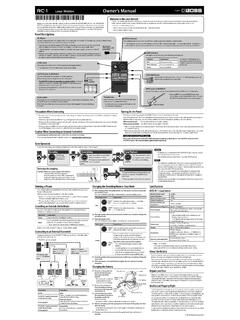
Transcription of Owner’s Manual
1 Owner s ManualUSING THE UNIT SAFELY .. 2 IMPORTANT NOTES .. 2 How the RC-600 Is Organized .. 3 Getting Ready .. 4 Top Panel .. 4 Rear Panel (Connecting Your Equipment) .. 7 Turning the Power On/Off .. 7 Phantom Power Settings .. 7 Switching Between Play Screens .. 8 Adjusting the Input/Output Level .. 8 Pedal Mode .. 9 Creating a Loop Phrase .. 10 Recording on a Single Track .. 10 Recording on Multiple Tracks .. 11 Record While Listening to the Rhythm Sound .. 12 Sounding a Rhythm .. 12 Setting the Tempo of Rhythm.
2 12 Using the Input FX .. 12 Saving a Memory .. 13 Saving a Memory (WRITE) .. 13 Erasing Data from a Memory (CLEAR) .. 13 Editing a Memory .. 14 Editing the Settings of a Memory .. 14 Editing the Track Settings .. 15 Editing the Rhythm Settings .. 16 Changing How the Rhythm Starts and Stops .. 16 Editing the Input FX/Track FX Settings .. 17 System Settings (MENU) .. 18 Connecting to a Computer via USB .. 20 Backing Up or Recovering Data .. 20 Controlling Devices via MIDI .. 21 MIDI Settings .. 21 Controlling an External MIDI Device from the RC-600.
3 21 Controlling the RC-600 from an External MIDI Device .. 22 Connecting Two RC-600 Units .. 22 Appendix .. 23 Troubleshooting .. 23 Error Message List .. 24 Restoring the Factory Default Settings (Factory Reset) .. 25 Main Specifications .. 26 Owner s Manual (this document)Read this first. It explains the basic things you need to know in order to use the RC-600. Parameter Guide (download from the Web)This explains all of the parameters of the using this unit, carefully read USING THE UNIT SAFELY and IMPORTANT NOTES (the leaflet USING THE UNIT SAFELY and the Owner s Manual (p.))
4 2)). After reading, keep the document(s) where it will be available for immediate reference. 2021 Roland CorporationTo obtain the Parameter Guide1 . Enter the following URL on your ://www .boss .info/manuals/2 . Choose RC-600 as the product NOTESP ower Supply Place the AC adaptor so the side with the indicator faces upwards. The indicator will light when you plug the AC adaptor into an AC outlet. Depending on the material and temperature of the surface on which you place the unit, its rubber feet may discolor or mar the surface. Repairs and Data Before sending the unit away for repairs, be sure to make a backup of the data stored within it; or you may prefer to write down the needed information.
5 Although we will do our utmost to preserve the data stored in your unit when we carry out repairs, in some cases, such as when the memory section is physically damaged, restoration of the stored content may be impossible. Roland assumes no liability concerning the restoration of any stored content that has been Precautions Any data stored within the unit can be lost as the result of equipment failure, incorrect operation, etc. To protect yourself against the irretrievable loss of data, try to make a habit of creating regular backups of the data you ve stored in the unit.
6 Roland assumes no liability concerning the restoration of any stored content that has been lost. Never strike or apply strong pressure to the display. When disposing of the packing carton or cushioning material in which this unit was packed, you must observe the waste disposal regulations that apply to your locality. Use only the specified expression pedal (FV-500H, FV-500L, EV-30, and Roland EV-5; sold separately). By connecting any other expression pedals, you risk causing malfunction and/or damage to the unit. Do not use connection cables that contain a built-in Property Right It is forbidden by law to make an audio recording, video recording, copy or revision of a third party s copyrighted work (musical work, video work, broadcast, live performance, or other work), whether in whole or in part, and distribute, sell, lease, perform or broadcast it without the permission of the copyright owner.
7 Do not use this product for purposes that could infringe on a copyright held by a third party. We assume no responsibility whatsoever with regard to any infringements of third-party copyrights arising through your use of this product. The copyright of content in this product (the sound waveform data, style data, accompaniment patterns, phrase data, audio loops and image data) is reserved by Roland Corporation. Purchasers of this product are permitted to utilize said content (except song data such as Demo Songs) for the creating, performing, recording and distributing original musical works.
8 Purchasers of this product are NOT permitted to extract said content in original or modified form, for the purpose of distributing recorded medium of said content or making them available on a computer network. This product contains eParts integrated software platform of eSOL Co., Ltd. eParts is a trademark of eSOL Co., Ltd. in Japan. This Product uses the Source Code of T-Kernel under T-License granted by the T-Engine Forum ( ). This product includes third party open source 2009-2019 ARM Limited. All rights under the Apache License, Version (the License );You may obtain a copy of the License 2016, Freescale Semiconductor, 2016-2019 NXP.
9 All rights under the BSD-3-Clause;You may obtain a copy of the License 2020 , Inc. or its affiliates. All Rights under the MIT Roland, BOSS, and LOOP STATION are either registered trademarks or trademarks of Roland Corporation in the United States and/or other countries. Company names and product names appearing in this document are registered trademarks or trademarks of their respective owners. WARNINGC oncerning the Auto Off functionThe power to this unit will be turned off automatically after a predetermined amount of time has passed since it was last used for playing music, or its buttons or controls were operated (AUTO OFF function).
10 If you do not want the power to be turned off automatically, disengage the AUTO OFF function (p. 19). WARNINGUse only the supplied AC adaptor and the correct voltageBe sure to use only the AC adaptor supplied with the unit. Also, make sure the line voltage at the installation matches the input voltage specified on the AC adaptor s body. Other AC adaptors may use a different polarity, or be designed for a different voltage, so their use could result in damage, malfunction, or electric only the supplied power cordUse only the attached power cord. Also, the supplied power cord must not be used with any other device.