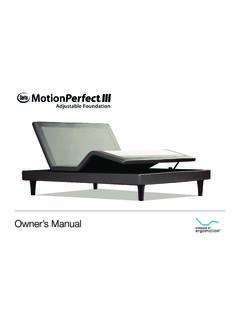
Transcription of Owner’s Manual - Serta
1 Nationwide Customer ServicePhone Number: Serta Remote App ID: Serta Sound ID: 2012 Ergomotion Inc V_004 5/2013 Owner s Manual1safety precautions and usage statementsAttention: Important Safety DisclaimersRead all instructions before using your adjustable base. Save these of contentsTo reduce the risk of shock, burns, fire or injury: Always unplug the base from the electrical outlet before servicing any part of the base. To reduce risk of electric shock, unplug the base before cleaning. To safely disconnect, ensure the base is in a flat position with all motors off, and unplug from power source. Keep the power cord away from heated surfaces. Never operate the base when the air openings are blocked. Keep air openings free of lint, hair and the like. Do not drop or insert any object into any use of the bed base and contact a qualified service center if: it has a damaged cord or plug, if it is not working properly, or it has been dropped into water.
2 Only use this bed base for its intended use as described in this Manual . Do not use accessories/attachments that are not recommended by the supervision is required when the bed base is used by or near children, convalescents or disabled Safety:For optimal safety and operation, plug bed base into a surge protector (not included).The bed base should only be plugged directly into a wall outlet or surge protector (strongly recommended). Improper connection of the equipment can result in the risk of electrical shock, electrical fire or faulty operation of this bed base. If the plug does not fit your outlet, contact a qualified electrician to install a suitable outlet. Unauthorized modification or failure to use a wall outlet or surge protector could void the electrical portion of your Warning:Do not open or tamper with control box, motors, or remote (with the exception of battery compartments). The warranty will be void if the internal workings of these components are tampered with.
3 For complete warranty information visit or refer to the warranty card included with the Use and Hospital Disclaimer:Ergomotion adjustable bed bases are designed solely for in-home use. This base was not designed as a hospital bed and is not designed to meet hospital standards. Do not use this base with TENT TYPE oxygen therapy equipment or near explosive gases. Pacemaker Notice:This product contains Neodymium MAGNETS which may interfere with devices such as pacemakers, ICD s and any other device sensitive to magnetic fields. It is STRONGLY recommended that owners of such medical devices consult their physician prior to using this is possible that some pacemakers may falsely interpret the optional massage feature vibrations as movement/exercise. This is a common occurrence with any product that creates a vibrating movement and may not affect the pacemaker. Please consult your physician before using the massage Precautions and Usage Statements ..1-2 Parts List .. 3 Base Overview.
4 4 Quick Reference Guide ..5 Installation Guide ..6-7 Remote Control ..8-9 Media Faceplate (USB and Audio) ..10 Bluetooth Audio Setup ..11 Bluetooth Remote Control Setup ..12 Headboard Bracket Installation Guide ..13 Emergency Power Down Box ..14 Pair Remote ..15 Setting Up Two Bases ..16-17 Espa ol ..18-25 Fran ais ..26-3323safety precautions and usage statementsparts listAll electronics and components that need to be installed are located in boxes under the base or attached to the ) Wireless Remote Control and (3) AAA batteriesB) Mattress Retainer Bar (1)*C) Legs (4)D) Power Cord (1)E) Power Supply (1)F) Power Down Box (1)* G) Connecting Strap* H) SmartSync Cord (1) I) Audio Power Cord (1) J) Audio Connecting Cord (1) Headboard Bracket Components:K) Headboard Bracket (2)L) T-Bracket (2) M) Spacers (2)N) Long Bolts (8)O) Short Bolts (10)P) Nuts (18)Misc Parts (not included):Q) Surge ProtectorR) 9 Volt Batteries (2)* These items are attached to the base for shipping purposes.
5 Carefully remove from base and set aside. Only included in Twin, Twin Long, queen Split and Cal King Split discarding the packing materials- ensure all the parts are accounted Compliance:This device complies with part 15 of the FCC Rules. Operation is subject to the following two conditions: (1) This device may not cause harmful interference, and (2) this device must accept any interference received, including interference that may cause undesired operation. To comply with the FCC RF exposure requirements, no change to the antenna or the device is permitted. Any change to the antenna or the device could result in the device exceeding the RF exposure requirement and void user s right to operate the Frequency: GHzPets and Small Children:Immediately dispose of all packing materials as it may pose a smothering risk to small children and pets. To avoid injury, it is not advised to allow children and small pets to play on or under the bed. Children should not operate the bed base without adult Features: Casters (optional leg accessory) are equipped with locking wheels to prevent unwanted movement.
6 Even when locked and unable to roll, it is possible for the casters to slide. Free release head and foot motors are designed to lower the mattress by retracting only with gravity, never pulling downwards, which minimizes pinch Ratings:The lift motors are not designed to operate continuously for more than [2] minutes in an [18] minute time period or approximately 10% duty cycle. Attempting to circumvent or exceed this rating will shorten the life expectancy of the product and may void the Limits:This product is not rated to support weights exceeding 850 pounds. This product is not rated to support weights in excess of 850 pounds inclusive of the mattress and bedding. The base will structurally support this weight, provided it is evenly distributed across the bed base. The adjustable base is not designed to support or lift this amount in the head or foot sections alone. Exceeding this weight restriction could damage the bed and/or cause injury and will void the warranty.
7 Acoustics:The massage function will emit a noticeable tone during operation. As the massage intensity level is increased, the tone will intensify. The volume of this tone is directly related to the location environment. For example, when demonstrated in a show room, the surrounding environmental noise will cover some of the massage noise. However, when installed in a home setting with wooden floors, carpeted or not, the massage volume will be more normal base operation, the wheels which allow the bed to maintain its distance from the wall, will make contact with the steel platform supports of the base creating a contact noise. When entering, exiting or shifting weight on the base, this contact noise may be audible as the wheels make contact. This is THESE BRACKET COMPONENTS K)L)M)N) O)P)MISC (NOT INCLUDED)Q)R)A)B)*C)D)E)F)*G)* H) I) J) 45quick reference guideNot to scale. For illustration purposes only. Read all instructions before beginning overview Connection ports to all motors (installed under base)Connection to safety lighting (installed under the base)Connection to media faceplates (installed under the base)Sound System (installed under the base)Audio Power CordPower Down Box9V Batteries(not included)Power CordControl BoxPower SupplyInput Power CordMassage MotorsPower Down BoxControl BoxSafety LightingMassage MotorsHead MotorFoot MotorTilt MotorSpeakersSub WooferLumbar MotorVIBRATIONVIBRATION67installation guideTo install the legs, thread the washer over the bolt of the leg with the recessed side facing the leg, and tighten by hand.
8 Do not over tighten. STEP 1 STEP 2installation guideAlways use two people when setting up the the bed base box in a desired location with the bottom of the box facing the binding straps and packing materials, making sure not to puncture the box with any sharp the bed base from the box keeping the bottom of the base facing upwards. STEP 3 STEP 4 STEP 5 STEP 6 STEP 7 STEP 8 STEP 9 STEP 10 STEP 11 Uncoil input cord (connected to control box s power port) and plug into Power sync two bases with the SmartSync cord - see page install headboard brackets: See detailed installation instructions on page 13. Uncoil the Power Down Box from the frame and install (2) 9 Volt batteries- not box on the ground. Ensure that it is easily accessible when the base is turned to its upright the Power Cord and connect to the Power Supply. Place Power Supply on the ground and extend from the base. Ensure that the Power Supply and all attached cords are directed toward the desired surge and extend the Audio Power Cord toward the desired surge protector.
9 Connect the other end to the audio input cord, which is connected to the master speaker. Carefully flip the base over on to its legs. Important: Two people are required to move the bed base. Do not drag across the floor. Do not rest frame on its side, excessive pressure may damage the the base and audio power cord into a power source. A surge protector is strongly the mattress to the ZipFit System*. Ensure batteries are correctly installed in the back of the test functions to verify proper setup before placing mattress on base. Press FLAT to return the base to a flat setup is now complete! See page 8-9 for remote control operating instructions.*If the mattress is not equipped with the ZipFit System:Slide the left side of the mattress retainer bar into the bracket. Pull the retainer bar to the opposite bracket and secure the right customer support, visit or call: 1-888-550-3746 For customer support, visit or call: 1-888-550-374689remote controlremote controlThe MASSAGE button activates head and foot massage.
10 Press to cycle through levels 1, 3, 6 and off. The HEAD + and - buttons adjust the head massage intensities. Levels FOOT + and - buttons adjust the foot massage intensities. Levels TIMER/ALL OFF button Starts massage at level 3. Select a 10, 20 or 30 minute massage interval. Pressing a fourth time will turn off light on the top of the remote indicates a 10, 20 or 30 minute timer setting. Massage will automatically shut off after 10 minutes if the massage timer isn t touch LIGHT button activates and turns off the safety lighting touch ZERO G preset position. Zero G adjusts your legs to a higher level than your heart helping to relieve pressure off the lower back and promote circulation. One touch FLAT preset position. One touch LOUNGE preset position. One touch TV/PC preset position. The HEAD arrows lift and lower the head section of the FOOT arrows lift and lower the foot section of the TILT arrows customize the level of head LUMBAR arrows customize the level of lumbar FEATUREONE TOUCH BUTTONSREMOTE OVERVIEWADJUSTHead Massage Intensity Turn on Head and Foot MassageLifts and Lowers HeadHead Tilt Up/Down Safety Lights On/OffFlat Preset PositionMassage TimerFoot Massage IntensityLifts and Lowers FootZero-G Preset PositionLumbar Support Up/DownLounge Preset PositionTV/PC Preset Position10, 20, 30 Minute Massage Timer Lights101110media faceplateUSB CHARGERSAUDIO INPUTMAGNETIC REMOTE HOLDERUSB charging connections are located on each side of the base.