Transcription of Provider Manual - CareFirst
1 1 87 Chapter 5: Claims, Billing and Payments 89 Introduction to Claims Submission CareFirst BlueCross BlueShield and CareFirst BlueChoice, Inc. ( CareFirst ) supports electronic claims submission and automatic posting of remittance advice and electronic funds transfer. We strongly encourage providers to complete the electronic round trip. Electronic transactions help facilitate streamlined claims submission, reconciliation and direct deposit of funds to your bank accounts. This section of the Manual explains our claims submission requirements, how to follow up on claims and how to appeal claims when necessary. Provider Self Service CareFirst encourages the use of self-service channels for routine matters, such as eligibility, benefit or claims information. This helps free up resources to telephonically address matters requiring special handling. Today, most of all telephone inquiries to customer service are for routine matters.
2 We are moving our support for these simple, direct and factual queries to electronic channels and discouraging calls for these purposes. When calling our service lines, you will be directed to a self-service channel to more quickly address your inquiry. Queries about the most common causes of calls will be answered in seconds through self-service technology. If you use one of our call centers for these simple inquiries, expect a longer wait than you have in the past, since we are redirecting our service staff toward more complex issues and away from simpler inquiries. CareFirst Direct CareFirst Direct is a convenient tool available at that gives you fast access to the information you need. With CareFirst Direct, you can: Make inquiries on your own time Avoid time consuming phone calls Verify eligibility and benefits Check claim statusIt is important to designate one person to manage all users for the entire practice.
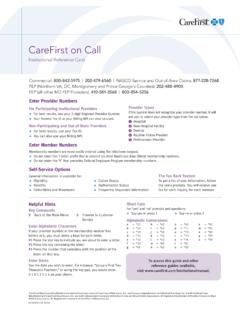
3 This person is responsible for maintaining access for all others in the office. They must also remember to revoke access to users who no longer have access. This person is also responsible for granting access to your billing service or agent. You can set up a CareFirst Direct account for each tax identification number (TIN) used in your practice. When obtaining eligibility and benefits or claim status information, have the patient s date of birth and member ID number available. For claim inquiries, log in using the same TIN the claim was submitted under. You can find user guides for CareFirst Direct by going to and selecting CareFirst Direct under Courses by Topic section. For access to on-demand training and interactive guides, visit CareFirst on Call CareFirst on Call is an Interactive Voice Response (IVR) system that allows providers to retrieve CareFirst member eligibility, benefits, deductibles, maximums, claim status and authorization status.
4 Callers may use the telephone keypad input to interact with CareFirst on Call. The system has the capability to provide this information via fax for those who prefer printed documentation. The system is available 24 hours a day, seven days a week (with periodic outages for system maintenance). CareFirst maintains a record of each IVR interaction to enable the retrieval of historic inquiries in cas e of questions regarding information received. You can fin d more information about CareFirst on Cal l by going to and selecting Manuals & Guides under the Resources tab. Basic Claim Submission Requirements Reporting Current Procedural Terminology (CPT ) and Healthcare Common Procedure Coding System (HCPCS) codes CareFirst does not usually receive claims with procedure codes specific to Medicare and Medicaid, or temporary national codes (non-Medicare).
5 Therefore, unless otherwise directed through BlueLink or other communication means, providers should report services for our members using the standard CPT codes instead of comparable Level II HCPCS codes. This includes but is not limited to Medicare temporary G-codes and Q-codes; Hand T-codes which are specific to Medicaid; and non-Medicare S-codes. This policy does not apply to: Crossover claims which are reimbursed by CareFirst as secondary to Medicare Claims for durable medical equipment (DME) supplies, orthotics/prosthetics or drugs for whichthere is no comparable CPT code Select services as outlined in the federal employee health benefit plan (FEHBP) manualReporting ICD-10 Diagnosis codes When submitting claims, follow coding guidelines outlined in the most current ICD-10 coding book for reporting diagnosis codes. Guidelines of importance include: Code to the highest level of specificity, as appropriate.
6 List the primary or most important diagnoses for the service or procedure first. Code chronic complaints only if the patient has received treatment for the condition. When referring patients for laboratory or radiology services , code as specifically as possible andlist the diagnosis that reflects the reason for requesting these that are not coded properly may be returned to the reporting Provider , which will delay adjudication. CPT Category II Codes Purpose CPT Category II codes are supplemental tracking codes used to measure performance. The purpose of CPT II codes is to share valuable information about the care of your patient that is not obtainable through CPT codes. They help us fill gaps in care information by documenting clinical outcomes. Submission of these codes decreases the need for medical record requests and chart reviews. Additionally, they assist the Provider in minimizing the administrative burden for a number of quality-based initiatives such as the Healthcare Effectiveness Data and Information Set (HEDIS).
7 90 91 CPT Category II codes are intended to facilitate data collection about the quality of care rendered by coding certain services and test results that support nationally established performance measures (HEDIS) and that have an evidence base as contributing to quality patient care. Why use CPT Category II codes? CPT Category II codes can relay important information related to health outcome measures such as: BMI Cholesterol management Controlling blood pressure Comprehensive diabetes care Tobacco cessation Clinical depressionCPT Category II codes also assist us with the development of a Provider s profile score. For PCMH providers, CareFirst aligned the Quality Measures with those promoted by the Center for Medicare and Medicaid services (CMS) and the health insurance industry as the core measures. As part of the Core 10 Measures, PCMH providers should submit CPT Category II codes related to the measures as outlined in the Adult and Pediatric Program Description and Guidelines.
8 Where to locate CPT Category II codes CPT Category II codes are released annually as part of the full CPT code set and are updated semi-annually in January and July by the American Medical Association (AMA). CPT Category II codes are arranged according to the following categories and are comprised of four digits followed by the letter F. CPT Category II Codes Composite Measures: 0001F-0015F Therapeutic, Preventive or Other Interventions: 4000F-4306F Patient Management: 0500F-0575F Follow-Up or Other Outcomes: 5005F-5100F Patient History: 1000F-1220F Patient Safety: 6005F-6045F Physical Examination: 2000F-2050F Structural Measures: 7010F-7025F Diagnostic/Screening Processes/Results: 3006F-3573F How to enter CPT Category II codes on the CMS-1500 Claim Form For claims submitted on the CMS-1500 Form, procedure codes are reported in field 24D. Whether submitting electronic or paper claims, complete all necessary data elements (or fields) on the billing line item.
9 92 How to enter CPT Category II codes on the CMS-1500 Claim Form Field 24D CPT Category II codes are billed in the procedure code field, just as CPT Category I codes are billed. CPT Category II codes describe clinical components usually included in evaluation and management or clinical services and are not associated with any relative value. Therefore, CPT Category II codes are billed with a $ billable charge amount. 93 Guidelines for Ancillary Claims Filing Refer to the list below when filing ancillary claims. For a full list of claims filing guidelines for Laboratory, Durable Medical Equipment (DME) and Specialty Pharmacy, visit Bill DME on a CMS-1500 claim form When billing for rental DME, one month equals one unit. Do not bill 30 units when billing for one month of rental. Append the RR (rental) modifier to the claim line. Correct billing of HCPCS codes for Lancets, per box of 100 should only be billed as one unit, not 100 units of 100 lancets Bill a modifier of NU for purchase of DME Unlisted CPT and HCPCS codes should only be reported when there is no established code to describe the service Submissions of claims containing unlisted procedure codes must be submitted with a complete description of the service or procedure code provided.
10 Any applicable records or reports must be submitted with the claim The following services are reimbursed on a daily basis according to the terms of the CareFirst Provider contract and the RR modifier must be appended to the claim: Enteral nutrition infusion pump with or without an alarm Parental nutrition infusion pump portable or stationary Phototherapy (bilirubin) light with the photometer Continuous passive motion exercise therapy device for use on the knee only Negative pressure wounds therapy electrical pump, stationary or portable Repair or non routine service for DME other than oxygen equipment requiring the skill of a technician Repair or non routine service for oxygen equipment requiring the skill of a technician Please refer to the Payment Policy database for information regarding Durable Medical Equipment percent of charge audits. Special Claims Submission Information for Facility Billing Observation services Guidelines Observation services defined 94 Observation services are necessary to evaluate a patient s condition or to determine the need for admission as an inpatient.