Transcription of PTPTN ONLINE APPLICATION GUIDELINES (For new …
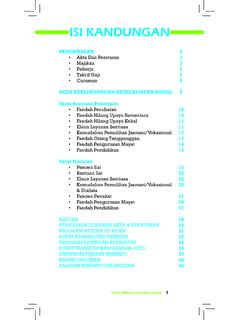
1 PTPTN GUIDELINES & FAQ Updated: 4 May 2021 1 PTPTN ONLINE APPLICATION GUIDELINES ( for new applicants and existing applicants who have completed Diploma programme) CONTENTS A. APPLICATION DATE OF PTPTN LOAN Page 2 B. PROCEDURES FOR PTPTN ONLINE APPLICATION I) BEFORE APPLICATION II) ONLINE APPLICATION III) CHECK APPLICATION STATUS IV) SUBMISSION OF PTPTN DOCUMENTS V) SAKSI FOR PTPTN AGREEMENT VI) PTPTN OFFICER S VERIFICATION VII) PTPTN PAYMENT Page 3 - 4 C. ONLINE APPLICATION GUIDELINES I) APPENDIX A- Steps of PTPTN Loan ONLINE APPLICATION II) APPENDIX B- Steps of Downloading and Printing of PTPTN Agreement Page 5 10 Page 11 - 12 FREQUENTLY ASKED QUESTIONS Page 13 - 16 *These GUIDELINES are for guidance to HELP University students only PTPTN GUIDELINES & FAQ Updated: 4 May 2021 2 A.
2 APPLICATION DATE OF PTPTN LOAN INTAKE ONLINE APPLICATION PERIOD ONLINE CLOSING DATE JANUARY FEBRUARY MARCH APRIL MAY JUNE JULY AUGUST SEPTEMBER OCTOBER 1st Batch: 01 28 February 28 February 2nd Batch: 01 31 March 31 March 1st Batch: 01 31 May 2nd Batch: 01 30 June 1st Batch: 01 30 September 2nd Batch: 01 31 October 31 October 30 September 30 June 31 May PTPTN GUIDELINES & FAQ Updated: 4 May 2021 3 B. PROCEDURES FOR PTPTN ONLINE APPLICATION : I) BEFORE APPLICATION Please prepare the below items before you proceed: 1. Open a personal savings account at CIMB 2. Open a SSPN (Skim Simpanan Pendidikan Nasional) account at Maybank or apply ONLINE at PTPTN website #/ 3.
3 Buy a PTPTN pin number at Bank Simpanan Nasional (BSN) or buy ONLINE at PTPTN website #/register II) ONLINE APPLICATION Complete the ONLINE APPLICATION form (Refer to APPENDIX A (page 5 10) for Steps of PTPTN Loan ONLINE APPLICATION ) Click YA once the details have been filled and completed IMPORTANT! Submit your ONLINE APPLICATION before the closing date. III) CHECK APPLICATION STATUS After 7 working days from the closing date, log on to PTPTN website #/login to check if your APPLICATION has been approved or rejected. (SEDANG DIPROSES DILULUSKAN) IV) SUBMISSION OF PTPTN DOCUMENTS 1. Download the PTPTN Agreement & print out 2 sets. (Refer to APPENDIX B (Page 11 12) for Steps of Downloading and Printing of PTPTN Agreement) 2.
4 Buy 2 pieces of Setem Hasil at any post office ( each) 3. HELP University Offer Letter (1 copy) You may download and print a copy of the offer letter from New MyPride (please click on the "document acknowledgement") *IMPORTANT NOTES FOR THE HARDCOPY SUBMISSION All documents must be in A4 size, white paper, single sided & use one colored pen only (either black/blue) to sign both copies of the agreement. Ensure the 2 SETS OF AGREEMENT ARE SIGNED AND DATE-WRITTEN. DO NOT USE any liquid-paper/correction-tape on the agreement. The validity of PTPTN Agreement is only 14 DAYS from the approval date. ALL COMPLETED AGREEMENT AND ATTACHMENTS ARE TO BE SENT BY THE STUDENT TO ANY NEARBY PTPTN OFFICE. * INCOMPLETE DOCUMENTS WILL NOT BE ACCEPTED.
5 PTPTN GUIDELINES & FAQ Updated: 4 May 2021 4 V) SAKSI FOR PTPTN AGREEMENT THE ELIGIBILITY OF THE SAKSI FOR PTPTN AGREEMENT. 1) The Saksi must be a citizen Malaysia. 2) List of Saksi for PTPTN Agreement. a) HELP University's Officer, Registry Department. Damansara Campus - (Ms. Faisah or Ms. Too Poh Ling) Subang 2 Campus - (Ms. Raja Maizani or Ms. Nurul) b) PTPTN Officer at any nearby PTPTN office c) Wakil Rakyat/Senator d) Pegawai Kerajaan Kumpulan Pengurusan dan Profesional e) Pengamal Undang-undang (peguam kerajaan sahaja) f) Jaksa Pendamai g) Pengetua/ Guru Besar (sekolah kerajaan sahaja) h) Ketua Kampung/ Penggawa/ Penghulu/ Ketua Masyarakat/ Sidang/ Pegawai Pembangunan Mukim i) Pengerusi JKKK (Jawatankuasa Kemajuan dan Keselamatan Kampung) j) For SABAH dan Sarawak Ketua Kaum/ Ketua Anak Negeri/ Kapitan/Pemanca/ Pegawai Taman Sabah.
6 3) The Saksi stamp must be complete with the name, position, and department/address of the officer on duty. VI) PTPTN OFFICER S VERIFICATION APPLICATION documents will be checked by PTPTN officers. APPLICATION that do not meet any of the requirements will be rejected. Completed documents that are submitted after fourteen (14) days from the agreement s approval date will be rejected. VII) PTPTN PAYMENT The first payment will be made within 1 month after successful submission of documents to PTPTN , if approved. Students to check their CIMB account accordingly. PTPTN GUIDELINES & FAQ Updated: 4 May 2021 5 C. ONLINE APPLICATION GUIDELINES : APPENDIX A- Steps of PTPTN Loan ONLINE APPLICATION Step 1: NEW APPLICANTS Register your account.
7 I) If you purchase the PTPTN pin number at BSN: Log in to PTPTN website Refer to your BSN- PTPTN slip and fill in all the required fields. ii) If you purchase the PTPTN pin number ONLINE at PTPTN website: Log in to PTPTN website #/login. Key in your IC No and the password and login ( Kata Laluan is the same password you set during the purchase of PTPTN pin number ONLINE ) Refer to your BSN- PTPTN slip Tarikh Bayaran Masa Bayaran No. Pin PTPTN PTPTN GUIDELINES & FAQ Updated: 4 May 2021 6 Step 2: SECOND TIME AND SUBSEQUENT APPLICATION . Log in to PTPTN website #/login .Key in your IC No and the password and login. i) Select PENDAFTARAN BARU (NO PIN BSN) if you purchase the PTPTN pin number at Bank Simpanan Nasional (BSN).
8 OR ii) Select DAFTAR PERMOHONAN BARU ONLINE if you purchase the PTPTN pin number ONLINE at PTPTN website. Select PENDAFTARAN BARU (NO PIN BSN) OR DAFTAR PERMOHONAN BARU ONLINE PTPTN GUIDELINES & FAQ Updated: 4 May 2021 7 Step 3: Fill in the ONLINE APPLICATION form Kindly fill in SSPN account number for verification purpose Click SIMPAN & SETERUSNYA when you have completed each page PTPTN GUIDELINES & FAQ Updated: 4 May 2021 8 Click SIMPAN & SETERUSNYA every time you have completed each page Gaji kasar = Gross salary Gaji bersih = Net salary after deducting EPF & SOCSO PTPTN GUIDELINES & FAQ Updated: 4 May 2021 9 JENIS IPT: IPTS NAMA INSTITUSI: UNIVERSITI HELP MOD PENGAJIAN: SEPENUH MASA PERINGKAT PENGAJIAN.
9 DIPLOMA SEPENUH MASA/ IJAZAH PERTAMA SEPENUH MASA NAMA PROGRAM/KURSUS: KINDLY REFER TO YOUR OFFER LETTER TEMPOH PENGAJIAN: AUTO GENERATED AFTER PROGRAMME NAME BEING SELECTED TARIKH MULA PENGAJIAN: Please select the date below according to your INTAKE. (refer to your offer letter) If your intake is in Select the following dates: the month of: JAN/FEB/MAR 01/03/* _ _ _ _ APRIL/MAY/JUNE 01/06/*_ _ _ _ JULY/AUG/SEPT/OCT 01/10/*_ _ _ _ *Follow your offer letter intake NO MATRIK: HELP STUDENT ID NUMBER NAMA BANK: CIMB NO AKAUN: 10 DIGITS **APPLICANT S PERSONAL CIMB BANK ACCOUNT NO.
10 Click SIMPAN & SETERUSNYA when you have completed each page PTPTN GUIDELINES & FAQ Updated: 4 May 2021 10 Kindly verify the important details as stated here. Please ensure the information is accurate before proceeding to the confirmation. You cannot edit/cancel/click new APPLICATION when your status is SEDANG DIPROSES After confirming, click YA to submit the ONLINE APPLICATION (The APPLICATION status will be announced after the APPLICATION deadline) PTPTN GUIDELINES & FAQ Updated: 4 May 2021 11 APPENDIX B Steps of Downloading and Printing of PTPTN Agreement (Please follow the steps below) Step 1: You may download and print the PTPTN agreement from your registered email with the PTPTN or; Step 2: Login to PTPTN website: #/login Step 3: Key in your IC No and the password and login Step 4: To check the APPLICATION .