Transcription of QUICK REFERENCE GUIDE VeriFone Omni VeriFone Vx
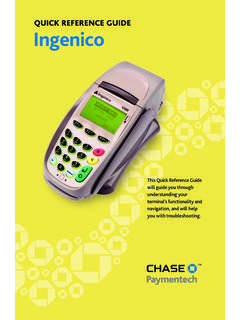
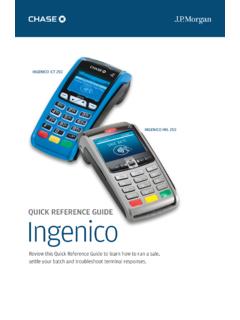
1 QUICK REFERENCE GUIDEVeriFone OmniVeriFone VxThis QUICK REFERENCE GUIDE will GUIDE you through understanding your terminal s functionality and navigation, and will help you with troubleshooting. INDUSTRYR etail and Petroleum APPLICATIONC hase Paymentech s UEPH290/SEPH290 TERMINALSVeriFone s Vx/Omni SeriesContentsGETTING STARTEDHot Key Functions ..3 Available Transaction Setup ..6 Available Card Transaction Types (Opt.)..9 Navigating Your the Batch ..11 REFERENCEP rompt Q& Response Error Codes ..143 LocationFunctionFirst Hot Key Far LeftDown Arrow - press to scroll down to the next menu.
2 Up Arrow - press to scroll up to the previous the yellow key to toggle between the directional Hot Key Middle RightGift Card - press to initiate a gift card Hot Key Far RightReports - press to access available Key FunctionsPress the hot keys beneath the display to navigate your terminal s menus. 4 Credit TransactionsTo initiateCredit Sale* A sale transaction using a credit card; the card may or may not be present. Swipe the card or select Order* A credit sale transaction in which the card is not Phone Only* An authorization-only transaction provides an approval, but does not charge the consumer until the transaction has been added to the batch by way of a force transaction.
3 Select Auth * Perform a void to reverse a credit sale, force, or refund transaction and prevent any funds from transferring from the cardholder s account. Only available for transactions in the current batch ( , same day).Select * Perform a force sale when the terminal cannot reach the host (Chase Paymentech) to authorize a transaction, or to finalize an Auth Only transaction. Contact your voice authorization center for an authorization code, then force the transaction. Select * Perform a refund to return money to a cardholder s account from a credit sale completed in a closed batch ( , previous day).
4 May also be used to adjust a previous TransactionsTo initiateDebit Sale A sale transaction using a debit card; the card must be the Refund Perform a debit refund to return money to a cardholder s account from a debit sale completed in a previous batch. May not be available for all card Transaction TypesYour terminal supports various transaction types. Refer to this section for information on what transactions are available, when to use them, and how to begin the : Press [Arrow] to scroll to view additional options.*Purchase and Commercial cards are supported for this transaction Transactions (Retail Only)To initiateEBT Sale An electronic benefits transfer (EBT) card is a government-issued card tied to a specific government-assistance account.
5 EBT transactions require PIN entry, as well as a trace number and balance amount printed on receipts. An EBT sale transaction may be a food stamp sale, or a cash benefit sale. The card must be present. Swipe the card or select Cash for cash benefits or Food for a food stamp Force A force is a sale transaction performed when the terminal cannot reach the host to authorize the transaction. Contact your voice authorization center for an authorization code, then perform a force sale transaction with the EBT Refund Available only for food stamp Balance Inquiry Obtain a customer s remaining EBT account balance.
6 Available for both food stamp and cash EBT Bal Transaction Types ContinuedYour terminal supports various transaction types. Refer to this section for information on what transactions are available and when to use : Press [Arrow] to scroll to view additional CLERKAdds new clerks to your terminal. You will be prompted to create an ID and a password for each new clerk. The clerk ID may be up to four digits in length and the password may be up to 6 digits in ON/OFF CLERK Used to log on clerks as their shifts begin, and log them off at the end of their CLERK Removes a single clerk from the CLERK Allows modification of a clerk s CLERKSThis option is used to clear clerk totals from the clerk s internal totals SetupAccessible through the main menu, the clerk setup allows you to manage IDs and ReportsA report is like a snapshot in time of business activities.
7 Use this data to help you make crucial business [Reports] to launch the Reports : Main MenuTotals Report Prints totals by card issuer. Detail Report Prints detail information for each Reports Launches Clerk Reports menu options. (See Reports: Clerk Reports Menu.)Batch Review Launches Batch Review menu options. (See Reports: Batch Review Menu.)Batch History Prints a series of settlement reports by Reports Launches Terminal Reports menu options, which are used by the Help Desk Associate to troubleshoot your Totals Runs the Host Totals transaction and prints a Report (Petroleum Only) Prints a list of product codes, prices and.
8 Clerk Reports MenuTotals Report Prints totals for all Report Prints detail information on all transactions performed by all clerks, or a specific Report Prints transaction totals per Table Prints all clerks, clerk passwords and indicates whether the clerk is logged in, if : Batch Review MenuTotals Review Displays Total Sales, Total Refunds and Net Sale Review Allows access to view details on all transactions in the current batch. Enter search criteria to retrieve transactions in the current batch, and then you may adjust or void the Reports ContinuedA report is like a snapshot in time of business activities.
9 Use this data to help you make crucial business decisionsPress [Gift Card] and then select Reports to launch the Gift Card Reports : Gift Card Reports MenuTotals Report Prints totals for all gift card transactions in the current Report Prints details on all gift card transactions in the current Report Displays menu to print totals report, detail report or cashout report by Clerk Report Prints a list of cashed-out gift card redemptions by Report Prints a list of open pre-auth Card Transactions (Optional)To initiateIssuance/Add Value Adds value to the gift card account.
10 This transaction can be used to issue and activate a new card, or to reload an active card with incremental value. Select Issue Add Activation Create a consumer s gift card account by assigning value to a card. One or more gift cards can be activated at one time. Activations can only be performed on cards that have not been previously Activation or Block Decreases the value stored on the consumer s gift card account. This transaction is performed when a consumer uses the card to purchase goods or Remove a gift card transaction from the terminal s open batch.