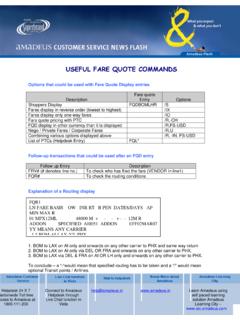
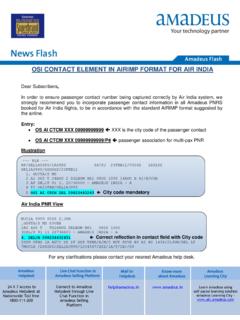
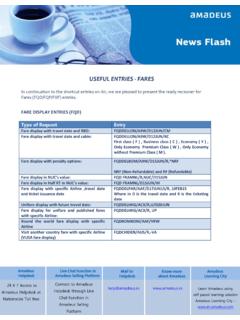
Transcription of Quick Reference Training - Amadeus India
1 Quick Reference TrainingTrianing and Support1 INDEXTOPICPAGE Pricing4 - 8 Itinerary PricingItinerary Pricing without TST CreationFare DiagnosticCreate Automatic TST and Store the FarePricing OptionsBest PricerPNR Pricing with Booking Class / Fare Basis OverrideAmadeus Fare Guarantee PolicyDisplaying a TST / TST HistoryTax Information4444667788 Mandatory and Optional Elements for Ticket Issuance9 - 10 Mandatory Options for TicketingVarious Options of Form of PymentOptional Elements for Ticketing9910 Electronic Ticketing11 -12 Electronic Ticketing Help and AIS pagesFOID / APIS / TSA 1111 Issuing an Electronic Ticket13 - 15 Issuing an Electronic TicketTicket Print OptionsTicket Number TransmissionViewing an Electronic Ticket Record131314152 TST Creation / Manipulation16 - 22 Creating a Manual TSTI nserting Information into a Blank TSTFare Calculation Line OptionsAdding & Splitting a TSTD eleting a TSTM odification/ Updation entries for Existing TSTU pdating the TSTR emove the PNR Change Flag from the TST1616172020212222E- Ticket Revalidation (Various Types of Ticketing)22-23 Revalidating an Electronic ticket22 Various Types of Ticketing23 - 27 VUSA / Side Trip TicketNet Remit TicketingIncentive TicketingIncentive Ticketing with Net RemitPassive TicketingPNR ClaimExtended Security23242525252626 Error Messages and Action to be Taken27-29 Unused Electronic Ticket Record (UETTR)
2 30 Central Ticketing31-34 Query ReportsItem Transaction ReportSummary Sales reportItem Sales ReportDaily ReportsNet Remit Sales ReportHistory ReportPrint Sales Report31323232333334343E-Ticket Voidation34Re-issuance of an E-Ticket document35 - 42 Reissuance without ADCR eissuance with ADCR eissue of Net Remit TicketReissue of Incentive ticketReissue of VUSA TicketReissue of Partially Flown TicketSecond Reissue35363939404041 Automated Refunds42 - 46 Process RefundProcess Full RefundTax Only RefundsProcess a Fully Unutilized Ticket for Refund by Displaying the Refund MaskProcess a Partially Unutilized Ticket for Refund by Displaying the Refund MaskProcess a Partially Unutilized Ticket for Refund where Document data is not available in systemRefund of Net Remit TicketRefund of Exchanged Document4243434344444646 Amadeus Ticket Changer47-48 Electronic Miscellaneous Document49-51 Local Security Administrator52 4 ITINERARY PRICINGITINERARY PRICINGHE FXX / HE FXP / HE BEST BUYA TST, or Transitional Stored ticket, is a record containing all the ticketing information attached to a PNR.
3 Depending on whether you want to create a TST or not, you can use the PNR Pricing commands FXX or FXP. FXX prices without creating a TST whereas FXP prices and creates a TST. Options you can attach with FXX entry are similar to the ones applicable with FXP ITINERARY PRICING WITHOUT TST CREATION HE FXXP rice a PNR without creating a TSTFXXP rice a PNR without creating a TST, show both published and unifares in the displayFXX/R,UPPrice as per Passenger type in entryFXX/RADT*CH*INFARE DIAGNOSTICThe Amadeus Fares and pricing Diagnostic Tool allows you to target a specific fare when pricing, and if the fare is not applicable, displays the reason for the pricing failure. You can then refer directly to the applicable rule restriction in order to advise travelers how to change their itinerary to qualify for the fare The Diagnostic Tool is avaialble as an option with the following transactions: Informative Pricing (FQP) , Itinerary Pricing (FXX).
4 Help Page : HE FARE DIAGNOSTIC Fare diagnostic FXX/DF-YFFASFare diagnostic for multiple fare basisFXX/s2-3,4-5/DS2-3 F-YEE3M,S4-5 F-YRTCREATE AUTOMATIC TST AND STORE THE FARE HE FXPP rice a PNR, create a TSTFXPThis will also generate FV (Validating Carrier) FE (Endrosment if any)Price Passengers one till threeFXP/P1-3 Price passengers 2 and 4 FXP/P2,4 PRICE UPTO 60 TAXES5 Price segment 4 FXP/S4 Price segment 4 and 5 FXP/S4, 5 Price segment 2,3,5 and force transit on segment 2 FXP/S2X,3,5 Force stopover at segment 4 and 6 (Note : Transit and stopover points are otherwise automatically identified by the system and itinerary is priced accordingly)FXP/S4S,6 SPrice a PNR and Exempt All Taxes FXP/R,ETPrice a PNR, Exempt only FR TaxFXP/R,ET-FRPrice a particular passenger as a child FXP/P2/RCHP rice the adult passenger number 1 (the code PAX refers to a seat occupying passenger)FXP/PAX/P1 Price the Infant passenger associated in the PNRFXP/INFP rice the round the world routing (here the global indicator is at-tached with the first segment to be priced, assuming the entire PNR needs to be priced as per Round the World)FXP/S2 (Segment Number)
5 RWRound the World pricing where segments from the PNR to be included in the pricing are specifiedFXP/S2,RW,3-7,10 Price a circle trip routing (here the global indicator is attached with the first segment to be priced , assuming the entire PNR needs to be priced as per Circle Trip fare)FXP/S2 (Segment Number) CTCircle Trip pricing where segments from the PNR to be included in the pricing are specifiedFXP/S2,CT,3-7,10 Pricing with validating carrier specified (Note: this entry overrides the default validating carrier logic of the system, so use with utmost discretion)FXP/R,VC-XX (xx is validating carrier)Select a fare out of Multiple FaresFXT4 (This is a followup entry after FXP command)Select fare on line three for passengers 1-3 FXT3/P1-3 Select different fare for different passengers FXT2/P1//3/P2-3 REGISTER FOR YOUR Training ONLINE AT OPTIONSHE FARE OPTE migrant Passenger FXP/REMIE migrant ChildFXP/REMI-CHStudent PassengerFXP/RSTUS enior citizenFXP/RYCD or /R65 SeamanFXP/RSEAM ilitary PassengerFXP/RMILNote: To see the Passenger type codes select the help page HE PTC.
6 To see a list of Amadeus Discount codes (including IATA dis-counts) HE IADVUSA FareFXP/RVACFare pricing in other currencyFXP/R,FC-USDFare pricing by combining various optionsFXX/RINR,FC-USDFare pricing by different fare BasIsFXP/L2-WFFAS/L3-YFFASFare pricing by segments, with different fare basisFXP/S2-4/L2-YZZ/L3,4-YAP BEST PRICERHE BEST PRICERSTANDALONE ENTRY TO DISPLAY FARE RULE NOTE (FRN)HE FRNR equest Fare Rules Information of a Fare Without having a pric-ing transactionFRNDELLON/D-09 MAY14/A-BA/FB-QRCASM andatory Elements : City Pair, Pricing Date, Publishing Carrier, Elements : Ticket Designator, Departure Date, Corporate or Account Code FRNDELLON/D-09 MAY14/A-BA/FB-QRCAS/TD-CH50/dd-31dec14/c o-amd10 Amadeus Best Pricer automates the search for the cheapest flights by integrating flight availability and pricing in the same rebooking functionality allows you to book the lowest fare returned by Amadeus Best Pricer in one single entry.
7 Note: With standard access airlines ,avoid using the Best Pricer commandsVIEW SALES REPORT UPTO 2 MONTHS IN THE PAST7 Rebook to the lowest fare and do not create a TST FXR or FXR/KC (to search for fares in a particular cabin)Rebook to the lowest fare and create a TST FXBD isplay a list of lower faresFXAS elect a fare after FXA, rebook and create a TSTFXUS elect a fare after FXA, rebook and do not create a TSTFXZBest pricer rebook entry using expanded parameters (this can be used for fares which use automated rules)FXR/R,*NRF (non refundable fares)Best pricer rebook entry using expanded parameters (this can be used for fares which use automated rules)FXR/R,*RF (refundable fares)PNR PRICING WITH BOOKING CLASS / FARE BASIS OVER-RIDEHE OVERRIDEO verride by Fare BasisFXP/L-MEE3 MBooking Class overrideFXV3 (This is a followup entry after FXP command)Note: The override entries are Airline fares are not guaranteed by pricing by Fare basis (This will generate Guaranteed Fare)FXP/A-YEE3 MAMADEUS FARE GUARANTEE POLICYR efer to GGAMAINTKT for information on the Amadeus Fare Guarantee, Reservation Guidelines guarantees fares,taxes,surcharges and fees that have been quoted with Amadeus Automatic Pricing functions and ticketed on Amadeus Ticketing identify if the ticketed fare might qualify for the guarantee, some of the conditions that must be met, among others.
8 Fare should have been quoted using an Amadeus Automatic Pricing function without any overrides and a fare record (TST) should be automatically stored with a fare calculation mode indicator (FCMI) of I (Let-ter I) ticket needs to be issued on the same day as the creation of the TST without using any overrides, so that the validation box of the ticket shows a Fail Code of 0 (Number zero) What are FCMIs and FailcodesRefer to HE FCMI for more informationLEARN ONLINE AT system generates a Fare Calculation Mode indicator (I) , also called a "Failcode" when you price or issue a ticket when special conditions FCMI is either a letter or a number which indicates how the itinerary was priced. Some commonly seen TST Pricing Indicators: I (IATA Autopriced fare) / M or N (Manual Priced Fare) / O (Booking Class Override used).
9 Some Common FCMIs : O (Past date TST Override option has been used ) N (Negotiated rates have been used) R (Ticketing Carrier Override option has been used ) W ( RBD Override has been used ) Some common FCMI/TST Indicator Combos (refer HE for more details): TST Indicator / FCMIM essage / ExplanationI / 0 Automatically PricedM or N / 1 Manually created or updated TSTM / 3 Ticket or Price by Fare basisM /4 Manual Manipulation of TaxesI /5 Not priced at passenger type requiredM / 9IT Fare Ticket/Ticket with Y or I as the fare indicator in TSTB / 9 Negotiated Fare / Ticket with Y or I as the fare indicator in TST and manual manipulation of TSTDISPLAYING A TST/DISPLAY TST HISTORYHE TQT / HE TTHD isplay a TST listTQTD isplay a TST by NumberTQT/T1 Display TST for adult pax onlyTQT/PAXD isplay TST for infants onlyTQT/INFTo view commission from the Amadeus commission tableTQT/FMSometimes an asterix can be seen next to the TST indicates that the TST is confidential and
10 The TST and its history can be seen only by the office that made it confidential TST can be viewed in the same way as a normal TST is history of TST 1 TTH/T1 Display the Airline Fee break upTQO/T1 PROCESS TAX-ONLY REFUNDS9 TAX INFORMATIONHE TAXTax information for a countryFQNTAX/IN or FQNTAX/INDIATax information for a unique tax codeFQNTAX/XAGet information for PFC TaxFQZ PFC JFKMANDATORY AND OPTIONAL ELEMENTS FOR TICKET ISSUANCEMANDATORY ELEMENTS FOR TICKETINGHE FV / HE FM / HE FPValidating Carrier : The validating carrier is the airline on which a document is issued by a travel agency. It is the controlling and authorizing entity for ticketing transactions. Travel agents are advised to use the automatic selection of the validating carrier by the system.