Transcription of Quick Start Guide
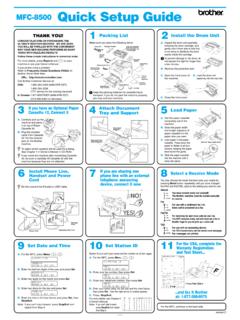
1 Quick Start GuidePC, Mac, Android & iOS01To download the installer, open the Download link in your Order Confirmation Email. Trend Micro will then perform a system check of your can also download the installer at reading the license agreement, if you accept it, click Agree and Install to continue. The installation will now Paid version, then enter your serial number and click serial number can be found on your Order Confimation the Installation Completed window appears, click Finish to close the your account information and click Next. You will then be asked to verify that your details are correct. Click activation is complete, the Protection Activated window will appear. Click your email address and click Next. If you already have an account, ensure you use the email address assigned to this account and click this window does not automatically open, use the shortcut icon on your for PCPlease refer to the Trend Micro website for detailed system you encounter difficulties while installing or activating this software, go to.
2 If you want Trend Micro to email you a monthly security report, click the different features of your security softwareContact Trend Micro for assistanceManage your Trend Micro accountAdjust your security software settingsOpen the security report to see how your software has kept you safeUse your subscription to protectanother PC, Mac, Android, or iOS deviceScan your computer for threats and to Omptimize its performanceCheck the status of your subscriptionPC Main ConsolessisfyotanceManage yourTrend Micro accountAdjustyoursecuritysoftwaresetting sOpen the security report toseehowyoursoftware haskept you safeour subscription01To download the installer, open the Download link in your Order Confirmation Email. Trend Micro will then perform a system check of your can also download the installer at Continue until you reach the Software License Agreement screen.
3 After reading the license agreement, accept it by clicking your serial number, and then click serial number can be found on your Order Confimation Install to authorize the installation. Once the installation is complete, click Close to close the your email address and click Next. If you already have an account, ensure you use the email address assigned to this this window does not automatically open, you can launch the Trend Micro software from the Applications for MacPlease refer to the User Support folder on the installation disc or to the Trend Micro website for detailed system requirements. If you encounter difficulties while installing or activating this software, go to your account information and click Next. You will then be asked to verify that your details are correct and click activation is complete, the Protection Activated window will appear.
4 Tallinsclosyoureadthe untndou cafroforom/tur au wails ivaton ,clickse the email address and haveanaccount,ensureemailaddress assigned does not automatically an launch the Trend Micro om the Applications information and click illthenbe asked to verify thatarecorrect and complete,the Activated window will appear. rr010304050206 IMPORTANT: Please ensure you have installed and activated Trend Micro on your PC or Mac before following the steps you encounter difficulties while installing or activating this app, go to for iOS (Trend Micro Mobile Security). If you have already installed and activated Trend Micro on your PC or Mac, skip ahead to step , visit: activate, enter your Trend Micro Activation Code and tap your Order Confirmation Email or your retail box to find your Activation into your Trend Micro Account, or create a new one, and tap Download Mobile Security to install the app, or search for Trend Micro Mobile Security on the App Mobile Security.
5 Go to Settings, tap Set up account, and then sign in with your Trend Micro renewing your license, go to Settings, tap Transfer a license to this device, and then choose the one you just the Play Store on your phone or tablet and search for Trend Micro. In the search results, open Mobile Security & Antivirus by Trend Micro, and then tap a Kindle Fire, open the Amazon Appstore for Android Install, then Accept to accept the app the app downloads and installs, for Android (Trend Micro Mobile Security)IMPORTANT: Please ensure you have installed and activated Trend Micro on your PC or Mac before following the steps you encounter difficulties while installing or activating this app, go to the license agreement and then selectBuy / Activate to activate Mobile can activate the app with your Trend Micro serial number up to 30 days after Use Activation Code then enter your serial number and select serial number can be found on your Order Confimation the password for the account used to set up Maximum Security on your Mac or PC and select Sign installation has completed,check your device for any threatsby selecting Scan Device.
6