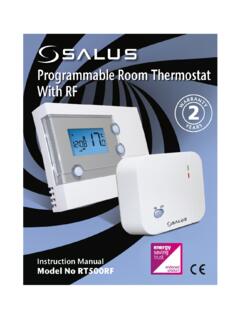
Transcription of RT520TX Thermostat RXRT520 Receiver COM RT520TX …
1 Button FunctionsRT520 / RT520RF ThermostatRXRT520 Receiver123456789101. MENU - enter the menu options, press and hold for 3 sec to return to main screen or to deactivate Boost Mode2. SELECT - confirm changes and enter menus3. DOWN - decrease the temperature and move through the menus4. UP - increase the temperature and move through menus5. BOOST - activate Boost Mode6. MANUAL - activate / deactivate Manual Mode7. ON - When in Manual Mode, ON will turn the boiler OFF - When in Manual Mode, OFF will turn the boiler AUTO - Receiver operates in automatic mode according to the MANUAL - Receiver output is controlled by the On/Off slide Controls plcSALUS HouseDodworth Business Park South, Whinby Road, Dodworth,Barnsley S75 3SP, : +44 (0) 1226 323961E: Controls is a member of the Computime a policy of continuous product development SALUS Controls plc reserve the right to change specification, design and materials of products listed in this brochure without prior Date.
2 September 2018V009 For PDF Installation guide please go to RT520 and RT520RF are the latest additions to SALUS tried and tested RT range of Thermostat heating controls. With a new on-board load compensation feature, they offer the most cost effective fully compliant Boiler Plus solution on the market providing the homeowner with optimum efficiency and maximum heating control comfort. Available in both wired and wireless RF versions, the new RT520 series include all the features of the previous RT series with a larger more intuitive LCD display and a handy new suite of additional operational and efficiency functions. Before use please read this manual ComplianceSafety InformationThis product complies with the essential requirements and other relevant provisions of the following EU Directives: EMC 2014/30/EU, LVD 2014/35/EU, RED 2014/53/EU and RoHS 2011/65/EU.
3 Full text of the EU Declaration of Conformity is available on in accordance to national and EU regulations. Use the device as intended, keeping it in dry condition. Product for indoor use only. Installation must be carried out by a qualified person in accordance to national and EU ; <13dBmTechnical SpecificationRT520 ThermostatRT520TX ThermostatThermostat supply2 x AA alkaline batteries2 x AA alkaline batteriesThermostat rating max3 (1) A-OpenTherm terminalsA / B-OutputsVoltage free NC / NO / COM terminals-Temperature range5 C C5 C CTemperature C or C or CErP control classVVRadio frequency-868 MHzDimension [mm]118 x 95 x 26 [mm]118 x 95 x 26 [mm] RXRT520 ReceiverReceiver supply230 V ACReceiver rating max16 (5)
4 AOpenTherm terminalsA / BOutputsVoltage free NO / COM terminalsRadio frequency868 MHzDimension [mm]96 x 96 x 26 [mm]LCD Icon Description153A7263B8491114161013121517R T520 Thermostat Terminals DescriptionRXRT520 Receiver Terminals DescriptionTerminalDescriptionB / AOpenTherm Communication WireNCSwitched Live OFFNOS witched Live ONCOMC ommon TerminalTerminalDescriptionB / AOpenTherm Communication WireNOSwitch TerminalCOMC ommon Switch TerminalL; NSupply (230 V AC)RT520 Wiring DiagramOpenTherm - Hot WaterTPI, SPANTPI, SPANOPENTHERMOPENTHERMRT520TX Wiring DiagramOpenTherm Power Up and ConfigurationRT520 TXThermostatCOMNONCRT520 ThermostatBART520 ThermostatLLNONNCOMRXRT520 ReceiverAC 230 VRT520 TXThermostatLLBANNRXRT520 ReceiverAC 230 VRT520 TXThermostatCOMNONCRT520 ThermostatBART520 ThermostatLLNONNCOMRXRT520 ReceiverAC 230 VRT520 TXThermostatLLBANNRXRT520 ReceiverAC 230 VRT520 TXThermostatCOMNONCRT520 ThermostatBART520 ThermostatLLNONNCOMRXRT520 ReceiverAC 230 VRT520 TXThermostatLLBANNRXRT520 ReceiverAC 230 VRT520 TXThermostatCOMNONCRT520 ThermostatBART520 ThermostatLLNONNCOMRXRT520 ReceiverAC 230 VRT520 TXThermostatLLBANNRXRT520 ReceiverAC 230 VText BarAM / PMDay of the week (numeric)
5 Holiday Mode OnTemperature UnitFrost Protection Mode OnDay of the week (alphabetic)Manual Mode OnClockHeating Mode OnWireless connection with the receiverProgram numberProgram indicatorLow battery statusTemperature measured / setService Mode OnSettingsBoost functionAlways ensure the AC mains power is switched off before installing or working on any components (this includes replacing the batteries). Use only AA V alkaline batteries in the Thermostat . Place the batteries into the battery slot located in the back of the Thermostat . Do not use rechargeable UP or DOWN, adjust the temperature and thenpress Modulating Control is a method of control used by modern heating systems. Instead of switching a boiler on and off at intervals, modulating control allows the amount of heat provided by the boiler to be controlled to match the varying demand from the Thermostat .
6 This means the customer has greater system efficiency, energy saving and room comfort from our heating UP or DOWN, navigate to Hot Water submenu andpress , RT520TX , RT520 RFQuick Guide6974105 Using UP or DOWN, set the hour and then press UP or DOWN, set the month and then press UP or DOWN, set the minutes and then press UP or DOWN, choosethe time UP or DOWN, set the day and then press SELECT to inserting the batteries, the Thermostat will power UP and DOWN, choose your language and then press UP or DOWN, select the week SELECT to OpenTherm is connected, the device software will automatically adjust to the OpenTherm UP or DOWN, set the year and then press UP or DOWN, select your temperature SELECT to text bar indicates that hot water is in Thermostat will return to the main screen.
7 Press any make the Receiver connections and power the Receiver before inserting the batteries into the SELECT to SELECT to Thermostat will go tothe main UP or DOWN, select the program type between: 5 Using UP or DOWN, enter the PIN code number. Press SELECT to confirm every UP or DOWN, selectTEST and press (set a daily schedule).Press SELECT to UP or DOWN, select the due date and then press UP or DOWN, set the temperature and thenpress UP or DOWN, select the TPI type you want to UP or DOWN,select ON or UP or DOWN,select ON or UP or DOWN, selectthe warning period andthen press MENU.+2 (schedule for the working days and for the weekend);Press UP or DOWN, enter the phone number. Press SELECT to confirm every UP or DOWN, set the hour and then press UP or DOWN, select the span SELECT to SELECT to UP or DOWN, navigate to Landlord submenuand press UP or DOWN, select thelock temperature andthen press UP or DOWN, navigate to Pairing submenu and press testing process takesup to 10 red LED and the green LED on the receiverwill begin to pairing process takesup to 10 (set one schedule forthe entire week)Using UP or DOWN, select ONand press you can check your settings.
8 If you want to make a change, press UP or DOWN on the relevant UP or DOWN, set the minutes and then press (Time Proportional & Integral) is a self-learning, time-proportional algorithm. TPI type of regulation ensures economical system operation through more accurate temperature maintenance during controlling process and limits overload conditions. In addition to the exact and stable room temperature, the advantage of this system is the minimization of energy consumption and significant savings. RT520 offers 3 types of TPI control: 1. for radiator (6 CPH); 2. for underfloor heating (3 CPH); 3. for electric heating (9 CPH).Optimum Stop calculates how long the house will take to cool down, then turns off the boiler at the earliest possible moment, this means the system is not running when it s not actually necessary.
9 If there is a sudden heat loss during this period, then Optimum Stop will be overridden to regain comfort settings is a pin code protected feature that allows the landlord to set a service reminder on the Thermostat that will warn the tenant when the boiler is due its annual is the difference between the measured temperature and the set this mode, user can set the schedules for Thermostat (temperature setpoints for specific periods of time). Programmed schedules should use all time you are using the RT520RF pack, the pairing between the Thermostat and the Receiver is already you bought the RT520TX and RXRT520 separately or if you want to re-pair Thermostat with the Receiver , make sure that the device is disconnected from the power supply and the switches on the Receiver have been set to AUTO and ON.
10 Then connect the Receiver to the power supply and wait for the red LED to light steadily. Then switch to the OFF position and again to ON position quickly. The red flashing LED will confirm entering the pairing devices are successfully paired, LED on the Receiver will go solid device will be reset and will start up reset the Thermostat , press MENU, DOWN and BOOST simultaneously for 5 the process for all time service mode has become active, the device will lock the set point temperature as set by the installer/landlord. To unlock this device, the landlord needs to be contacted and the boiler settings will not be - Automatic ModeRT520TX Thermostat Pairing with the ReceiverLandlord SettingsFactory ResetTest the Pairing ProcessONAUTOOFFMANUALONAUTOOFFMANUALS tandard Power Up and ConfigurationPlease follow steps 1 to 14 from section OpenTherm Power Up and Start is a selectable function which, depending on the ambient room temperature, will start the boiler operation at the optimum time to achieve the set-point temperature.