Transcription of series HP LaserJet Managed MFP E42540
1 Datasheet | NA. HP LaserJet Managed MFP E42540 . series HP's entry-level Enterprise-class MFP with speeds up to 42 ppm9 and strongest HP Managed MFPs and printers are optimized for Managed environments. With increased monthly page volumes and fewer interventions, this portfolio of products can help reduce printing and copying costs. See your HP Authorized Reseller for details. This printer uses dynamic security, which may be updated periodically by firmware Easy to use, simple to manage updates. The printer is intended to be used solely with cartridges using an original HP HP FutureSmart firmware can be updated with the latest features2 to optimize your chip. Cartridges using a non HP chip may not investment for years to come. function or may cease to function.
2 More at: Centralize control of your printing environment with HP Web Jetadmin and help build business Easily enable workflows across your fleet with a consistent user experience and intuitive, tablet-like icons. Set up this MFP fast, and easily manage device settings to help increase efficiency. The world's most secure printing1. The operating code (BIOS) is automatically checked during startup and repairs itself if compromised. Common Criteria certified4 to continually monitor memory activity to detect and stop HP LaserJet Managed MFP E42540f attacks in real time. Firmware is automatically checked during startup to determine if it's authentic code . digitally signed by HP. The printer 's outgoing network connections are inspected to stop suspicious requests and thwart malware.
3 Enhanced productivity to empower work teams Give workgroups what they need to succeed with hundreds of HP and third-party solutions and card reader support. Optimize workflows, reduce steps and errors, and support mobile workers with optional MFP apps that meet your specific business needs. Help ensure the security of confidential information with PIN/Pull printing to retrieve print jobs. Stay connected with an optional accessory for wireless,6 Bluetooth Low Energy, and NFC. touch-to-print. Sustainability is smart business Help save paper right out of the box. Two-sided (duplex) printing is set at default for automatic Help reduce wasted paper and toner by only printing jobs that are truly needed, using HP. Roam for Save energy without sacrificing performance this MFP is ENERGY STAR and Blue Angel certified.
4 Remove barriers and help meet compliance and accessibility standards with the HP. Accessibility Kit (which includes Braille overlay and tactile adhesives, an HP Access Handle, and BigKeys LX Keyboard) and compatibility with HP Accessibility Assistant. 1 HP's most advanced embedded security features are available on HP Managed and Enterprise devices with HP FutureSmart firmware or above. Claim based on HP review of 2019 published features of competitive in-class printers. Only HP offers a combination of security features to automatically detect, stop, and recover from attacks with a self-healing reboot, in alignment with NIST SP 800-193 guidelines for device cyber resiliency. For a list of compatible products, visit For more information, visit 2 Some features enabled by future HP FutureSmart firmware upgrades may not be available on older devices, if for example, physical product characteristics limit the functionality of the new feature.
5 3 HP Web Jetadmin is free and available for download at 4 Third-party certification based on Common Criteria Information Technology Security Evaluation ISO/IEC 15408 Standard requirements as of May 2019. Certification applicable to HP Managed and Enterprise devices running HP FutureSmart Firmware version and later. For more information: 5 Use of the HP Trusted Platform Module may require a firmware upgrade. 6 Wireless performance is dependent on physical environment and distance from access point and may be limited during active VPN connections. 7 Dependent upon country setup specifications. 8 To enable HP Roam, some devices may require firmware to be upgraded and an optional accessory to add Bluetooth Low Energy (BLE) beaconing capabilities. Subscription may be required.
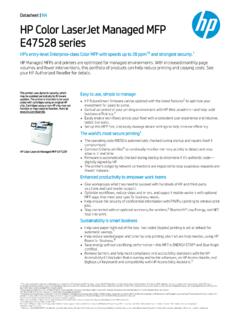
6 For more information, visit 9 Measured using ISO/IEC 24734, excludes first set of test documents. For more information, see Exact speed varies depending on the system configuration, software application, driver, and document complexity. Data sheet | HP LaserJet Managed MFP E42540 series Product walkaround 1. ( cm) color touchscreen 2. Easy-access USB port6. 3. 150-sheet output bin 4. Automatic two-sided printing (default)1. 5. 100-sheet multipurpose input tray 1. 6. 250-sheet input tray 2. 7. 50-sheet automatic document feeder (ADF). 8. Convenient front on/off switch 9. Right door, access to print path 10. Front door, access to Original HP Toner cartridges with JetIntelligence 11. Hi-Speed USB port for third-party devices 12. Hi-Speed USB printing port 13.
7 Gigabit Ethernet network port series at a glance Model HP LaserJet Managed MFP E42540f Product number 3PZ75A. Print speed (Letter/A4)2 Up to 40/38 ppm (default); 42/40 ppm (HP High Speed). First page out (Letter/A4)3 As fast as seconds Control panel " ( cm) color touchscreen Memory 2 GB. Storage 16 GB eMMC. Automatic two-sided printing (default)1 . Input capacity (standard/maximum) Up to 350/900 sheets 100-sheet input tray 1 . 250-sheet input tray 2 . 550-sheet input tray 3 Optional Recommended monthly page volume (RMPV)4 1,500 to 7,500 pages Duty cycle Up to 120,000 pages Managed cartridge yield 11,500 pages Dual-band Wi-Fi with Bluetooth Low Energy, Wi-Fi Direct 5 Optional ENERGY STAR qualified . 1 Automatic two-sided printing dependent upon country setup specifications.
8 2 Measured using ISO/IEC 24734 Office Suite and Feature Tests, excludes first set of test documents. For more information, see Exact speed varies depending on the system configuration, software application, driver, document complexity, media size, media orientation, and media type. HP High Speed may require firmware upgrade to enable. 3 First page out measured using ISO/IEC 17629. For more information see Exact speed varies depending on the system configuration, software application, driver, and document complexity. 4 HP recommends that the number of pages per month of imaged output be within the stated range for optimum device performance, based on factors including supplies replacement intervals and device life over an extended warranty period.
9 5 Mobile device needs to be connected directly to the signal of a Wi-Fi Direct supported MFP or printer prior to printing . Depending on mobile device, an app or driver may also be required. Wi-Fi Direct is a registered trademark of Wi-Fi Alliance. For details, see 6 An administrator must enable the easy-access USB port before use. Data sheet | HP LaserJet Managed MFP E42540 series HP Services Top features Downtime can have serious consequences, so HP provides Set up work teams for success without adding more to your plate. Help people handle business wherever it happens while support beyond the standard warranty. You benefit from giving IT fleet-wide control it needs, using a compact MFP built for simple use and management. reduced risk, maximized uptime, predictable service delivery and no unbudgeted repair costs.
10 HP Care Pack Services HP printers have the industry's strongest security1 because they're always on guard, continually stopping threats while provide a comprehensive suite of protection services adapting to new ones. And only HP printers can automatically self-heal from attacks, so IT doesn't need to intervene. designed to keep HP hardware and software up and running Simplify collaboration and productivity with a streamlined MFP that supports how people work today: fast, nimble, and so employees can stay productive. connected. Print sharp text and graphics businesses need to look professional day in and day out, plus scan and copy with For carepack availability visit: ease. Business is all about resource management, and finding efficiencies is everyone's responsibility.