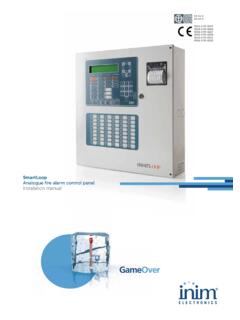
Transcription of SmartLoop Analogue fire alarm control panel Programming ...
1 EN 54-2EN 54-40051-CPD-02250051-CPD-02260051-CPD-0 2270051-CPD-02280051-CPD-02310051-CPD-02 32 SmartLoopAnalogue fire alarm control panelProgramming from panel manual2 CopyrightProgramming manualCopyrightThe information contained in this document is the sole property of INIM Electronics No part may be copied without written authorization from INIM Electronics rights directive complianceThis control panel has been designed and developed to the highest standards of quality and performance implemented by INIM Electronics control panel must be installed in accordance with the instructions described in this manual and in compliance with the laws in control panels from the SmartLoop series are EN54-2 and EN54-4 control panels from the SmartLoop series, and all accessory items and special functions have IMQ-Security systems certification, unless otherwise manualTable of contents3 Table of contentsCopyright .. 2 European directive compliance .. 2 Table of 3 Chapter order to validate the IMQ-SECURITY SYSTEMS certification, and in com-pliance with EN54-2 regulations: 5 Chapter 2 General information.
2 Supplied details property rights 6 Chapter 3 The SmartLoop control panel .. Overlay buttons LEDs 9 Chapter 4 How to use the display and keypad .. an option Selecting a loop device a Programming field numbers in a numerical Programming field values in a variable field 13 Chapter 5 How to view the events .. 14 Chapter 6 Programming the control printer computer From remote computer 16 Chapter 7 The basic concepts of control panel Programming .. events signals zones actions control panel Mode 20 Chapter 8 Configuring the system .. of the system factory default settings the configuration at panel configuration at panel 25 Chapter 9 Programming the the Time and Date the access codes up holiday periods the control panel options zones the Timers to configure loop devices 304 Table of contentsProgramming I/O expansion boards ( SmartLoop \INOUT) the local network ( SmartLoop \NET) up the events printout the Programming session 33 Chapter 10 Maintenance a zone a detector the status of the device outputs the status of the control panel outputs the device LEDs On the local network Diagnostics date 37 Chapter 11 Operating the Day/Night mode devices 38 Appendix ARecord the voice messages for the telephone dialer.
3 40 Appendix BThe SmartLeague software programme .. 41 Programming manualIntroduction5 Chapter 1 IntroductionThis Programming manual describes the essential configuration phases of a fire alarm system and theprogramming process of the control panel . For a complete description of the Programming process via theSmartLeague software programme, refer to the SmartLeague instructions of the exact type of control panel , all the instructions herein are pertinent to the to the User's Manual for the complete description of all the control - panel signaling methods (LED,display) and the respective response :The control panels described in this manual have been designed and developed to the higheststandards of quality, reliability and performance adopted by INIM Electronics. All product componentsare capable to application requirements and able to operate in compliance with the related technicalspecifications when the temperature external to their casings complies with Category 3k5 of IECEN60721-3-3 order to validate the IMQ-SECURITY SYSTEMS certification, and in compliance with EN54-2 regulations:1.
4 All the manual alarm buttons and fire detectors employed in the system must be associated with firedetection and alarm The functions associated with the programmable LEDs on the control panel frontplate (Keypad/Displayboard and LED board), and on SmartLetUSee/LCD and SmartLetUSee/LED repeaters must be set up inaccordance with the colour of the LEDs: Red: alarm Yellow: fault, test and tamperNote:The GAS control function is not EN54-2 compliant, due to the fact that this feature is not mentioned inthe aforesaid informationProgramming manualChapter 2 General supplied Programming Manual (this document) Installation manual User manualThese manuals are supplied with the apparatus. For extra copies, contact the offices at INIM Electronicsquoting the order number shown in Appendix D in the installation details Title: SmartLoop Programming manual Version: Year and month: February 2012 Code: DCMPINE0 SLOOP Addresses: installer, property rightsThe information contained in this document is private property.
5 All rights reservedNo part of this document may be copied or reproduced unless expressly authorized in writing by INIME lectronics, in particular the sections which refer to the devices specified in the installation Electronics shall not be responsible for damage arising from improper application or Glossary and terminologyDevice; apparatus: the device defined in the installation , right, behind, above, below: refer to the directions as seen by the operator in front of the Output: same as monostable output .Communicator (telephone, SMS, digital): same as dialer .Qualified personnel: those persons whose training, expertise and knowledge of the laws and bylawsregarding service conditions and the prevention of accidents, are able to identify and avoid all possiblesituations of : click on and select a specific item (from drop-down menu, options box, graphic object, etc.).Press: click on a video manualGeneral Graphic conventionsFollowing are the graphic conventions used in the text.
6 For the description of the text rules refer to Chapter3 - The SmartLoop control panel and Chapter 4 - How to use the display and :The detached notes contain important information about the :The attention prompts indicate that total or partial disregard of the procedure could damagethe connected :The danger warnings indicate that total or partial disregard of the procedure could injure theoperator or persons in the in ItalicsRefer to paragraph - Graphic conventionsText in italics: indicates the title of a chapter, section, paragraph, table or figure in this manual or other published reference.<text> <CustomerCode>Editable field[lowercase letter] or [number] [A] or [1]Representation of a part of the system or video , RESET Computer or control panel SmartLoop control panelProgramming manualChapter 3 The SmartLoop control OverlayAll the models in the SmartLoop series, except for SmartLoop2080/S and SmartLoop1010/S (flush frontwith no display or keypad), have the following overlay:[A]40 character x 4 line alphanumeric display.
7 Indicates the system status, signals critical events (with priority given to the most serious events) and allows you to navigate through of the main menu and screens.[B]Keys , , , and allow you to move and work on the menu screens.[C]The Esc key allows you to quit an operation and exit the screen without saving, or go to the options of a higher-level key allows you to confirm an operation and exit a screen, or go to the options of a lower-level menu.[D] Alphanumeric keypad for data 1 allows you to view the specifics of events which provide detailed an event relating to a loop device is shown on the display, key 2 will allow you to access the bypass/unbypass loop device menu (refer to paragrafo ) .[E]Pre-configured status LEDs.[F]Programmable status LEDs (yellow). LED will blink during the Programming phase.[G] Fast buttons for use in the event of alarm or fault.[H]Keyswitch: allows level 2 users (Users, Authorized Users) to access the system.
8 Can be used instead of code manualThe SmartLoop control LEDsTESTI nitializes the test phase and acyivates all the control panel the control panel buzzer. The buzzer will be enabled automatically if another event occurs. RESET operations also silence the Pre- alarm status, this button will activate a pre-set alarm this button is pressed once, it will silence the NAC outputs, fault output and all the 'Silenceable' outputs. If this button is pressed again (when the LED is On), it will toggle (undo) the silence the control panel (clears alarms).EVACUATEA ctivates the evacuation procedure. If this button is pressed by a member of the public (Level 1- no access code or key required) during pre- alarm status, it will generate an instant alarm . If this button is pressed by a User or Authorized User (Level 2), it will generate an instant alarm regardless of the system groupDescriptionColourIf On solid:ALARMRedThe control panel is in alarm status. This LED goes On to signal the following conditions:- alarm status of a point defined as an alarm point- the evacuation phase is running (triggered by the EVACUATE button on the control panel or on a connected repeater panel )- the evacuation phase is running (triggered by the EVACUATE button a Network control panel or on a Network repeater panel )PRE-ALARMRedThe control panel is in pre- alarm status.
9 This LED goes On to signal the alarm status of a point programmed as an alarm point with the Pre- alarm this LED is On, at least one of the system objects (point, zone, output, communicator, etc.) has been this LED is On, at least one of the system objects (point, zone, output, communicator, etc.) is in test zone test affects all the points of the zone MODEY ellowIf this LED is On, the control panel is operating in night Day mode, the control panel can generate pre-alarms and hold silence status for an unlimited time. During Night mode, the control panel can hold silence status for the pre-set time only. During Night mode, the control panel cannot generate pre-alarms as this function is this LED is On, the control panel is fully powered and SmartLoop control panelProgramming manualFAULTS groupDescriptionColourIf On solid:If blinking:FAULTY ellowIf this LED is On (solid), at least one system fault has been detected. The other LEDs in this group indicate specific fault this LED blinks, a fault has been cleared and saved to the can access the events log and view the event/s FAULTY ellowIf this LED is On (solid), the logic unit is not working properly (motherboard microprocessor).
10 Under such circumstances, immediate technical assistance is required as system functionality is gravely at risk. The cause of this fault must be cleared and the motherboard microprocessor must be restored to proper working this LED blinks, the motherboard microprocessor has reset (due to system shutdown or jamming).Danger:Under suchcircumstances,the efficiencyof the entiresystem mustbe LED willstop signaling(LED Off) whenthe this LED is On (solid), the battery is not working may be due to either battery inefficiency, in which case the batteries must be changed; or to a drop in power-supply voltage (below the level of the programmed threshold), in which case the voltage must be restored in such way as to allow the power supply to charge the batteries this LED blinks, a battery fault event has been cleared and saved to the this LED is On (solid), voltage dispersion to earth has been detected. Immediate maintenance is required to clear this this LED blinks, a voltage-dispersion-to-earth event has been cleared and saved to the this LED is On (solid), one of the resettable fuses has been interrupted.