Transcription of SoftMaker FreeOffice vs. SoftMaker Office
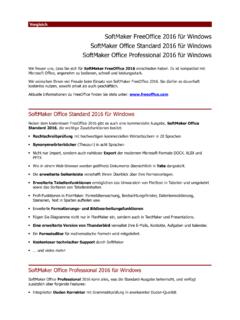
1 ComparisonSoftMaker FreeOffice 2016 for WindowsSoftMaker Office Standard 2016 for WindowsSoftMaker Office Professional 2016 for WindowsThank you for choosing SoftMaker FreeOffice 2016, the free, fast and friendly Office suite that'scompatible with Microsoft hope you enjoy using SoftMaker FreeOffice 2016 as much as we did designing and developing it. Youmay use it permanently, both at home and in your can track all new developments around SoftMaker FreeOffice at Office Standard 2016 for WindowsIn addition to free-of-charge FreeOffice 2016, there is also a commercial edition, SoftMaker OfficeStandard 2016, which adds important features:Spell checking using high-quality commercial dictionaries covering 20 languagesSynonym dictionaries (thesauri) in eight languagesNot only import, but also seamless export of the modern Microsoft formats DOCX, XLSX and PPTXD ocuments are presented in tabs, just like in a web extended sidebar gives you a bird's eye view over your document and its table functions for sorting tables and converting between text and tablesPower-user functions in PlanMaker.
2 Formula auditing, watch window, data consolidation, scenarios, text tocolumns and moreImproved formatting and image functionsInsert charts not only in PlanMaker, but also in TextMaker and PresentationsCustomized Thunderbird handles your e-mails, contacts, tasks and an equation editor for math technical support by SoftMaker .. and much more! SoftMaker Office Professional 2016 for WindowsSoftMaker Office Professional 2016 expands upon the features of the standard edition by addingfourBerlitz dictionaries for translations from/to English, German, French, Italian and differences in detailFunctionSoftMakerFreeOffice2016 SoftMakerOffice 2016 StandardSoftMakerOffice 2016 ProfessionalLanguage toolsAutomatic hyphenation Spell checking using Hunspell Spell checking using high-quality commercial dictionaries Thesauri (synonym dictionaries) Four Berlitz translation dictionaries File managementBuilt-in file manager Version management that lets you revert to previous file versions User interfaceDocuments are shown in tabs, like in a web browser Sidebar Extended sidebar with additional commands Real-time preview of formatting changes Full-screen mode Design and formatting functionsTransfer formatting with the format brush Crop images directly in the document Photo frames TextMaker (word processor)
3 Seamless reading and writing of DOC files Seamless reading and writing of DOCX filesonly reading Reading and writing of RTF, ODT, HTML and plain-text files Print documents, send documents by fax Mail-merge, fax merge Print envelopes and labels from the database Tracking of changes made to documents Built-in template manager AutoFormat for tables Advanced table functions Cross references Picture captions Bibliographies, tables of figures Form objects Charts PlanMaker (spreadsheet)Seamless reading and writing of XLS files Seamless reading and writing of XLSX filesonly reading Input validation Formula auditing ( detective ) Watch window for tracking the content of cells Data consolidation Scenarios Distribute text to multiple columns Form objects Presentations (presentation graphics)Seamless reading and writing of PPT files Seamless reading and writing of PPTX filesonly reading All PowerPoint animations and slide transitions Additional breathtaking DirectX-based animations Additional breathtaking DirectX-based slide transitions Font embedding in presentations Export as video files Export slide shows to HTML Insert picture collections Insert summary slides Large collection of design templates included Charts Smart guides for the fast and precise alignment of objects Additional applicationsBasicMaker lets you create VBA-like macros Equation editor for mathematical formulas Customized Thunderbird as an Outlook replacement Find out more.