Transcription of SP C262DNw/ SP C262SFNw - lanier.com
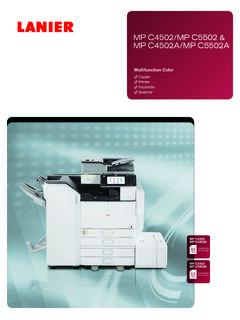
1 SP C262 DNw/SP C262 SFNwColor Laser Printer/Color Laser MFP Printer Copier Facsimile ScannerSP C262 SFNwmonochromefull color21 ppmSP C262 DNwmonochromefull color21 ppmPack in more capabilities with a compact MFPThe SP C262 SFNw offers big business features for your small company or work team, including a " color touchscreen display with print, copy, scan and fax readily available. Improve your productivity with print and copy speeds of up to 21 ppm and produce professional output at up to 2400 x 600 dpi.
2 Share documents instantly with scan-to-email and scan-to-network folders and save money by reducing paper consumption. Fax documents more conveniently with Super G3 Fax that lets you store up to 200 speed dials. Use Internet Fax to make faxing as simple as email great for quickly sharing documents on your computer. Plus, with fax forwarding support, rather than print faxes, you can choose to forward them directly to email accounts to save more paper and reduce printer and MFP jobs with easeDuring last-minute crunches to produce black-and-white business documents for a company meeting or professional-quality color documents for a customer, you ll be confident knowing that you can turn jobs around quickly and easily.
3 With a recovery time of less than 30 seconds and first-print time of about 14 seconds, when you need to perform a task, your device will be ready to go when you are. Plus, you can register up to 12 of your favorite jobs using the SP C262 SFNw s touchscreen for quick recall, so you can perform tasks on your MFP even faster. The productive 21-ppm output of both devices lets you fly through jobs, and the high-performance processor adds efficiency by letting you send multiple print jobs to the device flexibility, convenience and mobilityThere are a number of ways to save time by printing or scanning from mobile devices.
4 For example, the Near Field Communication (NFC) tag on the front of your printer or MFP lets you perform tasks from Android devices work faster by tapping the NFC tag with your smart phone to print with the Smart Device Connector app, or easily scan documents with the SP C260 scan app. Plus, navigating tasks and managing settings from your SP C262 SFNw's user-friendly " color touchscreen or your SP C262 DNw's 2-line LCD panel can save you even more for a robust color device with wireless networking for your small business?
5 Look no further than the 21 page-per-minute (ppm) Lanier SP C262 DNw Color Printer and SP C262 SFNw Color Multifunction Printer (MFP). These devices pack high productivity into a small footprint, with Lanier technology that will deliver years of reliable operation and the superior image quality that your coworkers and customers demand. The SP C262 DNw and SP C262 SFNw print professional color documents and are compact enough to fit in places where space is limited including the top of a home-office desk, under a retail shop cash register or on a side desk in a reception area.
6 With ENERGY STAR certification and EPEAT Silver* rating, you can reduce energy and resource costs. Get big results in a small footprint*EPEAT Silver rating is only applicable in the communication and reduce costs Save money and increase productivityOur SP C262 Series printers are priced competitively, and with their functionality and reliability, your savings will grow. The Single Pass Document Feeder (SPDF) on the SP C262 SFNw holds 50 sheets of paper and lets you scan both sides of a two-sided original simultaneously to save time.
7 You can also use ID Copy to copy double-sided ID cards, checks and other small documents in fewer steps to add more efficiency. Plus, the SP C262 Series comes with duplex printing to help you reduce paper consumption even more. Both models have a low average cost per page (CPP), helping to lower your operating impact with high-quality documentsProduce sharp, easy-to-read documents and enhance business communications. With quality-color output, you can reduce trips to the print shop by producing materials for meetings in house.
8 Your proposals, contracts and business letters will come out crisp and clean, and you can add a professional touch by printing colorful company letterheads and logos. You can also print on a variety of media including letter-size documents, legal-size documents, envelopes, customer receipts and more. Plus, with optional paper trays and up to 751-sheet capacity, you can save time by making fewer trips to your device to reload protect data, and enjoy more ways to saveAdd more value by adding restrictions with user codes, such as limiting color print functions to save on toner supplies.
9 The SP C262 SFNw gives you even more control over operating costs by letting you restrict users from performing additional functions, such as full-color copying. Plus, with the Locked Print feature, you can require users to enter a four-to-eight digit pass code before releasing a job helping to ensure documents aren t left unattended at your printer or MFP. This also helps to reduce paper consumption and keep important information view detailed features of our multifunction products online go to SPECIFICATIONSL anier SP C262 DNW/SP C262 SFNWL3868 Ricoh USA, Inc.
10 , 70 Valley Stream Parkway, Malvern, PA 19355, 1-855-5-LANIER 2017 Ricoh USA, Inc. All rights reserved. Lanier and the Lanier logo are trademarks of Ricoh USA, Inc. Ricoh and the Ricoh Logo are registered trademarks of Ricoh Company Ltd. All other trademarks are the property of their respective owners. Lanier products and services are offered by Ricoh USA, Inc. and its affiliates. The content of this document, and the appearance, features and specifications of Lanier products and services are subject to change from time to time without notice.