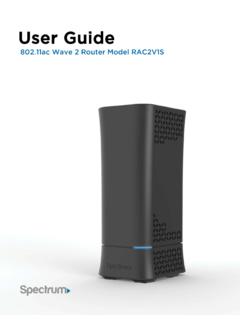
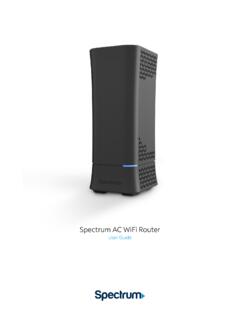
Transcription of Spectrum WiFi 6 Router
1 Spectrum wifi 6 Router User Guide2 Spectrum wifi 6 Advanced In-Home wifi Advanced In-Home wifi is included on your Spectrum wifi 6 Router delivering internet, network security and personalization, conveniently managed with the My Spectrum App. Your Router will have a QR code on the back label to indicate support of this Advanced In-Home wifi , you can: Personalize your wifi network name (SSID) and password View and manage devices connected to your wifi network Pause or resume wifi access for a device, or group of devices, connected to your wifi network Get port forwarding support for improved gaming performance Have peace of mind with a secure wifi network Use both wireless and Ethernet connectivityGet Started with My Spectrum App To get started, download My Spectrum App on Google Play or the App Store.
2 Another method to download My Spectrum App is to scan the QR code on the Router label with your smartphone camera, or go to wifi 6 Personalize Your wifi Network Name and Password To secure your home network, we recommend creating a unique network name and an alphanumeric password. You can do this in the My Spectrum App or at Your Internet Service If you re experiencing slow speeds or if you lose connection to your wifi network, check the following:Distance from the wifi Router : The farther away you are, the weaker the signal will be. Try moving location: Your Router should be placed in a central location for best wifi 6 Where to place your Router for the best coverage Do place in a central location Do place on a raised surface Do place in an open space Don t place in a media center or closet Don t place near devices like cordless phones that emit wireless radio signals Don t place behind a TVSpectrum wifi 6 Router with Advanced In-Home wifi The Router s front panel features the status LED (light) which indicates the process the Router is going through while establishing your home network.
3 LED status light colors:Status LightsOffDevice is offBlue flashingDevice is booting upBlue pulsingConnecting to the internetBlue solidConnected to the internetRed pulsingConnectivity issue (no internet connection)Red and Blue alternatingUpdating firmware (device will automatically restart)Red and White alternatingDevice is overheating5 Spectrum wifi 6 ResetEthernet321 Int ernetPowerSpectrum wifi 6 Router with Advanced In-Home wifi The Router s side panel features:Reboot - Press and hold for 4 - 14 seconds to reboot Router . Your personalized configurations will not be reset - Press and hold for more than 15 seconds to reset Router to factory default settings.
4 Warning: Your personalized configurations will be (LAN) port - Connect network cables for local area network connection PC, game console, (WAN) por t - Connect network cable to the modem for wide area network plug - Connect provided power supply to home outlet power wifi 6 To Change wifi name,download the getappDefault wifi Network Name:SpectrumSetup-XXWiFi 6 RouterPassword:LaughterReceivedComplete5 7 Model NumberSpectrum wifi 6 Router with Advanced In-Home wifi The Router s label callouts:MAC Address - Physical address of the device QR Code - Used to scan to download the My Spectrum AppNetwork Name and Password - Used to connect to wifi networkSerial Number - Serial number of the device7 Spectrum wifi 6 Need Help or Have Questions?
5 We re here for you. To learn more about your services or get support, visit or call us at (855) GHz and 5 GHz frequency bandsSupports existing client devices in the home, and all newer devices using higher frequencies. Provides flexibility in range for wifi signal to cover the wifi Radio - 4x4:45 GHz wifi Radio - 4x4:4 More data per packet transition provides higher throughput and increased range improving experience, especially in client dense environments Delivers higher data rates and bandwidth for the GHz and 5 GHz frequencies Client steering - optimizes client device connectivity to best frequency band, channel, and access point.
6 Prevents client devices from sticking to a specific band. Band steering with multiple access - 20/40 MHz 5 GHz - 20/40/80/160 wifi 6 chipsets with higher processing powerSupports consistent performance where there is a higher density of wifi devices connecting to the network. Powerful chips encode/decode signals allowing better network and device security (WPA2 personal)Supports the industry security standard to protect devices on the wifi GigE LAN portsConnect stationary computers, game consoles, printers, media sources and other devices on the private network for high-speed specs Fan to provide optimum temperature regulating and stability Ethernet standard: 10/100/1000 IPv4 and IPv6 support Power supply: 12 VDC/3A provides power management Wall mounting bracket Dimensions.
7 X 5 x 3,42 Spectrum wifi 6 Router Technical Specs