Transcription of Spreadsheet Design and Validation for Regulatory ...
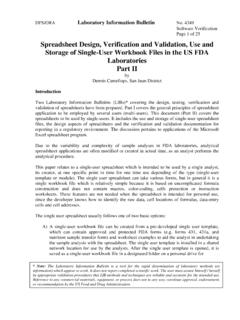
1 DFS/ORA Laboratory Information Bulletin No. 4317 Software Validation Page 1 of 40 Spreadsheet Design and Validation for the Multi-User Application for the Chemistry Laboratory Part I by Dennis Cantellops, Evelyn Bonnin and Anne Reid Southeastern Regional Laboratory Introduction Two LIB s covering Design and Validation of analytical spreadsheets have been prepared. This document covers the general principles of Spreadsheet application to be employed by several users (multi-users), Part I. Another document to be submitted, Part II concentrates on spreadsheets to be used by only one user (single-user). The Design aspects of spreadsheets and the verification and Validation documentation for reporting in a Regulatory environment are discussed.
2 The discussion pertains to applications of the Microsoft Excel Spreadsheet program. For multi-users, special care is required because the Spreadsheet must be bulletproof to minimize the possibility of misuse. The application of the Spreadsheet must be clearly defined, which means providing additional formatting and instructional elements. The degree of extra effort depends on the experience level of the expected users, but always, when multiple users are involved, the Spreadsheet requires stringent Validation and its documentation. Documentation for the multi-user Spreadsheet provides evidence that formulas, macros, data integrity, accuracy, reliability, and operational procedures (such as instructions for user) will perform as expected.
3 The usefulness of software (such as Power Pak Utility-PUP ) that audits the workbook file and generates Validation documentation will be discussed. In the production of both, the analyst (single-user) and users spreadsheets effective and appropriate principles and procedures must be applied to all stages of the analytical workbook files. At the Design stage, such principles include Design standards, clarity of formulas, documentation, and user-friendliness. Furthermore, when the basic principles of software engineering techniques are applied to the construction of Spreadsheet models, many errors are reduced or eliminated. Note: The Laboratory Information Bulletin is a tool for the rapid dissemination of laboratory methods (or information) which appear to work.
4 It does not report completed scientific work. The user must assure himself / herself by appropriate Validation procedures that LIB methods and techniques are reliable and accurate for the intended use. Reference to any commercial materials, equipment, or process does not in any way constitute approval, endorsement, or recommendation by the Food and Drug Laboratory Information Bulletin No. 4317 Software Validation Page 2 of 40 Observed Spreadsheet Application Problems The following Spreadsheet problems were discovered during an FDA inspection of a QC analytical laboratory in a pharmaceutical firm. The QC laboratory failed to follow current good manufacturing practice (cGMP) (1) and good laboratory practice (GLP) (2) regulations.
5 Also, basic principles of multi-user Spreadsheet Design , Validation and documentation were not apparent. Spreadsheet files were not maintained and many were deleted. The SOPs for the spreadsheets were absent and Validation and documentation procedures were not in use. These Spreadsheet problems can also be present in FDA laboratories. Specific problems included the following: Nearly all of the spreadsheets in the laboratory showed rounding-off errors and none used the Excel rounding function, when needed to avoid rounding-off discrepancies between the original and check calculations by the second analyst. Formulas in the analytical procedures did not follow the Excel equations.
6 Conversion factors were not expressed in the analytical procedures. The formulas used by the check analyst for manual calculations were not the same as those used in the Excel spreadsheets . The pre-determined specifications or limits were not shown in the spreadsheets . spreadsheets were not clearly documented. For example, the product declaration was not indicated, replaced by only a number in a cell. Units were expressed as numbers without descriptive labels such as mg/mL or mg/g. Sample weights were described as sample volume and areas as ratios. spreadsheets did not contain provisions for security and integrity of data. Spreadsheet applications were not protected from changes, meaning analysts could freely change labels and formulas.
7 Regression analysis was calculated with the y and x axis inverted in the Excel formula, which generated erroneous slope and intercept results. These analytical Spreadsheet mistakes can be eliminated if the analyst (developer) ensures that each element in the Spreadsheet application is uniquely and unambiguously defined. As a minimum, a simple Spreadsheet Validation documentation should include the following items (3): A description of what the program does and proper instructions. Use of color-coding for data-entry. A description of the mathematical formulas used . An explanation of the relationship of the formulas in the analytical method to the Excel equations. Listings for any macro programs.
8 DFS/ORA Laboratory Information Bulletin No. 4317 Software Validation Page 3 of 40 Acceptance criteria, including product declarations and specifications or USP limits. Test sheets with anticipated and actual results, signed and reviewed, that have been verified by manual calculations. Security and password maintenance. Operating system used, date of installation and version number. Documentation of the Spreadsheet program, including any service packs or add-ins. Some service packs such as the PUP or the additions of macros may not be reflected in the software program version designation but should be documented all the same. Good Laboratory Practice (GLP) Regulations The use of spreadsheets to judge the quality of a product (4) is controlled by cGMP s, GLP, regulations (1) (2) and ISO 17025 accreditation (5).
9 The following are some of the requirements established by GLP regulations: Configuration Management. Quality assurance for managing software addresses all documentation associated with the system and is applied during all operational phases of software use, including the development and maintenance phases. It includes identification of changes, implementation of changes as reported, and revalidation of formulas and workbook files at specified times or when the developer introduces a new version of the Spreadsheet . If modifications, up-grade or changes to the software have been implemented, perform regression analysis to determine what portions of the software that had not been changed might have been adversely affected by changes elsewhere in the software.
10 In addition, conduct regression testing on those portions to determine if any new errors or problems were introduced. Written Standard Operating Procedures (SOPs). SOPs are defined at 21 CFR (a) (2), as A testing facility shall have standard operating procedures in writing setting forth non-clinical laboratory study methods that management is satisfied are adequate to insure the quality and integrity of the data generated in the course of a study. All deviations in a study from standard operating procedures shall be authorized by the study director and shall be documented in the raw data. Significant changes in established standard operating procedures shall be properly authorized in writing by management.