Transcription of STAGE THREE INSTRUCTIONS - Dynojet
1 Thank you for purchasing this Dynojetkit. This kit has been developed for amotorcycle which is set to the parameters listed at the right in the STAGE description. If your motorcycledoes not meet any of these parametersplease check with Dynojet before installation. For technical assistancecontact your Dynojet distributor or callDynojet (800)-992-49932191 Mendenhall Dr. Suite 105 North Las Vegas, NV 89081 TEL: 702-399-1423 FAX: 702-399-14318am-5pm Pacific TimeMonday through FridayWebsite manufacturer and seller make nowarranties express or implied whichextend beyond the description of thegoods contained herein.
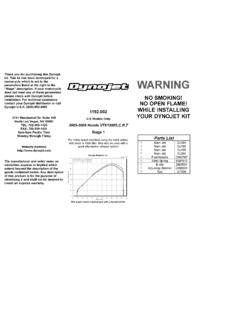
2 Any descriptionof this product is for the purpose ofidentifying it and shall not be deemed tocreate an express Models Only1987-2010 Kawasaki EX500 &1991-2006 EN500 STAGE 1&3 STAGE 1 For mildly tuned machines using the stock airbox, with stock orK&N filter #KA-5087 (EX500) STAGE 3 For mildly tuned machines using individual filters or velocitystacks. K&N filters #RC-0982 (EX500)Both stages may be used with a good aftermarket exhaustThis graph shows a typical gain with a Dynojet jet kit. WARNINGNO SMOKING!NO OPEN FLAME!WHILE INSTALLINGYOUR Dynojet KITP arts List2 Main JetsDJ1222 Main JetsDJ1262 Main JetsDJ1362 Main JetsDJ1402 Fuel NeedlesDNO2252 Slide SpringsDSP0052E-clipsDE00014 Adjusting Washers DW00011 Slide DrillDD 301 Plug DrillDD 5/321 Screw Remove the vacuum slides from the carbs.
3 Remove the stock needlesand spacers, noting order of assembly ( ).2. Locate your slide lift hole (Fig. A) Use the drill bit provided (DD #30) toenlarge your slide lift holes. Do notdrill the needle Install the Dynojet needles on groove #3 from the top. Use all stockspacers (Fig. A). Install the small Dynojet washers above the e-clip (2 per needle). Install the Dynojet slide springs (DSP005) in place of thestock slide springs for the EX500 (do not use on the EN500). Afterinstalling the slides in the carbs be sure to check slide Remove the stock main jets and replace with the Dynojet main jetsprovided.
4 If you are running the stock exhaust install the DJ122 mainjets. If you are running an aftermarket exhaust or slip-ons with highflowing baffles use the DJ126 main jets. Be sure that the jet you arechanging is the main Locate the fuel mixture plug (Fig. B). If you see a screw head at proceed to the adjusting procedure. With the 5/32 drill bit providedcarefully drill through the plug. NOTE:The mixture screw is directlyunderneath this plug, be ready to pull back on the drill the instant youbreak screw provided to secure and remove this turn the mixture screw clockwise until lightly seated, then backout ONE INSTRUCTIONSFig.
5 APlace E-clip ingroove #3 fromthe topSTAGE THREE INSTRUCTIONS1. Remove the vacuum slides from the carbs. Remove the stock needlesand spacers, noting order of assembly ( ).2. Locate your slide lift hole (Fig. A) Use the drill bit provided (DD #30) toenlarge your slide lift holes. 3. Install the Dynojet needles on groove #3 from the top. Use all stockspacers (Fig. A). Install the small Dynojet washers above the e-clip(2 per needle). Install the Dynojet slide springs (DSP005) in place of thestock springs for the EX500 (do not use on the EN500).
6 After installingthe slides in the carbs be sure to check slide movement manually beforeair box Remove the stock main jets and replace with the Dynojet main jetsprovided. If you are running the stock exhaust install the DJ136 mainjets. If you are running an aftermarket exhaust or slip-ons with highflowing baffles use the DJ140 main jets. Be sure that the jet you arechanging is the main jet. 5. Locate the fuel mixture plug (Fig. B). If you see a screw head at proceed to the adjusting procedure. With the 5/32 drill bit providedcarefully drill through the plug.
7 NOTE:The mixture screw is directlyunderneath this plug, be ready to pull back on the drill the instant youbreak screw provided to secure and remove this turn the mixture screw clockwise until lightly seated, then backout B